

Every successful product starts with a clear understanding of what needs to be built. Yet one of the leading causes of product delays, engineering rework, cost overruns, and quality issues isn’t poor design. It’s poorly managed requirements.
Whether you’re developing medical devices, aerospace systems, industrial equipment, automotive components, or software-enabled products, requirements define the foundation of every engineering decision. When requirements are incomplete, ambiguous, or disconnected from design and testing, teams struggle to maintain alignment throughout development.
This is where requirements management becomes essential.
Requirements management is the structured process of capturing, organizing, analyzing, tracing, verifying, validating, and maintaining requirements throughout the entire product development lifecycle. Rather than treating requirements as static documents created at the beginning of a project, modern organizations manage them as living assets that evolve alongside the product.
Effective requirements management improves collaboration between engineering, product management, quality, manufacturing, and software teams while providing the traceability needed to support compliance, reduce development risk, and deliver better products faster.
In this article, we’ll explain what requirements management is, why it matters, how the process works, the role of requirements traceability, and how modern Application Lifecycle Management (ALM) solutions help organizations manage increasingly complex products.
Have Your Requirements Outgrown Spreadsheets?
Poorly managed requirements can create rework, delays, version confusion, and compliance risk long before a product reaches testing. Discover five warning signs that spreadsheets and disconnected documents can no longer support the complexity of your development process.

What Is Requirements Management?
Requirements management is the process of documenting, organizing, analyzing, tracing, reviewing, and maintaining requirements throughout a product’s lifecycle.
A requirement describes something a product, system, or software application must do (or a condition it must satisfy) to meet customer expectations, business objectives, or regulatory obligations.
Requirements management ensures that every requirement is:
- Clearly defined
- Reviewed and approved
- Traceable
- Implemented correctly
- Verified through testing
- Updated as changes occur
Rather than existing as isolated documents, modern requirements become connected to designs, risks, test cases, defects, engineering changes, and product releases, creating a complete digital thread across development.
Types of Requirements
Most organizations manage several types of requirements throughout development.
Business Requirements
Business requirements define the goals the product must achieve from an organizational perspective.
Examples include:
- Reduce manufacturing costs
- Improve customer satisfaction
- Enter a new market
- Meet revenue objectives
These requirements establish the “why” behind the project.
Product Requirements
Product requirements describe the capabilities customers expect from the finished product.
Examples include:
- Battery life
- Maximum operating temperature
- User interface functionality
- Performance specifications
These requirements guide engineering decisions throughout development.
Engineering Requirements
Engineering requirements translate customer needs into measurable technical specifications.
Examples include:
- Mechanical tolerances
- Electrical characteristics
- Material specifications
- Performance limits
- Environmental conditions
These detailed requirements provide engineers with the information necessary to design and validate the product.
Software Requirements
As products become increasingly software-driven, software requirements management has become a critical discipline.
Software requirements define:
- Functional behaviors
- User interactions
- System interfaces
- Security expectations
- Performance requirements
- Reliability objectives
Managing software requirements alongside hardware requirements improves coordination across multidisciplinary engineering teams.
Regulatory Requirements
Many industries (medical devices, aerospace, defense, automotive) must also satisfy regulatory requirements established by governing bodies and industry standards.
Examples include:
- FDA regulations
- ISO 13485
- IEC 62304
- ISO 26262
- DO-178C
Maintaining traceability between these regulatory requirements and engineering activities is essential for demonstrating compliance.
Why Requirements Management Matters
Requirements influence every stage of product development, from concept through manufacturing, testing, deployment, and maintenance. When requirements are managed effectively, organizations gain significant advantages.
Improved Product Quality
Products can only meet customer expectations when development teams fully understand those expectations. Well-defined requirements reduce ambiguity while helping engineering teams build products that satisfy functional, performance, safety, and usability objectives.
Reduced Engineering Rework
Poor requirements often lead to costly redesigns. If misunderstandings aren’t discovered until testing (or worse, after product launch) the resulting engineering changes can dramatically increase development costs. Managing requirements throughout the requirements lifecycle helps identify issues early, when they’re far less expensive to resolve.
Better Cross-Functional Collaboration
Requirements affect nearly every department. Engineering, software development, quality assurance, manufacturing, product management, and regulatory teams all rely on accurate requirement information.
Centralized requirements management improves collaboration by giving every stakeholder access to the same current information.
Faster Product Development
Clear requirements reduce unnecessary clarification, duplicate work, and conflicting interpretations. Teams spend less time resolving misunderstandings and more time delivering value.
Improved Compliance
For regulated industries, demonstrating compliance requires more than documenting requirements. Organizations must show how each requirement connects to:
- Design outputs
- Risk analyses
- Verification activities
- Validation testing
- Product releases
Strong requirements traceability simplifies audits while reducing compliance risk.
Better Systems Engineering
Modern products combine mechanical, electrical, electronic, and software components. Systems engineering depends on well-structured requirements that connect customer needs to system architecture, subsystem designs, verification activities, and final product performance.
Without disciplined requirements management, coordinating these engineering disciplines becomes increasingly difficult.
The Requirements Management Process
Although every organization adapts the process to its products and development methodology, most successful teams follow a similar requirements lifecycle.
Each phase builds upon the previous one while maintaining complete visibility into requirement status and downstream impacts.
Step 1: Requirements Gathering
Every successful project begins by understanding stakeholder needs. Requirements gathering involves collecting information from customers, users, business leaders, regulatory agencies, manufacturing teams, service organizations, and other stakeholders.
Common sources include:
- Customer interviews
- Market research
- User observations
- Existing product feedback
- Competitive analysis
- Regulatory standards
- Industry best practices
The objective is to understand both explicit customer requests and underlying business needs before development begins.
Successful requirements gathering also involves asking clarifying questions, identifying conflicting priorities, and documenting assumptions that may affect future design decisions.
Step 2: Requirements Documentation
After gathering information, organizations convert stakeholder input into structured documentation. Effective requirements documentation ensures requirements are:
- Clear
- Complete
- Measurable
- Testable
- Consistent
- Unambiguous
A comprehensive requirements specification often includes:
- Functional requirements
- Non-functional requirements
- Performance requirements
- Interface requirements
- Safety requirements
- Security requirements
- Regulatory requirements
- Acceptance criteria
Each requirement should describe exactly what must be accomplished without prescribing how engineers should implement the solution.
This distinction encourages innovation while maintaining clear expectations.
Step 3: Requirements Analysis
Once documented, requirements must be evaluated for completeness, feasibility, consistency, and business value. During requirements analysis, engineering and business stakeholders typically:
- Identify duplicate requirements
- Resolve conflicting requirements
- Prioritize development efforts
- Assess technical feasibility
- Evaluate implementation costs
- Identify potential project risks
Requirements analysis also helps ensure that every requirement supports an overall business objective.
Requirements that don’t provide measurable value may unnecessarily increase project complexity.
For large or highly regulated products, systems engineering teams often organize requirements into hierarchical structures that connect business objectives to system requirements, subsystem requirements, and component specifications.
Step 4: Requirements Review and Approval
Before development begins, requirements should undergo formal review. Stakeholders from engineering, quality, product management, manufacturing, software development, and regulatory affairs verify that requirements are complete, understandable, and achievable.
Formal reviews often include:
- Technical reviews
- Design reviews
- Stakeholder approvals
- Baseline creation
- Version control
Establishing approved requirement baselines creates a stable foundation for development while ensuring future requirement changes can be evaluated through structured change management processes.
Rather than preventing change, baselines make change more manageable by providing a clearly documented starting point and maintaining a history of requirement evolution throughout the project.
Step 5: Requirements Traceability
Once requirements have been approved, organizations must ensure they remain connected to every downstream activity throughout development. This is the purpose of requirements traceability.
Requirements traceability establishes relationships between requirements and the artifacts that support them, including:
- Customer needs
- Business objectives
- System requirements
- Engineering designs
- Software features
- Risk analyses
- Test cases
- Verification results
- Product releases
Rather than treating requirements as isolated documents, traceability creates a connected network of information that provides complete visibility into how every requirement is implemented and validated.
For organizations developing complex or regulated products, traceability isn’t simply a best practice. It is often a regulatory expectation.
Types of Requirements Traceability
Most organizations maintain three forms of traceability.
Forward Traceability
Forward traceability follows a requirement through development to confirm it has been implemented.
Example:
Customer Requirement > System Requirement > Design > Implementation > Test Case > Verification
Forward traceability answers an important question:
“Has every requirement been implemented?”
Backward Traceability
Backward traceability begins with a completed design, feature, or test and traces it back to its originating requirement. This ensures engineering teams aren’t building unnecessary functionality.
Backward traceability answers:
“Why was this feature developed?”
Bidirectional Traceability
The most mature organizations maintain bidirectional traceability. This enables teams to move forward or backward through the development lifecycle while immediately understanding the impact of any change.
When a requirement changes, engineers can instantly determine:
- Which designs are affected
- Which software components require updates
- Which risks must be reassessed
- Which test cases require modification
- Which documents require revision
This capability dramatically reduces engineering risk while improving project agility.
Step 6: Requirements Verification
After implementation, organizations must demonstrate that every requirement has been satisfied. This activity is known as requirements verification.
Verification answers a simple question: “Did we build the product correctly?”
Verification focuses on confirming that engineering outputs satisfy documented requirements. Common verification methods include:
- Functional testing
- Inspection
- Analysis
- Simulation
- Laboratory testing
- Performance testing
- Software testing
Every verification activity should remain linked directly to the originating requirement through requirements traceability.
Maintaining these relationships simplifies quality audits while providing confidence that no requirements have been overlooked.
Step 7: Requirements Validation
Verification and validation are often confused, but they answer different questions. While verification confirms the product was built according to requirements, requirements validation determines whether the product actually satisfies customer needs.
Validation asks: “Did we build the right product?”
Validation activities often include:
- Customer evaluations
- User acceptance testing
- Clinical evaluations
- Field trials
- Pilot production
- Market feedback
It’s entirely possible for a product to successfully verify every requirement while still failing validation because the original requirements didn’t accurately reflect customer expectations.
This distinction highlights why strong requirements engineering is so important early in development.
Step 8: Requirements Change Management
Requirements rarely remain static throughout development. Customers introduce new requests. Markets evolve. Regulations change. Engineering teams identify new technical constraints.
Without structured change management, these evolving requirements quickly create confusion throughout development.
Effective change management includes:
- Change requests
- Impact analysis
- Stakeholder review
- Version control
- Requirement baselines
- Approval workflows
- Revision history
Rather than viewing changing requirements as failures, mature organizations manage change as a normal part of product development.
The goal isn’t preventing change. The goal is understanding the downstream impact before implementing it.
When requirements remain connected through a digital thread, teams can immediately identify affected designs, software, documentation, risks, and test cases.
Build Traceability Across the Entire Development Lifecycle
Requirements should remain connected to designs, risks, tests, changes, and releases, not trapped in isolated documents. Explore how manufacturers can establish end-to-end traceability, improve change visibility, and simplify compliance across complex product development.
Requirements Management in Systems Engineering
As products become increasingly complex, systems engineering has become a foundational discipline for managing multidisciplinary development.
Modern products combine:
- Mechanical systems
- Electronics
- Embedded software
- Connectivity
- Cloud services
- Artificial intelligence
Each discipline introduces its own requirements. Systems engineering ensures these requirements remain aligned throughout development.
Rather than managing each discipline independently, systems engineering requirements establish a structured hierarchy connecting business objectives to increasingly detailed technical specifications.
A simplified hierarchy might look like this:
Business Need > Customer Requirement > System Requirement > Subsystem Requirement > Component Requirement > Verification Activity > Validation
This hierarchical approach provides clarity while supporting collaboration across multiple engineering disciplines. Requirements management serves as the backbone that keeps these relationships connected.
Requirements Traceability Explained
One of the defining characteristics of modern requirements management is end-to-end traceability. Rather than existing as independent documents, requirements become connected to every major engineering activity.
A typical traceability chain looks like this:
Customer Need > Business Requirement > System Requirement > Engineering Requirement > Design > Risk Assessment > Test Case > Verification > Validation > Release
This connected structure creates what many organizations refer to as the digital thread. Rather than searching through emails, spreadsheets, and multiple software systems, teams gain immediate visibility into how every engineering decision relates to customer needs.
What Is a Traceability Matrix?
Historically, organizations managed these relationships using a traceability matrix.
A requirements traceability matrix (RTM) documents relationships between requirements and downstream engineering artifacts.
Typical columns include:
| Requirement | Design | Test Case | Verification Status | Release |
While spreadsheets can work for small projects, they become difficult to maintain as products increase in complexity.
Modern ALM platforms automatically generate dynamic traceability views that update as requirements evolve, eliminating the manual effort required to maintain traditional traceability matrices.
Why Compliance Traceability Matters
Industries such as medical devices, aerospace, defense, and automotive often require organizations to demonstrate complete compliance traceability.
Auditors frequently ask questions such as:
- Which requirements support this feature?
- Which risks were identified?
- Which tests verify this requirement?
- Who approved the change?
- Which software version includes the update?
Without connected traceability, answering these questions can require days of manual document review.
With a digital thread, organizations can answer them in seconds.
This level of visibility not only simplifies audits but also improves engineering confidence by ensuring every requirement remains connected throughout the product lifecycle.
Ultimately, requirements traceability transforms requirements from static documentation into actionable engineering knowledge that supports collaboration, quality, compliance, and continuous improvement.
Requirements Management Software
For many organizations, requirements are still managed using Word documents, spreadsheets, emails, and shared folders. While these tools may work for small projects, they quickly become difficult to maintain as products grow more complex and involve multiple engineering disciplines.
Modern requirements management software provides a centralized environment where teams can capture, organize, review, trace, and manage requirements throughout the entire development lifecycle.
Unlike static documents, dedicated requirements management platforms treat requirements as connected, living objects that evolve with the product.
Why Spreadsheets Aren’t Enough
Spreadsheets offer flexibility, but they lack many of the capabilities needed to support modern engineering projects.
Common limitations include:
- Manual version control
- Limited collaboration
- No built-in traceability
- Difficult change tracking
- Inconsistent review processes
- Time-consuming reporting
- Increased risk of human error
As projects scale, maintaining a manual requirements traceability matrix becomes increasingly difficult.
What to Look for in Requirements Management Software
The best requirements management software should provide capabilities such as:
- Requirements capture and organization
- Version control
- Review and approval workflows
- End-to-end traceability
- Integrated risk management
- Test management
- Change impact analysis
- Collaboration tools
- Baselines and configuration management
- Reporting and dashboards
For organizations developing software-enabled products, these capabilities are often delivered through an Application Lifecycle Management (ALM) platform.
ALM solutions extend beyond requirements management by connecting requirements with development activities, testing, defects, releases, and compliance documentation.
When integrated with Product Lifecycle Management (PLM), ALM creates a digital thread that spans both hardware and software development, improving visibility across the entire product lifecycle.
Common Requirements Management Challenges
Even organizations with mature engineering teams face challenges when managing requirements across increasingly complex products.
Incomplete Requirements
Missing or poorly defined requirements often result in design changes, project delays, and customer dissatisfaction.
Investing additional time during requirements gathering typically reduces downstream engineering effort.
Scope Creep
Customer expectations and business priorities naturally evolve throughout development.
Without structured change management, projects can expand beyond their original objectives, increasing costs and delaying delivery.
Maintaining approved baselines and evaluating every proposed change helps organizations manage evolving requirements without losing control of the project.
Missing Traceability
One of the most common weaknesses in product development is incomplete requirements traceability.
When requirements aren’t connected to design, testing, and validation, organizations struggle to answer questions such as:
- Has every requirement been implemented?
- Which tests verify this feature?
- What happens if this requirement changes?
- Which products are affected?
Modern ALM platforms automate these relationships, reducing manual effort while improving visibility.
Poor Cross-Functional Collaboration
Engineering, software development, quality assurance, manufacturing, and regulatory teams often work in different systems.
Without centralized requirements management, departments may rely on outdated documentation or conflicting versions of the same requirement.
Creating a single source of truth significantly improves collaboration across the organization.
Manual Documentation
Maintaining documentation manually consumes valuable engineering time. Automating reviews, approvals, reporting, and traceability allows engineers to spend more time designing products and less time managing documents.
Best Practices for Effective Requirements Management
Successful organizations treat requirements as strategic assets rather than project documentation. The following best practices help improve product quality while reducing development risk.
Write Clear, Measurable Requirements
Every requirement should be:
- Specific
- Unambiguous
- Testable
- Necessary
- Achievable
- Traceable
Vague requirements often lead to inconsistent interpretations and unnecessary engineering changes.
Standardize Requirements Documentation
Using standardized templates and naming conventions improves consistency across projects while making requirements easier to review and maintain.
A consistent requirements specification also simplifies onboarding for new team members.
Maintain Bidirectional Traceability
Requirements should remain connected throughout development. Establishing bidirectional traceability enables organizations to understand both:
- How requirements are implemented
- Why engineering decisions were made
This becomes especially valuable when evaluating design changes or supporting regulatory audits.
Connect Requirements to Testing
Every requirement should be linked directly to one or more verification activities. Connecting requirements verification with testing ensures engineering teams can demonstrate that every requirement has been satisfied.
Review Requirements Early and Often
Requirements should never be reviewed only once. Regular stakeholder reviews identify ambiguities, conflicts, and missing information before development progresses too far.
Early feedback is significantly less expensive than correcting issues discovered during testing or after release.
Embrace Continuous Change Management
Requirements evolve throughout development. Rather than resisting change, organizations should implement structured workflows that evaluate impacts before approving revisions.
This approach balances flexibility with project control.
Requirements Management in Regulated Industries
Requirements management is especially important for organizations developing regulated products. Industries such as medical devices, aerospace, defense, automotive, and industrial equipment must demonstrate that products satisfy both customer requirements and regulatory obligations.
Examples include:
- FDA Quality System Regulation (21 CFR Part 820)
- ISO 13485
- IEC 62304
- ISO 26262
- DO-178C
- DO-254
- ASPICE
These standards often require organizations to maintain complete compliance traceability between requirements, risk analyses, design outputs, verification activities, validation evidence, and product releases.
Without connected requirements management, preparing for audits can become a time-consuming manual effort.
Organizations with mature ALM environments can quickly generate traceability reports that demonstrate compliance while reducing administrative overhead.
Requirements Management vs. Requirements Engineering
Although the terms are closely related, they describe different disciplines.
| Requirements Management | Requirements Engineering |
| Manages requirements throughout the entire lifecycle | Focuses on discovering, defining, and analyzing requirements |
| Includes traceability, version control, and change management | Includes elicitation, analysis, modeling, and specification |
| Supports ongoing product development | Primarily occurs during early project planning |
| Connects requirements to testing, risk, and releases | Produces the requirements that will later be managed |
In practice, the two disciplines work together.
Requirements engineering establishes high-quality requirements.
Requirements management ensures those requirements remain accurate, traceable, and actionable throughout development.
Frequently Asked Questions
What is requirements management?
Requirements management is the process of capturing, organizing, analyzing, tracing, reviewing, verifying, validating, and maintaining requirements throughout a product’s lifecycle.
Why is requirements management important?
Effective requirements management improves product quality, reduces engineering rework, strengthens collaboration, supports regulatory compliance, and ensures products meet customer expectations.
What is requirements traceability?
Requirements traceability connects requirements to related engineering artifacts (including designs, risks, test cases, verification activities, and releases) providing complete visibility throughout development.
What is a requirements traceability matrix?
A requirements traceability matrix (RTM) is a document or digital view that maps relationships between requirements and downstream engineering activities, helping organizations verify implementation and support compliance.
What is requirements engineering?
Requirements engineering is the discipline of identifying, analyzing, documenting, and refining requirements before product development begins.
What is the difference between verification and validation?
Requirements verification confirms that the product was built according to documented requirements.
Requirements validation confirms that the product satisfies customer and user needs.
What is Application Lifecycle Management (ALM)?
Application Lifecycle Management (ALM) is a framework and set of tools used to manage software development throughout its lifecycle, including requirements, development, testing, releases, defects, and traceability.
When integrated with PLM, ALM helps connect hardware and software development into a unified digital thread.
What software is used for requirements management?
Organizations use dedicated requirements management software or ALM platforms that provide requirements authoring, traceability, collaboration, review workflows, test management, and reporting capabilities.
How does requirements management support compliance?
Requirements management creates the traceability needed to demonstrate that customer, engineering, and regulatory requirements have been implemented, tested, verified, validated, and properly documented.
This significantly simplifies audits and reduces compliance risk.
Building Better Products Starts with Better Requirements
Every successful product begins with a clear understanding of what needs to be built. That understanding must remain intact throughout the entire development lifecycle.
Effective requirements management provides the structure needed to connect customer needs with engineering decisions, risk management, testing, verification, validation, and product releases. By maintaining complete requirements traceability, organizations reduce development risk, improve collaboration, accelerate delivery, and ensure products meet both customer expectations and regulatory requirements.
As products continue to incorporate more software, electronics, and connected technologies, spreadsheets and disconnected documents are no longer enough. Modern requirements management software and Application Lifecycle Management (ALM) platforms help organizations establish a digital thread that connects every stage of development, from concept through release.
Whether you’re building medical devices, aerospace systems, industrial equipment, automotive products, or complex software-enabled solutions, investing in disciplined requirements management lays the foundation for better engineering outcomes and more successful products.
Ready to Improve Your Requirements Management Process?
If your team is struggling with disconnected requirements, manual traceability, version control issues, or increasing compliance demands, EAC can help.
Our experts help organizations modernize requirements management through ALM solutions, systems engineering best practices, and integrated digital engineering workflows. Whether you’re evaluating requirements management software, implementing Codebeamer, or looking to strengthen traceability across hardware and software development, we can help you build a connected development environment that improves quality, collaboration, and compliance.
Codebeamer connects requirements, risk, testing, change management, and development activities in one collaborative environment. See how a modern ALM platform can help your organization reduce product-development risk, improve engineering visibility, and bring higher-quality products to market faster.

Successful product development is more than having a great idea. A lot more. Manufacturers today face increasing pressure to innovate faster, meet evolving customer expectations, navigate complex regulations, and bring higher-quality products to market without driving up costs. Whatever the product (medical devices, industrial equipment, consumer products, or software-enabled systems) success is hard to achieve without following a structured product development process.
A well-defined product development process provides a repeatable framework that guides organizations from initial concept through engineering, validation, manufacturing, and launch. Rather than relying on disconnected spreadsheets, emails, and tribal knowledge, leading companies establish standardized workflows that improve collaboration, reduce risk, and accelerate decision-making.
As products become increasingly connected and multidisciplinary, organizations must also manage mechanical, electrical, software, and systems engineering activities together. This makes effective requirements management, cross-functional collaboration, and digital product data more important than ever.
In this article we’ll explore every stage of the new product development process, compare common product development methodologies, discuss common challenges, and share best practices for building a more efficient and scalable product development strategy.
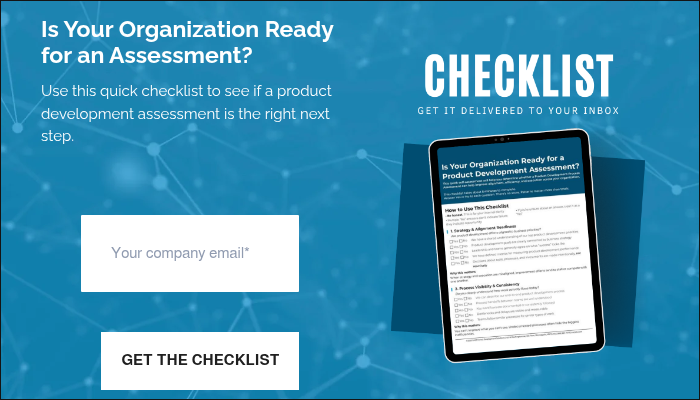
But first… Is Your Product Development Process Ready to Improve?
Before investing in new tools or process changes, determine where your organization stands today. Use this checklist to identify whether disconnected workflows, limited visibility, or recurring development challenges signal the need for a product development assessment.
What Is the Product Development Process?
The product development process is the structured series of activities organizations follow to transform an idea into a commercially available product. It encompasses everything from identifying market opportunities and gathering customer requirements to engineering design, testing, manufacturing preparation, and product launch.
Although every organization adapts the process to fit its products and industry, most successful companies follow a consistent framework that ensures every product meets technical, business, and customer requirements before reaching the market.
A mature product development framework helps organizations:
- Identify customer and market needs
- Define technical and business requirements
- Improve collaboration across engineering, manufacturing, quality, and supply chain teams
- Reduce costly redesigns
- Improve product quality
- Accelerate time-to-market
- Support continuous improvement after launch
Rather than treating product development as a collection of isolated engineering tasks, modern organizations view it as an integrated business process spanning multiple departments and technologies.
Product Development vs. New Product Development
While the terms are often used interchangeably, there is a subtle distinction between product development and new product development (NPD).
Product development refers to the ongoing creation, improvement, or enhancement of products throughout their lifespan. This may include introducing new features, redesigning components, improving manufacturability, or responding to customer feedback.
New product development, on the other hand, focuses specifically on bringing entirely new products to market, from concept through commercialization. The new product development process typically begins with identifying an opportunity and concludes when the product is successfully launched.
Both processes rely on structured planning, cross-functional collaboration, and disciplined execution to minimize risk and maximize market success.
Product Development vs. Product Lifecycle
Another common point of confusion is the difference between the product development process and the product lifecycle. The product development process focuses on creating and launching a product. It represents only one portion of the broader product lifecycle, which includes:
- Concept
- Development
- Production
- Service
- Maintenance
- Retirement
Understanding this distinction is important because decisions made during development influence every later phase of the product lifecycle. Well-managed product data, design decisions, and engineering documentation continue delivering value long after the product reaches customers.
Why a Structured Product Development Process Matters
Without a standardized process, organizations often experience missed deadlines, duplicated work, inconsistent documentation, communication breakdowns, and expensive engineering changes.
A structured product development workflow creates consistency while enabling teams to move faster with greater confidence.
Faster Time-to-Market
Competitive markets reward organizations that can introduce products quickly without sacrificing quality.
By establishing standardized reviews, clearly defined milestones, and repeatable engineering workflows, teams eliminate unnecessary delays and reduce uncertainty throughout development.
Instead of reinventing the process for every project, engineers can focus on solving technical problems rather than administrative ones.
Better Engineering Collaboration
Today’s products rarely come from a single engineering discipline. Mechanical engineers, electrical engineers, software developers, manufacturing engineers, quality teams, suppliers, and project managers all contribute throughout development.
Strong engineering collaboration ensures everyone works from the same product information while reducing communication gaps that often lead to rework.
Modern collaboration tools provide centralized product data, version control, and shared visibility into requirements, designs, and engineering changes.
Improved Requirements Management
Poorly defined requirements remain one of the leading causes of project delays and redesigns. Effective requirements management establishes clear expectations before design begins while maintaining traceability throughout development.
As requirements evolve, teams can immediately understand how changes affect designs, testing, compliance documentation, manufacturing, and customer deliverables.
For organizations developing regulated products, maintaining complete traceability between requirements, designs, risks, and verification activities is especially critical.
Reduced Engineering Change Costs
Engineering changes become increasingly expensive the later they occur. Finding a design issue during concept development may require only a few hours of engineering effort. Discovering that same issue after tooling, manufacturing, or product launch can cost thousands (or millions) of dollars.
An effective engineering change management process helps organizations evaluate proposed changes, assess downstream impacts, obtain approvals efficiently, and maintain accurate documentation throughout the product lifecycle.
Stronger Regulatory Compliance
Manufacturers operating in industries such as medical devices, aerospace, defense, and automotive face strict documentation and traceability requirements.
A structured product development process helps organizations demonstrate compliance by ensuring engineering decisions, requirements, testing activities, risk analyses, and approvals are properly documented and linked together.
This level of visibility simplifies audits while reducing compliance risk.
Better Business Outcomes
Ultimately, a disciplined product development strategy delivers measurable business benefits beyond engineering efficiency.
Organizations with mature development processes often experience:
- Faster product launches
- Higher product quality
- Lower development costs
- Fewer engineering changes
- Improved customer satisfaction
- Better collaboration between departments
- Increased product innovation
- Greater scalability across engineering teams
The Eight Stages of the Product Development Process
While organizations may use different terminology, most successful new product development processes follow eight major stages. Each stage builds upon the previous one while reducing uncertainty before additional investments are made.
Stage 1: Idea Generation
Every successful product begins with identifying a meaningful opportunity. Ideas may originate from customers, internal innovation initiatives, market research, competitive analysis, supplier partnerships, or emerging technologies.
During this stage, organizations focus on answering questions such as:
- What customer problems exist?
- Which market opportunities are underserved?
- What competitive advantages could we create?
- Which emerging technologies could enable innovation?
Rather than evaluating every idea equally, many organizations use structured scoring criteria based on customer value, technical feasibility, business potential, and strategic alignment.
The objective isn’t simply to generate ideas, it’s to identify ideas worth pursuing.
Stage 2: Product Discovery and Requirements Definition
Once an opportunity has been identified, teams begin defining exactly what the product must accomplish. This stage establishes the foundation for the entire project through comprehensive requirements management.
Typical activities include:
- Gathering customer requirements
- Defining functional requirements
- Identifying performance expectations
- Assessing regulatory obligations
- Conducting risk analyses
- Developing preliminary system architectures
- Establishing success criteria
Organizations practicing systems engineering often develop requirements hierarchies that connect business objectives to system requirements, subsystem requirements, and component-level specifications.
This traceability significantly reduces ambiguity during later engineering phases while improving communication between stakeholders.
Stage 3: Product Planning and Strategy
Before engineering begins in earnest, organizations must validate that the project is technically, financially, and operationally viable. This planning phase transforms concepts into executable projects.
Typical deliverables include:
- Business case
- Product roadmap
- Resource planning
- Budget estimates
- Development timeline
- Risk assessment
- Technology evaluation
- Manufacturing considerations
A comprehensive product development strategy aligns engineering priorities with broader business objectives while establishing measurable milestones throughout the project.
This is also where organizations define the product development methodology they’ll use, whether that’s Stage-Gate, Agile, Waterfall, or a hybrid approach tailored to the complexity of the product.
Stage 4: Engineering and Product Design
With requirements defined and project plans in place, engineering teams begin transforming concepts into detailed product designs. This is often the longest and most collaborative stage of the product development process, involving multiple disciplines working together to ensure the product meets functional, manufacturing, quality, and business objectives.
Activities during this stage typically include:
- Mechanical design
- Electrical system design
- Software development
- System architecture
- Computer-aided design (CAD)
- Simulation and analysis
- Design reviews
- Bill of Materials (BOM) creation
The engineering design process is highly iterative. Early concepts evolve through multiple revisions as engineers validate performance, manufacturability, cost targets, and customer requirements.
Cross-functional engineering collaboration becomes especially important during this phase. Design decisions made by one team often impact manufacturing, procurement, quality, service, and regulatory compliance. Maintaining a single source of product data helps teams avoid version conflicts and ensures everyone is working from the latest information.
Many organizations leverage Product Lifecycle Management (PLM) solutions to centralize engineering data, manage revisions, and improve collaboration across distributed teams.
Stage 5: Prototype and Validation
Before committing to full-scale production, organizations build prototypes to verify that the product performs as intended.
Modern prototyping methods (additive manufacturing, CNC machining, virtual simulation) allow engineering teams to identify issues early, when changes are less expensive and easier to implement.
Prototype validation may include:
- Functional testing
- User evaluations
- Ergonomic assessments
- Design verification
- Performance benchmarking
- Reliability testing
- Environmental testing
Rather than viewing prototypes as finished products, organizations should treat them as learning tools. Each iteration provides valuable feedback that helps refine the design and reduce uncertainty before production.
Rapid prototyping technologies have significantly shortened this phase of the new product development process, enabling teams to evaluate multiple design options in days instead of weeks.
Stage 6: Product Testing and Verification
Once the design has matured, products undergo rigorous testing to ensure they satisfy all functional, safety, regulatory, and customer requirements.
Testing activities vary by industry but often include:
- Functional verification
- Performance testing
- Stress testing
- Environmental testing
- Reliability testing
- Compliance validation
- Software verification
- User acceptance testing
Organizations developing regulated products must also demonstrate complete traceability between requirements, risks, design outputs, and verification activities. This is where strong requirements management practices become invaluable.
Instead of manually documenting relationships across spreadsheets, leading organizations establish digital traceability throughout development. This enables teams to quickly answer questions such as:
- Which requirements have been verified?
- Which tests support each requirement?
- What risks remain open?
- How would a design change affect validation activities?
Maintaining these relationships improves engineering confidence while simplifying audits and regulatory submissions.
Stage 7: Manufacturing Preparation
After engineering validation is complete, attention shifts toward preparing the organization for production. Successful manufacturing preparation requires close coordination between engineering, operations, procurement, suppliers, quality, and production teams.
Typical activities include:
- Finalizing Bills of Materials
- Manufacturing process planning
- Supplier qualification
- Tooling development
- Work instruction creation
- Quality planning
- Production scheduling
- ERP integration
This phase is often referred to as New Product Introduction (NPI). A well-managed new product introduction process ensures manufacturing teams receive complete, accurate product information before production begins.
Poor communication during NPI frequently leads to production delays, quality issues, engineering change requests, and increased manufacturing costs.
Organizations that integrate engineering systems with manufacturing and ERP platforms reduce manual data entry while improving consistency across departments.
Stage 8: Product Launch and Continuous Improvement
Product launch marks an important milestone, but it isn’t the end of the product development process. Successful organizations continuously monitor product performance after release, collecting feedback from customers, manufacturing teams, service technicians, and sales organizations.
Common post-launch activities include:
- Customer feedback collection
- Product performance monitoring
- Engineering change requests
- Feature enhancements
- Cost reduction initiatives
- Supplier improvements
- Product updates
Continuous improvement allows organizations to respond quickly to market changes while extending product value throughout its lifecycle.
A mature engineering change management process helps evaluate improvement opportunities while ensuring updates are properly reviewed, documented, and communicated across the organization.
See What a Product Development Assessment Looks Like
Understanding the stages of product development is one thing. Knowing where your current process breaks down (and how to prioritize improvements) is another. Explore the roadmap of a successful product development process assessment, from initial discovery through actionable recommendations.
Product Development Methodologies
While every organization follows similar development stages, the way those stages are managed varies considerably. Selecting the right product development methodology depends on factors such as product complexity, regulatory requirements, organizational culture, and project risk.
Waterfall
The Waterfall methodology follows a sequential approach where each phase is completed before the next begins.
Advantages include:
- Clear milestones
- Well-defined documentation
- Predictable planning
- Strong governance
Waterfall works well for highly regulated industries where extensive documentation and formal approvals are required.
However, its structured nature makes adapting to changing requirements more difficult later in the project.
Stage-Gate
Stage-Gate builds on the traditional development process by introducing decision points, or “gates,” between major phases. At each gate, stakeholders review project progress before authorizing additional investment.
Benefits include:
- Better risk management
- Improved executive visibility
- Consistent project evaluation
- Resource prioritization
Many manufacturing organizations combine Stage-Gate with Agile engineering practices to balance governance with flexibility.
Agile Product Development
Originally developed for software, Agile principles are increasingly being applied to physical product development. Rather than delivering one final design, Agile emphasizes:
- Short development iterations
- Continuous customer feedback
- Cross-functional collaboration
- Rapid adaptation
- Incremental improvements
Agile is particularly effective for software-enabled products where customer needs evolve rapidly.
Hybrid Development
Most manufacturers ultimately adopt a hybrid product development framework.
For example:
- Stage-Gate governs executive decision making.
- Agile manages software development.
- Traditional engineering processes guide hardware design.
- Systems engineering connects multidisciplinary teams.
Hybrid approaches allow organizations to maintain governance without sacrificing innovation or responsiveness.
Product Development Process vs. Product Lifecycle
Although closely related, the product development process and the product lifecycle represent different concepts. The product development process focuses specifically on creating and launching a product.
The product lifecycle encompasses everything that happens before, during, and after development, from initial concept through retirement.
| Product Development Process | Product Lifecycle |
| Focuses on creating new products | Covers the product’s entire lifespan |
| Ends after launch and transition to production | Continues through service, maintenance, upgrades, and retirement |
| Emphasizes engineering activities | Includes engineering, manufacturing, service, operations, and end-of-life management |
| Primary goal is successful product introduction | Primary goal is maximizing product value over time |
Understanding this distinction helps organizations recognize why Product Lifecycle Management (PLM) systems are so valuable.
Rather than supporting engineering alone, PLM platforms connect product data across every lifecycle stage, from concept through manufacturing, service, and eventual retirement.
As products become more complex and software-driven, organizations increasingly rely on digital product data to maintain traceability, manage engineering changes, improve collaboration, and support continuous innovation throughout the entire product lifecycle.
Common Product Development Challenges
Even organizations with experienced engineering teams can struggle to consistently deliver products on time and within budget. As products become more complex, the number of stakeholders, systems, and dependencies continues to grow, making a structured product development process more important than ever.
Here are some of the most common challenges organizations face, and how leading manufacturers address them.
Poor Communication Between Teams
Product development requires collaboration across engineering, manufacturing, quality, supply chain, purchasing, service, and executive leadership. When each department works in its own systems, critical information is often delayed or lost.
Improving engineering collaboration through centralized product data and standardized workflows helps ensure every stakeholder is working from the same information.
Changing Requirements
Customer needs, market conditions, and regulatory expectations often evolve during development. Without effective requirements management, teams may struggle to understand how changing requirements impact designs, testing, manufacturing, and compliance.
Maintaining end-to-end traceability enables organizations to evaluate changes quickly and confidently.
Engineering Change Management
Engineering changes are inevitable, but unmanaged changes can create costly downstream problems. Without a formal engineering change management process, organizations risk:
- Manufacturing obsolete revisions
- Ordering incorrect parts
- Introducing quality issues
- Delaying product launches
- Increasing development costs
Structured review and approval workflows help ensure changes are evaluated, documented, and communicated before implementation.
Siloed Product Data
Many organizations still rely on disconnected spreadsheets, shared drives, email attachments, and individual desktops to manage product information. This fragmented approach creates version control issues and makes it difficult to locate accurate product data.
Modern Product Lifecycle Management (PLM) platforms eliminate these silos by providing a single source of truth for product information.
Balancing Speed and Quality
Organizations are constantly challenged to accelerate innovation while maintaining product quality. Skipping design reviews, testing, or documentation may shorten schedules temporarily, but it often results in expensive rework later in the project.
A mature product development workflow balances speed with governance by standardizing critical processes while enabling teams to collaborate efficiently.
Best Practices for a Successful Product Development Process
Although every organization develops products differently, the most successful manufacturers share several common practices.
Establish Clear Requirements Early
Clearly defining customer, business, regulatory, and technical requirements reduces ambiguity throughout development. Investing time in early planning helps prevent expensive redesigns later.
Create a Cross-Functional Development Team
Product development should never occur in isolation.
Include representatives from:
- Engineering
- Manufacturing
- Quality
- Supply Chain
- Regulatory
- Service
- Sales
- Product Management
Early involvement helps identify downstream issues before they become costly problems.
Standardize Your Development Framework
Using a consistent product development framework improves predictability while making it easier to onboard new team members and scale engineering operations.
Standardized review processes also improve governance and executive visibility.
Maintain Complete Traceability
Connecting requirements, designs, risks, tests, engineering changes, and manufacturing information provides a complete digital thread throughout development.
Traceability not only supports regulatory compliance but also accelerates decision-making when changes occur.
Embrace Continuous Improvement
Every completed project provides valuable lessons. Conduct post-launch reviews to identify:
- What worked well
- Where delays occurred
- Process improvements
- Customer feedback
- Opportunities for automation
Organizations that continuously refine their product development strategy become more efficient with every new product.
Technology That Enables Modern Product Development
Today’s products are more connected, software-driven, and complex than ever before. Managing that complexity requires more than spreadsheets and disconnected engineering tools.
Several technologies play a key role in supporting a modern product development process.
Computer-Aided Design (CAD)
CAD software enables engineers to create detailed 3D models, simulate performance, and iterate designs more quickly than traditional drafting methods.
Modern CAD platforms also support collaboration, design reuse, and integration with downstream engineering systems.
Product Lifecycle Management (PLM)
PLM serves as the digital backbone of product development. Rather than storing engineering files in multiple locations, PLM centralizes product data while managing:
- CAD files
- Bills of Materials
- Document control
- Engineering changes
- Workflows
- Product configurations
By creating a single source of truth, PLM improves engineering collaboration and reduces errors caused by outdated information.
Application Lifecycle Management (ALM)
As products become increasingly software-enabled, engineering teams must coordinate mechanical, electrical, and software development. ALM platforms help manage:
- Software requirements
- User stories
- Test cases
- Defects
- Version control
- Traceability
When integrated with PLM, ALM creates a more complete digital thread across hardware and software development.
Systems Engineering
Many organizations are adopting systems engineering practices to manage increasingly complex products.
Systems engineering connects requirements, architecture, design, verification, validation, and risk management across multiple engineering disciplines, improving consistency and reducing development risk.
Artificial Intelligence
Artificial intelligence is beginning to transform product development by helping engineers:
- Analyze engineering data faster
- Generate design concepts
- Identify potential risks
- Improve requirements quality
- Automate documentation
- Surface engineering knowledge
However, AI is only as effective as the quality of the underlying product data. Organizations with standardized processes, strong data governance, and integrated PLM and ALM environments are best positioned to realize the full value of AI-assisted engineering.
Frequently Asked Questions
What is the product development process?
The product development process is the structured sequence of activities used to transform an idea into a market-ready product. It typically includes idea generation, requirements definition, design, prototyping, testing, manufacturing preparation, and product launch.
What are the stages of product development?
Most organizations follow eight stages:
- Idea Generation
- Requirements Definition
- Product Planning
- Engineering Design
- Prototyping
- Testing and Verification
- Manufacturing Preparation
- Product Launch and Continuous Improvement
What is the difference between product development and new product development?
Product development encompasses creating and improving products throughout their lifecycle, while new product development focuses specifically on bringing entirely new products to market.
What is a product development methodology?
A product development methodology defines how organizations manage development activities. Common methodologies include Waterfall, Stage-Gate, Agile, Lean, and hybrid approaches.
Why is requirements management important?
Requirements management ensures engineering teams clearly understand what the product must accomplish. Maintaining traceability between requirements, design, testing, and validation reduces errors, supports compliance, and simplifies change management.
How does engineering change management improve product development?
An effective engineering change management process ensures design changes are reviewed, approved, documented, and communicated before implementation. This reduces manufacturing errors, prevents quality issues, and minimizes costly rework.
What role does PLM play in product development?
PLM centralizes product data, manages engineering workflows, supports collaboration, and connects information across the entire product lifecycle. It helps organizations improve visibility, reduce development time, and maintain product quality.
Bringing It All Together
The most successful products don’t happen by chance. They’re the result of a disciplined, collaborative, and repeatable product development process.
From capturing customer requirements to engineering design, validation, manufacturing, and launch, every stage builds on the one before it. Organizations that establish clear workflows, improve engineering collaboration, maintain complete requirements management, and adopt modern digital tools are better equipped to deliver innovative products faster while reducing cost and risk.
As products continue to grow in complexity, manufacturers that connect people, processes, and product data through technologies like CAD, PLM, ALM, and AI will be best positioned to compete in an increasingly digital marketplace.
Whether you’re looking to improve your new product development process, strengthen your product development strategy, or modernize engineering operations, investing in the right processes and technologies today will pay dividends across the entire product lifecycle.
Ready to Modernize Your Product Development Process?
If your engineering teams are struggling with disconnected systems, inefficient workflows, or limited visibility across the product lifecycle, now is the time to evaluate how your product development environment can better support innovation.
At EAC, we help manufacturers streamline product development through integrated solutions for CAD, PLM, ALM, systems engineering, digital manufacturing, and AI readiness. Whether you’re optimizing existing processes or building a digital engineering strategy from the ground up, our experts can help you connect people, processes, and product data to accelerate innovation.
Turn product development challenges into a clear improvement plan. A structured product development process requires more than isolated technology upgrades. Learn how an assessment can uncover process gaps, align teams, prioritize opportunities, and create a practical roadmap for improving how products move from idea to launch.


Innovation in product development doesn’t wait. And neither do the technologies that support it. From AI-powered engineering tools to cloud-native collaboration and product lifecycle management (PLM) enhancements, manufacturers today are navigating a rapidly evolving technology landscape. Staying informed about the latest capabilities is critical for maintaining a competitive edge.
PTC NEXT On Demand brings PTC’s latest innovations to whenever and wherever you need them, giving engineers, product developers, IT leaders, and executives the flexibility to explore product updates, AI innovations, and strategic insights. Missed the live event or want to revisit a session? Here’s an easy way to stay current with the technologies shaping the future of product development.
What Is PTC NEXT?
PTC NEXT is PTC’s flagship innovation event, bringing together customers, partners, and industry experts to showcase the latest advancements across its portfolio of engineering and product lifecycle management solutions.
Rather than announcing new capabilities throughout the year, PTC NEXT delivers a consolidated look at the newest releases, emerging technologies, and product roadmaps across solutions including Creo, Windchill, Codebeamer, Onshape, and more. It also offers valuable insights into broader industry trends, with a particular focus on artificial intelligence and the connected digital product lifecycle.
The event is designed to help organizations understand not only what’s new, but also how these innovations work together to improve collaboration, accelerate product development, and drive smarter business decisions.
Fortunately, you don’t have to attend the live event to take advantage of everything PTC NEXT has to offer.
The On-Demand Experience
Engineering teams rarely have the luxury of blocking off multiple days to attend an event. PTC NEXT On Demand removes scheduling challenges by providing access to the event’s most valuable content whenever it’s convenient for you.
Instead of trying to fit your schedule around an event, you can:
- Watch keynote presentations on your own time
- Explore technical product demonstrations relevant to your role
- Learn about new features at your own pace
- Share sessions with colleagues across your organization
- Revisit presentations whenever you need a refresher
Whether you’re interested in high-level strategy or deep technical product updates, the content is organized to help you quickly find the sessions most relevant to your responsibilities.
Explore PTC NEXT On Demand
Whether you’re looking for executive insights, technical product demonstrations, or the latest AI innovations, PTC NEXT On Demand makes it easy to access the content that’s most relevant to you.
Discover What’s New Across the PTC Portfolio
One of the biggest advantages of PTC NEXT On Demand is the breadth of product content available.
Creo: Smarter Product Design
Creo users can explore the latest enhancements designed to improve engineering productivity, including updates to model-based definition (MBD), simulation capabilities, composite design, electrification workflows, and manufacturing support.
Sessions also highlight how AI is becoming a practical design assistant, helping engineers automate repetitive tasks and make more informed design decisions without disrupting existing workflows.
Windchill: Advancing the Digital Thread
Windchill sessions showcase enhancements that improve collaboration, usability, and lifecycle management across the enterprise.
Learn how new capabilities strengthen the digital thread, simplify access to product data, and help engineering teams collaborate more effectively throughout the product lifecycle. You’ll also see how AI is beginning to streamline PLM workflows and surface insights from complex product data.
Codebeamer: Modernizing Application Lifecycle Management
As software becomes increasingly central to today’s products, application lifecycle management (ALM) plays a larger role than ever before.
PTC NEXT sessions covering Codebeamer explore improvements in requirements management, traceability, product line engineering, and AI-assisted development. This all designed to help organizations build increasingly complex software-enabled products with greater confidence.
Onshape: Cloud-Native Innovation
Onshape users can discover the latest advancements in cloud-native CAD, including new collaboration tools, AI-powered design assistance, robotics simulation, ECAD/MCAD integration, and enhanced compliance capabilities.
These sessions demonstrate how cloud-first engineering continues to reshape product development by making collaboration easier across distributed teams.
AI Becoming a Core Focus
Artificial intelligence was one of the defining themes of this year’s PTC NEXT, and the On Demand experience provides multiple opportunities to explore how AI is transforming engineering and manufacturing.
The dedicated AI in Focus sessions go beyond theoretical discussions, offering practical insights into how AI is being integrated across the PTC portfolio today.
Highlights include:
- Executive perspectives on the future of AI in manufacturing
- AI strategy and technical architecture for enterprise adoption
- AI capabilities within Creo
- AI-driven enhancements in Windchill
- AI-assisted workflows in Codebeamer
Rather than asking whether AI will impact product development, these sessions focus on how organizations can begin leveraging AI responsibly and effectively using the engineering data they already manage.
Dive Deeper into PTC’s AI Vision
Curious how AI is being applied across engineering, PLM, and ALM? The AI in Focus sessions provide practical demonstrations and strategic guidance to help organizations understand where AI delivers real business value.
Who Should Explore PTC NEXT On Demand?
PTC NEXT On Demand isn’t designed for just one audience. Whether you’re responsible for designing products, managing product data, overseeing IT infrastructure, or leading digital transformation initiatives, there’s content tailored to your role.
The platform is especially valuable for:
- Mechanical Design Engineers
- Product Development Teams
- Windchill Administrators
- PLM Managers
- Creo Users
- Codebeamer Users
- Onshape Users
- Engineering Leaders
- Manufacturing Executives
- IT and Digital Transformation Teams
Even if you primarily work with a single PTC solution, exploring sessions across the broader portfolio can provide valuable context for how emerging technologies like AI, cloud collaboration, and the digital thread are reshaping product development.
Learn at Your Own Pace
Technology evolves quickly, but staying informed doesn’t have to be overwhelming.
PTC NEXT On Demand gives you the flexibility to learn on your own schedule while providing direct access to the product experts, strategic insights, and technical demonstrations that can help your organization get more value from its PTC investment.
Whether you’re interested in the latest Creo enhancements, exploring AI within Windchill, evaluating Codebeamer capabilities, or learning how cloud-native engineering continues to evolve with Onshape, you’ll find the resources you need in one convenient location.
Ready to Explore? Don’t miss the opportunity to see what’s new across the PTC portfolio.
Visit PTC NEXT On Demand to watch keynote presentations, explore product highlights, and discover how AI and modern engineering technologies are shaping the future of product development.

Artificial intelligence is no longer a standalone technology layered onto engineering software. Across the PTC portfolio, AI is becoming part of the everyday engineering experience. This helps teams design products faster, improve data quality, automate repetitive work, surface insights from connected lifecycle data, and make better decisions throughout the product lifecycle.
Where AI Shows Up in Today’s Engineering Stack
Before we go into the weeds, we should address the elephant in the room. AI in engineering has exploded. And that isn’t just focused on one single area of engineering. It’s a growing set of capabilities embedded across multiple systems. Have a look at the high level focuses below:
- CAD (Creo): AI-driven design and simulation
- PLM (Windchill): AI-powered data access and insights
- ALM (Codebeamer): Intelligent requirements and traceability
- Technical Documentation (Arbortext): Content automation and reuse
- Engineering Calculations (Mathcad): Validation and knowledge capture
- IoT (ThingWorx): Predictive analytics and operational insights
Each of these tools applies AI to improve specific tasks. To get the full picture, let’s look at what AI is actually doing within each system.
AI Is Only as Good as Your Engineering Data
The AI capabilities built into PTC’s engineering solutions can help teams work faster and make better decisions, but only if they’re built on a strong data foundation. AI relies on accurate, connected, and well-governed engineering data to deliver meaningful results. If product information is scattered across disconnected systems or inconsistent throughout the product lifecycle, AI can only provide limited value.
That’s why becoming AI-ready is just as important as adopting AI itself. EAC’s AI Readiness Discussion helps manufacturers evaluate whether their engineering data, PLM processes, and digital infrastructure are prepared to support AI-driven workflows. We’ll help you identify gaps, uncover opportunities, and build a practical roadmap for implementing AI with confidence.
AI in Windchill (PLM): Unlocking Product Data
Windchill is the backbone of product data for many engineering organizations, making it a natural place for AI to deliver value. AI capabilities in Windchill include:
- AI-powered semantic search
- Natural language interaction with PLM data
- AI-generated summaries
- Context-aware recommendations
- AI Parts Rationalization
- Duplicate part identification
- Improved part reuse
- Classification assistance
- Connected digital thread enabling trustworthy AI outputs
These capabilities help engineers find the information they need faster, reduce duplicate work, and make more informed decisions.
However, most AI functionality remains focused within the PLM environment itself. Access to insights is often limited to Windchill users and interfaces, leaving broader workflow opportunities untapped.
AI in Creo (CAD): Faster Design and Simulation
In Creo, AI is focused on improving how engineers design and validate products. Key capabilities include:
- AI-assisted design exploration
- Intelligent design guidance
- Automated repetitive modeling tasks
- AI-enhanced simulation workflows
- Faster concept development
- Engineering copilots (where appropriate)
- Design assistance rather than design replacement
These features allow engineers to explore more design options, iterate faster, and reduce reliance on physical prototypes.
The result is better-performing products developed in less time. While AI enhances design tasks, it does not inherently connect those insights to downstream systems like PLM or manufacturing.
AI in Codebeamer (ALM): Smarter Requirements and Traceability
For organizations managing complex or regulated products, Codebeamer uses AI to improve development processes. Key capabilities of this addition include:
- Requirements generation assistance
- AI-assisted requirements refinement
- Requirements quality improvement
- Risk identification
- Traceability assistance
- Test generation support
- Review acceleration
These features reduce manual effort, improve compliance, and help teams identify issues earlier in the development lifecycle.
Still, these insights often remain within the ALM domain, without full integration into product data or engineering workflows.
AI in Arbortext: Smarter Technical Documentation
Arbortext applies AI to one of the most time-consuming areas of product development: technical documentation. AI capabilities include:
- AI-assisted technical authoring
- Faster document creation
- Improved consistency
- Content reuse
- Structured authoring benefits
- Support for large technical documentation sets
These features help organizations produce accurate, consistent documentation more efficiently while reducing redundant work.
For service, manufacturing, and support teams, this means faster access to reliable information. However, documentation insights are still often disconnected from real-time engineering and product data.
AI in Mathcad: Improving Engineering Calculations and Knowledge Capture
Mathcad brings a different kind of intelligence to engineering, one focused on calculations, validation, and knowledge transfer. Key capabilities include:
- Intelligent math interpretation and formatting
- Error detection and validation support
- Clear, readable documentation of engineering calculations
While not always labeled as “AI” in the same way other tools are, these capabilities reduce errors and make complex calculations easier to understand and reuse.
This is especially valuable for organizations looking to preserve engineering knowledge and improve collaboration. However, these calculations are typically not connected to broader product data systems or workflows.
AI in ThingWorx and Kepware: Operational Intelligence
On the operations side, ThingWorx and Kepware enable AI-driven insights using real-world data. Capabilities include:
- Industrial AI
- Connected asset intelligence
- Operational insights
- AI-enabled monitoring
- Digital twins
- Connected worker experiences
- IoT data feeding enterprise AI
These tools help organizations improve uptime, optimize performance, and make better operational decisions. But like other systems, these insights often remain siloed unless integrated with engineering and product data.
The Gap: AI Is Still Siloed Inside Each System
As evidenced product by product, AI is clearly delivering value across the PTC ecosystem. But this value is mostly within individual tools. That’s where the limitations currently lie. And those limitations pave the way for potential challenges:
- AI in Creo improves design, but doesn’t connect to PLM insights
- AI in Windchill improves data access, but doesn’t extend across systems
- AI in Codebeamer enhances traceability, but isn’t tied to real-time product context
- AI in ThingWorx generates operational insights, but isn’t fully linked to engineering data
As a result, organizations still struggle to answer some fundamental questions. Questions like “Where has this design been used before?”, “What issues are associated with this component?”, or “What data across systems is relevant to this decision?”
The problem isn’t a lack of AI. It’s a lack of integration. AI inside tools improves individual tasks. AI across systems transforms entire workflows.
AI delivers its greatest value when it’s built on connected engineering data, not isolated applications. EAC’s AI Readiness Discussion helps manufacturers evaluate their current systems, identify integration opportunities, and develop a practical strategy for enabling AI across the entire product lifecycle.
What Engineering Teams Actually Want from AI
Most engineering teams aren’t looking for standalone AI features. They’re trying to solve practical problems:
- Quickly finding the right part, document, or design
- Understanding product history without digging through systems
- Reducing onboarding time for new engineers
- Reusing existing designs instead of starting from scratch
- Accessing insights across PLM, CAD, ALM, and documentation
These workflow challenges aren’t limited to isolated tools, but span multiple systems.
Why Windchill Is the Foundation for Engineering AI
If you’re looking to apply AI across engineering workflows, Windchill is the logical starting point. Why?
First, it contains structured, governed product data. Second, it connects to the other systems: CAD (Creo), ALM (Codebeamer). Finally, it represents the digital backbone of product development.
By anchoring AI to Windchill, organizations can ensure that insights are grounded in accurate, up-to-date product information.
Connecting AI to Windchill: Where the Real Value Happens
The next step is not adding more AI tools. It’s connecting AI to your existing environment. When AI is integrated with Windchill, organizations can enable:
- Natural language access to product data across systems
- Cross-platform search (PLM, documents, ERP, and more)
- Context-aware recommendations based on real product structures
- AI copilots that assist engineers within their workflows
This is where AI moves from isolated capability to enterprise value.
How EAC Helps You Integrate AI with Windchill
PTC provides powerful tools with embedded AI, but most organizations need help connecting those capabilities across their environment. That’s where EAC comes in. EAC specializes in integrating AI with Windchill and related systems to support real engineering workflows. Our approach focuses on:
- Identifying high-impact use cases for your organization
- Designing architecture that connects AI to your existing systems
- Integrating AI with Windchill data, structures, and processes
- Deploying scalable solutions aligned with your IT strategy
We’re not introducing disconnected AI tools. We’re helping you make AI work within the systems your teams already rely on.
Getting Started with AI in Your Engineering Environment
The question for manufacturers is no longer whether AI will influence engineering. It already is. The greater challenge is ensuring the underlying engineering data, product lifecycle processes, and digital infrastructure are prepared to support it. Organizations that invest in connected lifecycle management today will be better positioned to realize the full value of AI tomorrow.
Learn more about EAC’s Windchill AI Integration services today.

Modern vehicles are more advanced than ever.
From advanced driver assistance systems (ADAS) and over-the-air software updates to electrification and increasingly autonomous capabilities, today’s vehicles rely on complex interactions between software, electronics, and mechanical systems. These innovations are transforming the driving experience, but they’re also creating new engineering challenges.
As automotive systems become more sophisticated, ensuring functional safety becomes increasingly critical. That’s why ISO 26262 has become a cornerstone of modern automotive development.
Yet for many manufacturers and suppliers, achieving compliance is becoming more difficult. It’s no longer simply a matter of creating documentation for an audit. It requires managing growing software complexity, maintaining traceability across engineering processes, and coordinating multiple teams throughout the product lifecycle.
The good news? Organizations that approach ISO 26262 strategically often discover that the same practices that support compliance also improve engineering efficiency, product quality, and operational readiness.
What Is ISO 26262?
ISO 26262 is the international standard for functional safety in automotive electrical and electronic systems. The standard provides a framework for identifying potential hazards, assessing risk, defining safety requirements, and verifying that automotive systems perform safely throughout their lifecycle.
Its scope extends far beyond testing. ISO 26262 addresses functional safety from initial concept development through system design, implementation, validation, production, operation, and eventual decommissioning.
At its core, the standard is designed to reduce the risk of failures that could lead to unsafe vehicle behavior. For automotive organizations, compliance demonstrates a commitment to developing products that meet rigorous safety expectations while supporting regulatory and customer requirements.
Why Compliance Is Becoming More Challenging
A decade ago, many automotive systems were primarily hardware-driven. Today, software plays a much larger role in vehicle functionality. Modern vehicles may contain hundreds of software-controlled features and millions of lines of code. As software content continues to grow, so does the complexity of managing requirements, testing, validation, risk assessments, and change management activities.
This creates a significant challenge for engineering organizations. Every requirement may be connected to multiple design elements, software components, test cases, and safety analyses. Changes in one area can have ripple effects throughout the product lifecycle.
At the same time, OEMs are placing greater emphasis on traceability, transparency, and engineering rigor throughout their supply chains.
Compliance is no longer solely the responsibility of functional safety specialists. It now requires coordination among:
- Systems engineering teams
- Software development teams
- Hardware engineering teams
- Quality organizations
- Product managers
- Manufacturing teams
- Supplier partners
The result is a much broader and more complex compliance landscape.
The Real Cost of Poor Compliance Management
When organizations think about compliance risk, they often focus on audit findings or regulatory concerns. In reality, many compliance challenges reveal themselves much earlier in the development process.
Poor compliance management frequently leads to:
Increased Engineering Rework
When requirements, testing activities, and design changes are not connected, teams spend valuable time identifying impacts and correcting mistakes.
Delayed Product Launches
Traceability gaps often surface late in development when changes become more expensive and disruptive.
Audit Preparation Stress
Teams relying on manual documentation processes may spend weeks gathering evidence for audits and assessments.
Reduced Visibility
Disconnected systems make it difficult to understand relationships between requirements, risks, validation activities, and final products.
These issues can affect project schedules, engineering productivity, and overall product quality long before an audit occurs.
Five Common ISO 26262 Mistakes Automotive Teams Make
While every organization faces unique challenges, several compliance mistakes appear repeatedly across the industry.
1. Treating Compliance as a Documentation Exercise
Many organizations focus heavily on producing documentation while overlooking the engineering processes that generate it. Documentation is important, but compliance depends on more than creating reports and spreadsheets.
Without strong processes behind the documentation, maintaining traceability and demonstrating compliance becomes increasingly difficult. The most successful organizations focus on building compliant workflows rather than simply generating compliant documents.
2. Operating with Disconnected Engineering Systems
Requirements management, testing, product data, risk analysis, and change management are often managed across multiple disconnected systems.
This fragmentation creates challenges such as:
- Duplicate information
- Manual data entry
- Version-control issues
- Limited lifecycle visibility
- Increased traceability risk
As development complexity grows, disconnected systems become increasingly difficult to manage.
3. Waiting Too Long to Address Traceability
One of the most common mistakes is treating traceability as a late-stage activity. Traceability should be established early and maintained throughout development.
Teams need visibility into relationships between:
- Requirements
- Hazards
- Safety goals
- Design decisions
- Test cases
- Validation results
- Engineering changes
Attempting to reconstruct these relationships near the end of a project often results in gaps, delays, and unnecessary effort.
4. Underestimating Organizational Readiness
Compliance is not just a technology challenge. Engineering teams, project managers, quality specialists, and leadership all play important roles in maintaining functional safety processes.
Organizations that invest in training, process standardization, and cross-functional collaboration often experience smoother compliance initiatives and stronger long-term outcomes.
5. Relying on Too Many Disconnected Tools
As organizations grow, it’s common for new tools to be added to solve individual problems. Over time, however, this can create a fragmented environment that increases complexity rather than reducing it.
Managing multiple disconnected systems often requires:
- Additional integrations
- Manual synchronization
- Duplicate processes
- Increased administrative overhead
Simplifying engineering environments and improving connectivity between systems can significantly reduce compliance burdens.
Why Traceability Has Become the Foundation of Compliance
If there is one concept that defines successful ISO 26262 programs, it is traceability. Traceability provides visibility into how requirements evolve throughout the development lifecycle and how safety-related decisions are implemented, tested, and validated.
Strong traceability enables organizations to:
- Demonstrate compliance more efficiently
- Improve change impact analysis
- Reduce engineering risk
- Support audit readiness
- Increase confidence in product quality
More importantly, traceability helps engineering teams make better decisions throughout development. Rather than being viewed as a compliance burden, it should be considered an operational capability that supports both safety and efficiency.
What Leading Automotive Organizations Are Doing Differently
Organizations that consistently achieve compliance success tend to share several common practices. They focus on building connected engineering environments that support collaboration across disciplines.
They establish clear processes for requirements management, testing, risk analysis, and change management. They prioritize lifecycle visibility and automated traceability wherever possible.
They also recognize that compliance is not a standalone initiative. It is part of broader engineering excellence. By integrating compliance into everyday engineering activities, these organizations reduce audit stress while improving overall product development performance.
Looking Beyond Compliance
One of the biggest misconceptions about ISO 26262 is that it exists solely to satisfy regulatory requirements. In reality, many of the practices required for compliance also support better engineering outcomes.
Organizations that strengthen traceability, improve lifecycle visibility, and connect engineering processes often experience benefits such as:
- Improved collaboration
- Faster engineering reviews
- Better change management
- Reduced rework
- Stronger product quality
- More predictable development cycles
In many cases, compliance becomes a natural byproduct of operational maturity rather than a separate effort.
Compliance Starts Long Before the Audit
As vehicles become increasingly software-defined, achieving ISO 26262 compliance will continue to grow in complexity.
The organizations that succeed will not be those producing the most documentation. They will be the ones creating connected engineering environments that support traceability, collaboration, and functional safety throughout the product lifecycle.
For automotive manufacturers and suppliers alike, compliance is no longer just a regulatory requirement. It is becoming a critical component of engineering readiness and long-term competitiveness.
Continue Exploring Automotive Engineering Modernization
Building a stronger compliance foundation starts with improving how engineering information flows across your organization.
Explore additional resources and insights on traceability, software-defined vehicle development, lifecycle management, and engineering modernization.

For decades, automotive innovation was driven primarily by hardware. Engineers designed vehicles, manufacturers built them, and once they left the factory, their capabilities were largely fixed. Today, that model is rapidly changing.
Software is becoming the primary driver of vehicle functionality, customer experience, performance improvements, and even new revenue opportunities. Features can be added after purchase, safety systems can be enhanced remotely, and entire vehicle platforms can evolve throughout their lifecycle through software updates.
This shift has given rise to the Software-Defined Vehicle (SDV), a transformation that is reshaping not only the vehicles themselves but also how automotive products are designed, developed, tested, and maintained.
For OEMs and suppliers alike, understanding what software-defined vehicles mean for engineering operations is becoming increasingly important.
What Is a Software-Defined Vehicle?
A software-defined vehicle is a vehicle whose functionality is increasingly controlled, enhanced, and updated through software rather than being permanently tied to hardware components. Traditionally, adding new vehicle capabilities often required redesigning or replacing physical components. In an SDV environment, many of those improvements can be delivered through software updates instead.
Think of how smartphones receive regular operating system updates that introduce new features and improve performance. Software-defined vehicles follow a similar concept, allowing manufacturers to continuously improve vehicle functionality long after it leaves the production line.
Common characteristics of software-defined vehicles include:
- Over-the-air (OTA) software updates
- Centralized computing architectures
- Connected vehicle services
- Continuous feature enhancements
- Data-driven vehicle performance
- Increased integration between software and hardware systems
The result is a vehicle that can evolve over time rather than remaining static throughout its lifecycle.
Why the Automotive Industry Is Moving Toward SDVs
The transition to software-defined vehicles is being driven by both market demand and competitive pressure. Consumers increasingly expect their vehicles to behave more like connected devices. They want improved user experiences, new features, seamless connectivity, and ongoing innovation after purchase.
At the same time, automotive manufacturers face growing pressure to differentiate products in an increasingly competitive market.
Software provides new opportunities to:
- Enhance customer experiences
- Deliver updates remotely
- Improve vehicle performance
- Reduce certain recall-related costs
- Introduce subscription-based services
- Extend product value throughout the ownership lifecycle
As a result, software is becoming a strategic differentiator rather than simply a supporting component of vehicle development.
The Technology Behind Software-Defined Vehicles
The rise of software-defined vehicles is also driving significant changes in vehicle architecture. Traditional vehicles often rely on dozens, or even hundreds, of electronic control units (ECUs) operating independently throughout the vehicle. While effective for many years, these architectures can make software updates and system integration increasingly complex.
Modern SDV architectures are moving toward more centralized computing models. Rather than distributing functionality across numerous isolated systems, centralized platforms enable greater coordination between vehicle functions and simplify software deployment.
This architectural evolution helps manufacturers:
- Reduce system complexity
- Improve software scalability
- Enable more efficient updates
- Increase cross-functional integration
- Support future autonomous and connected vehicle capabilities
However, while the technology is important, the bigger challenge often lies elsewhere.
The Real Challenge: Engineering Complexity
Many discussions about software-defined vehicles focus on technology. In reality, one of the biggest challenges is managing the engineering complexity that accompanies software-driven development.
As software content grows, engineering teams must coordinate increasingly complex relationships between:
- Requirements
- Software development
- Hardware development
- Systems engineering
- Validation and testing
- Quality management
- Manufacturing processes
- Regulatory compliance
Historically, many organizations managed these disciplines through separate teams and disconnected systems. That approach becomes increasingly difficult as software and hardware become more tightly intertwined.
When engineering data is fragmented across multiple tools and processes, organizations often experience:
- Delayed development cycles
- Duplicate work
- Traceability gaps
- Inefficient change management
- Increased compliance risk
- Limited visibility across teams
The challenge is no longer simply developing great software. It is ensuring software, hardware, and product data remain aligned throughout the entire lifecycle.
Why Automotive Suppliers Should Pay Attention
While much of the conversation around software-defined vehicles focuses on OEMs, suppliers are increasingly affected by the same trends. OEM expectations around software quality, traceability, collaboration, and lifecycle visibility continue to move deeper into the supply chain.
Tier 1, Tier 2, and Tier 3 suppliers are being asked to provide greater transparency into development processes, requirements management, testing activities, and engineering changes. Even suppliers that do not directly develop vehicle software are often impacted by these evolving expectations.
Organizations that rely on disconnected engineering systems may find it increasingly difficult to support:
- Customer collaboration requirements
- Compliance initiatives
- Product quality objectives
- Accelerated development schedules
- Software-driven innovation programs
As software-defined vehicles become more prevalent, suppliers must be prepared to operate within increasingly connected engineering ecosystems.
Why the Digital Thread Matters More Than Ever
Successfully supporting software-defined vehicle development requires more than new tools. It requires better connectivity across engineering information. This is where the concept of the digital thread becomes critical.
A digital thread connects data across the product lifecycle, providing visibility between requirements, software development, product design, testing, manufacturing, and service operations.
Rather than maintaining separate versions of engineering information across multiple systems, organizations create a connected flow of information that improves collaboration and decision-making.
For automotive manufacturers and suppliers, this can help:
- Improve traceability
- Reduce manual processes
- Accelerate engineering change management
- Strengthen compliance readiness
- Improve collaboration across teams
- Reduce costly rework
As SDV programs become more sophisticated, the ability to connect software and hardware development through a unified engineering environment becomes increasingly valuable.
Common Barriers to SDV Readiness
While most organizations recognize the importance of modernization, several challenges frequently slow progress.
Siloed Engineering Systems: Many organizations still manage requirements, software development, product data, and testing activities in separate systems with limited integration.
Limited Traceability: Disconnected processes can make it difficult to demonstrate relationships between requirements, design decisions, testing results, and final products.
Growing Software Complexity: Software content continues to increase across vehicle platforms, creating additional dependencies and coordination challenges.
Organizational Change: Technology alone does not solve engineering challenges. Teams must also adapt processes, workflows, and collaboration models to support software-driven development.
Recognizing these barriers is often the first step toward building a more connected engineering environment.
What Automotive Leaders Are Doing Differently
Leading automotive organizations are approaching software-defined vehicle development as both a technology initiative and an operational transformation effort.
Many are investing in:
- Connected engineering environments
- Integrated ALM and PLM strategies
- Improved requirements management
- Enhanced lifecycle traceability
- Simulation-driven development
- Cross-functional collaboration frameworks
- Data foundations that support future AI initiatives
These investments help organizations reduce engineering friction while creating a more scalable foundation for future innovation.
Preparing for the Software-Defined Future
Software-defined vehicles represent one of the most significant shifts the automotive industry has experienced in decades. The transformation extends far beyond vehicle technology. It is changing how products are designed, developed, validated, manufactured, and maintained throughout their lifecycle.
Organizations that succeed in this environment will be those that modernize both their technology platforms and the engineering processes that support them.
For automotive suppliers, the question is no longer whether software-defined vehicles will influence the industry. The real question is how quickly engineering operations can evolve to support the future of connected, software-driven product development.
Continue Exploring Automotive Engineering Modernization
As software-defined vehicle complexity continues to grow, manufacturers need strategies that improve traceability, align software and hardware development, and create more connected engineering environments.
Explore additional resources and insights designed to help automotive teams modernize product development and prepare for the future of engineering.
