

Manufacturers today operate in an increasingly complex business environment. Supply chain disruptions, labor shortages, rising material costs, evolving customer expectations, and growing product complexity have made it more difficult than ever to deliver products efficiently and profitably.
At the same time, many manufacturers still rely on disconnected software systems to manage engineering, production, inventory, purchasing, finance, and customer orders. Critical information is often stored in multiple locations, making it difficult to gain a complete view of manufacturing operations or make informed business decisions.
This is where Manufacturing ERP becomes essential.
A modern ERP system for manufacturing serves as the operational backbone of a manufacturing organization. It connects production planning, inventory management, purchasing, supply chain management, financials, and shop floor operations into a single, integrated platform. Rather than managing each department independently, enterprise resource planning for manufacturing enables organizations to streamline processes, improve collaboration, and make data-driven decisions across the business.
When integrated with Product Lifecycle Management (PLM), Manufacturing Execution Systems (MES), and other digital manufacturing technologies, Manufacturing ERP helps organizations create a connected environment that improves efficiency from product development through production and delivery.
In this article, we’ll explain what manufacturing ERP is, explore its core capabilities, compare it to MRP and MES, discuss implementation best practices, and examine how it supports modern manufacturing operations.
What Is Manufacturing ERP?
Manufacturing ERP is enterprise software designed specifically to help manufacturers plan, manage, and optimize their business operations.
Unlike generic ERP platforms, an ERP manufacturing system includes capabilities tailored to the unique needs of manufacturers, such as production planning, inventory control, Bills of Materials (BOMs), purchasing, shop floor management, and manufacturing resource planning.
Rather than managing isolated business functions, Manufacturing ERP connects departments across the organization, including:
- Production
- Purchasing
- Inventory
- Warehouse operations
- Finance
- Supply chain
- Customer service
- Manufacturing planning
This centralized approach improves visibility while reducing duplicate data entry and manual processes.
How Manufacturing ERP Differs from Standard ERP
Traditional ERP systems primarily focus on accounting, finance, procurement, and general business operations.
Manufacturers require additional capabilities that support the planning and execution of production activities.
An ERP system for manufacturing typically includes:
- Production scheduling
- Manufacturing Resource Planning (MRP)
- Shop floor management
- Inventory management
- Bill of Materials management
- Work order management
- Capacity planning
- Material traceability
- Manufacturing costing
These capabilities enable manufacturers to coordinate resources, manage production efficiently, and respond more quickly to changing customer demand.
Manufacturing ERP Is More Than Business Software
Many people think of ERP as simply an accounting or financial management system. In reality, Manufacturing ERP acts as the operational hub that connects engineering, production, procurement, warehousing, and finance.
When integrated with systems like PLM and MES, ERP helps create a continuous flow of information from product design through manufacturing and delivery. For manufacturers pursuing digital transformation, ERP becomes a foundational component of a connected technology ecosystem.
Why Manufacturing ERP Matters
Manufacturers face constant pressure to produce more with fewer resources while maintaining quality and profitability. Disconnected systems make this difficult. Information becomes fragmented across departments, limiting visibility into production, inventory, purchasing, and customer demand.
Manufacturing ERP addresses these challenges by creating a unified operational environment.
Better Visibility Across Manufacturing Operations
One of the greatest benefits of manufacturing ERP is real-time visibility. Rather than relying on spreadsheets or manually compiled reports, decision-makers gain access to current operational information across the business.
This includes visibility into:
- Production schedules
- Inventory levels
- Material availability
- Customer orders
- Purchasing activity
- Financial performance
- Manufacturing capacity
Better visibility enables faster and more informed decision-making.
Improved Manufacturing Planning
Effective manufacturing planning requires balancing customer demand with available materials, equipment, labor, and production capacity. Manufacturing ERP provides the tools needed to coordinate these resources efficiently.
Production planners can:
- Forecast demand
- Allocate resources
- Schedule production
- Manage work orders
- Monitor capacity utilization
This improves operational efficiency while reducing production delays.
Reduced Inventory Costs
Inventory is one of the largest investments for many manufacturers. Too much inventory ties up working capital. Too little inventory creates production delays and missed customer commitments.
Manufacturing ERP helps organizations optimize inventory through improved forecasting, purchasing, and material planning. This leads to lower carrying costs while maintaining adequate inventory levels.
Increased Production Efficiency
Manufacturing ERP automates many repetitive administrative processes. Instead of manually tracking work orders or updating spreadsheets, production teams gain digital workflows that improve consistency and reduce errors.
Integrated scheduling, inventory management, and production planning also minimize downtime while improving resource utilization.
Better Customer Service
Manufacturing ERP improves customer responsiveness by providing accurate information about:
- Order status
- Inventory availability
- Production schedules
- Delivery timelines
Customer service teams can answer questions more quickly while providing more reliable delivery commitments.
Core Functions of Manufacturing ERP
Although capabilities vary between platforms, most manufacturing ERP software includes several core functional areas that support end-to-end manufacturing operations.
Together, these capabilities enable organizations to manage production more efficiently while improving operational visibility.
Production Planning
Production planning is one of the most important functions within Manufacturing ERP. Effective planning ensures the right products are manufactured at the right time using available resources.
Modern production planning software helps manufacturers:
- Create production schedules
- Allocate labor
- Manage machine capacity
- Forecast production requirements
- Balance workloads
- Optimize manufacturing resources
Rather than relying on manual scheduling, ERP enables organizations to make planning decisions based on current demand, inventory levels, and production capacity. This improves delivery performance while reducing bottlenecks throughout manufacturing.
Inventory Management
Accurate inventory is essential for efficient manufacturing. Manufacturing ERP provides centralized inventory management for manufacturing, giving organizations real-time visibility into:
- Raw materials
- Work-in-progress
- Finished goods
- Warehouse inventory
- Safety stock
- Inventory transactions
With improved inventory visibility, manufacturers can reduce excess stock while minimizing material shortages that delay production.
Many systems also support lot tracking, serial number management, barcode scanning, and warehouse management capabilities that improve inventory accuracy.
Manufacturing Resource Planning (MRP)
Manufacturing Resource Planning (MRP) helps manufacturers determine what materials are needed, when they are needed, and how much should be purchased or produced.
MRP analyzes:
- Customer demand
- Production schedules
- Inventory availability
- Supplier lead times
- Bills of Materials
Based on this information, ERP automatically generates recommendations for purchasing and production. While people often compare MRP vs ERP, it’s important to recognize that MRP is typically one component of a broader Manufacturing ERP solution.
ERP extends beyond material planning to include financial management, purchasing, inventory, production, customer service, and supply chain operations.
Bill of Materials (BOM) Management
The Bill of Materials (BOM) defines every component, assembly, and material required to manufacture a product. Manufacturing ERP helps organizations manage BOMs throughout production by providing centralized access to approved product structures.
Effective BOM management enables manufacturers to:
- Maintain accurate product structures
- Support product configurations
- Manage engineering revisions
- Improve purchasing accuracy
- Reduce manufacturing errors
When integrated with Product Lifecycle Management (PLM), ERP automatically receives approved engineering changes, helping ensure production always uses the latest product information.
This integration significantly improves coordination between engineering and manufacturing while reducing the risk of building products from outdated designs.
Core Functions of Manufacturing ERP (Continued)
Shop Floor Management
While production planning determines what should be built and when, shop floor management focuses on executing those plans efficiently. Manufacturing ERP provides production teams with the visibility needed to monitor work as it moves through the factory. Instead of relying on paper travelers or manual status updates, supervisors can track production progress in real time.
Common shop floor management capabilities include:
- Work order management
- Labor tracking
- Production reporting
- Material consumption
- Machine utilization
- Quality inspections
- Downtime tracking
- Performance dashboards
When connected to a Manufacturing Execution System (MES), ERP gains even greater visibility into production activities, helping organizations identify bottlenecks, improve throughput, and reduce downtime.
Purchasing and Supply Chain Management
A manufacturer’s ability to deliver products on time depends heavily on the reliability of its suppliers and the efficiency of its procurement processes.
Manufacturing ERP streamlines supply chain management by connecting purchasing activities directly with production schedules, inventory levels, and customer demand.
Typical purchasing capabilities include:
- Purchase requisitions
- Purchase orders
- Vendor management
- Supplier performance tracking
- Material availability
- Lead-time management
- Receiving and inspection
Because purchasing teams have visibility into production plans and inventory requirements, they can make better procurement decisions while reducing excess inventory and avoiding material shortages.
Integrated supply chain management also improves collaboration with suppliers by providing greater visibility into demand forecasts and production schedules.
Financial Management
Although manufacturing ERP extends well beyond accounting, financial management remains one of its core strengths. Every production activity ultimately impacts the financial health of the business.
Manufacturing ERP connects operational activities with financial processes by tracking:
- Manufacturing costs
- Lbor expenses
- Material costs
- Inventory valuation
- Work-in-progress
- Product profitability
- Budget performance
This integration enables manufacturers to understand the true cost of producing each product while supporting more accurate forecasting and business planning.
Rather than waiting until month-end reports are complete, leadership teams gain near real-time insight into financial performance.
How Manufacturing ERP Supports the Product Lifecycle
Manufacturing ERP is often viewed as an operations system, but its value extends well beyond the factory floor. When integrated with other enterprise systems, ERP supports the entire product lifecycle, from engineering and production to service and continuous improvement.
Rather than operating independently, modern manufacturers connect ERP with:
- Product Lifecycle Management (PLM)
- Manufacturing Execution Systems (MES)
- Customer Relationship Management (CRM)
- Quality Management Systems (QMS)
- Supplier management platforms
- Business intelligence tools
This connected approach enables information to flow seamlessly across departments.
Engineering to Manufacturing
Engineering teams develop product designs, Bills of Materials, and manufacturing documentation using Product Lifecycle Management (PLM) systems.
When those designs are approved, Manufacturing ERP receives the information needed to begin purchasing materials, planning production, and scheduling manufacturing resources.
This integration reduces manual data entry while ensuring production teams always work from approved engineering information.
Production Planning and Execution
ERP transforms engineering data into executable manufacturing plans. Production planners use ERP to:
- Schedule manufacturing orders
- Allocate materials
- Balance workloads
- Coordinate suppliers
- Monitor inventory availability
When connected to MES, production status updates automatically flow back into ERP, providing accurate visibility into manufacturing operations.
Inventory and Supply Chain Coordination
Manufacturing ERP continuously synchronizes production schedules with purchasing and inventory management. This allows manufacturers to maintain appropriate inventory levels while reducing waste and improving customer responsiveness.
Continuous Improvement
ERP doesn’t stop providing value after production. Operational data collected during manufacturing helps organizations:
- Improve forecasting
- Refine production schedules
- Evaluate supplier performance
- Reduce manufacturing costs
- Improve inventory strategies
When combined with PLM and digital manufacturing technologies, ERP supports a continuous improvement cycle that benefits future product development and manufacturing initiatives.
Manufacturing ERP vs. MRP
The terms ERP and MRP are frequently used interchangeably, but they represent different concepts. Manufacturing Resource Planning (MRP) focuses specifically on ensuring the right materials are available for production.
Manufacturing ERP includes MRP while expanding its capabilities across the broader business.
| Manufacturing Resource Planning (MRP) | Manufacturing ERP |
| Plans material requirements | Manages the entire manufacturing business |
| Focuses on inventory and purchasing | Connects production, finance, inventory, purchasing, and operations |
| Supports manufacturing schedules | Supports end-to-end business processes |
| Limited operational visibility | Enterprise-wide visibility |
| Typically a module within ERP | Comprehensive business platform |
For most manufacturers, the question isn’t MRP vs ERP, it’s how to leverage both effectively. Modern ERP platforms include robust MRP capabilities while providing additional tools for production management, finance, customer service, and supply chain operations.
Manufacturing ERP vs. MES
Manufacturing ERP and Manufacturing Execution Systems (MES) are also complementary technologies. ERP focuses on planning and business management. MES focuses on executing production on the shop floor.
A simplified relationship looks like this:
ERP > Plans production > Purchases materials > Creates work orders > MES > Executes production > Collects machine data > Tracks quality > Reports production status
MES captures real-time production information, while ERP uses that information to support broader operational planning and business management. When integrated, ERP and MES provide manufacturers with complete visibility from business planning through production execution.
Benefits of Manufacturing ERP
Organizations implementing modern manufacturing ERP software often realize improvements across multiple areas of the business.
Better Inventory Control
Real-time inventory visibility reduces excess stock while minimizing production interruptions caused by material shortages. Improved inventory accuracy also reduces carrying costs and improves cash flow.
Improved Production Scheduling
Integrated production scheduling helps manufacturers balance customer demand with available labor, equipment, and materials. Scheduling becomes more proactive and less reactive.
Increased Productivity
Automation reduces repetitive administrative tasks, allowing employees to focus on higher-value work. Departments spend less time searching for information and more time making informed decisions.
Lower Operating Costs
Manufacturing ERP reduces costs by improving inventory utilization, reducing production delays, minimizing manual processes, and increasing operational efficiency.
Better Supply Chain Visibility
Integrated supply chain management enables organizations to monitor supplier performance, material availability, purchasing activity, and production readiness from a single platform.
This visibility helps manufacturers respond more effectively to supply chain disruptions.
Improved Customer Service
Accurate production schedules and inventory information enable customer service teams to provide reliable delivery dates and respond quickly to customer inquiries.
Data-Driven Decision Making
Perhaps the greatest benefit of Manufacturing ERP is improved decision-making. Rather than relying on disconnected spreadsheets or outdated reports, leadership teams gain access to accurate operational data across manufacturing, inventory, purchasing, finance, and supply chain operations.
This enables faster decisions that improve both operational performance and long-term business strategy.
Common Manufacturing ERP Challenges
While Manufacturing ERP delivers significant benefits, successful implementation requires careful planning and organizational commitment. Understanding common challenges can help manufacturers avoid costly setbacks and maximize their return on investment.
Legacy Systems
Many manufacturers rely on aging software that has been customized over decades. These legacy systems often contain valuable business data but may not integrate easily with modern ERP platforms.
Replacing or integrating legacy systems requires careful planning, data migration strategies, and business process evaluation.
Poor Data Quality
Manufacturing ERP depends on accurate information. Incomplete or inconsistent data (including Bills of Materials, inventory records, supplier information, and customer data) can undermine implementation efforts.
Before deploying a new ERP system, organizations should:
- Standardize naming conventions
- Remove duplicate records
- Validate inventory data
- Review product structures
- Update supplier information
Clean data provides the foundation for successful manufacturing operations.
User Adoption
Technology alone doesn’t improve manufacturing performance. Employees must understand how new processes benefit their daily work.
Successful ERP implementations invest heavily in:
- User training
- Process documentation
- Executive sponsorship
- Change management
- Ongoing support
Organizations that prioritize adoption often realize value much more quickly than those focused solely on software deployment.
Process Standardization
Many manufacturers discover that different departments perform the same activities in different ways. Implementing Manufacturing ERP provides an opportunity to standardize workflows across purchasing, inventory management, production planning, and financial operations.
Standardized processes improve consistency while making future growth easier to support.
Integration Complexity
Manufacturing ERP rarely operates alone. Organizations often integrate ERP with:
- Product Lifecycle Management (PLM)
- Manufacturing Execution Systems (MES)
- Customer Relationship Management (CRM)
- Quality Management Systems (QMS)
- Warehouse Management Systems (WMS)
- Business Intelligence platforms
Carefully planning these integrations helps ensure information flows seamlessly across the business.
Best Practices for Manufacturing ERP Implementation
A successful ERP implementation is about transforming business processes, not simply installing software.
The following best practices can help organizations maximize the value of their investment.
Define Clear Business Objectives
Start by identifying measurable goals.
Examples include:
- Reduce inventory carrying costs
- Improve production scheduling
- Increase on-time delivery
- Improve inventory accuracy
- Reduce manufacturing lead times
- Increase operational visibility
Clearly defined objectives help guide implementation priorities and measure success.
Standardize Business Processes
Avoid customizing software to match inefficient legacy processes. Instead, evaluate current workflows and identify opportunities for improvement before implementation begins.
Manufacturing ERP should reinforce standardized best practices throughout the organization.
Connect Engineering and Manufacturing
Some of the greatest value from Manufacturing ERP comes from integrating it with engineering systems.
Connecting ERP with Product Lifecycle Management (PLM) enables organizations to:
- Synchronize Bills of Materials
- Share engineering revisions
- Improve engineering change management
- Reduce duplicate data entry
- Improve manufacturing collaboration
This creates a more connected product lifecycle from design through production.
Implement in Phases
Large ERP implementations can be overwhelming. Many manufacturers reduce risk by implementing functionality in stages.
A phased approach might include:
- Financial Management
- Inventory Management
- Purchasing
- Production Planning
- Manufacturing Operations
- Supply Chain Integration
- Advanced Analytics
Incremental implementation allows users to adapt while delivering measurable value throughout the project.
Measure Performance
After implementation, organizations should continuously monitor key performance indicators (KPIs), including:
- Inventory turns
- On-time delivery
- Production throughput
- Manufacturing cycle time
- Overall Equipment Effectiveness (OEE)
- Inventory accuracy
- Production schedule adherence
- Order fulfillment
Regular performance reviews help identify opportunities for continuous improvement.
The Future of Manufacturing ERP
Manufacturing ERP continues to evolve alongside advances in digital manufacturing and connected technologies.
Several trends are shaping the next generation of ERP systems.
Cloud ERP
Cloud-based Manufacturing ERP solutions provide greater scalability, improved accessibility, automatic software updates, and lower infrastructure costs.
Manufacturers can deploy new capabilities more quickly while supporting distributed teams across multiple facilities.
Artificial Intelligence
Artificial Intelligence is increasingly embedded within Manufacturing ERP platforms.
AI helps organizations:
- Forecast demand
- Optimize production schedules
- Predict inventory requirements
- Identify supply chain risks
- Recommend purchasing decisions
- Analyze operational performance
Rather than replacing decision-makers, AI enhances their ability to make faster, more informed decisions.
Industrial Internet of Things (IIoT)
Connected production equipment continuously provides operational data to ERP and MES systems.
This enables:
- Real-time production visibility
- Predictive maintenance
- Machine monitoring
- Equipment utilization analysis
- Automated production reporting
The result is greater operational awareness across manufacturing facilities.
Advanced Analytics
Manufacturers increasingly rely on predictive analytics rather than historical reporting.
Advanced dashboards help leadership identify trends before they become problems while supporting continuous operational improvement.
The Digital Thread
Perhaps the most important long-term trend is the expansion of the digital thread. Rather than treating engineering, manufacturing, quality, and service as separate functions, manufacturers are connecting information across the entire product lifecycle.
Manufacturing ERP plays a critical role in this connected ecosystem by linking operational activities with engineering systems such as PLM, MES, and ALM.
Together, these technologies create end-to-end visibility from product concept through production, service, and continuous improvement.
Frequently Asked Questions
What is Manufacturing ERP?
Manufacturing ERP is enterprise software designed specifically to help manufacturers manage production, inventory, purchasing, supply chain operations, financials, and manufacturing planning from a centralized platform.
What does Manufacturing ERP do?
Manufacturing ERP integrates core business functions, including production planning, inventory management, purchasing, finance, and supply chain management, improving operational efficiency and visibility.
What’s the difference between ERP and MRP?
Manufacturing Resource Planning (MRP) focuses on material planning and inventory requirements.
Manufacturing ERP includes MRP while also managing financials, production scheduling, purchasing, inventory, customer orders, and broader business operations.
What’s the difference between ERP and MES?
ERP plans manufacturing operations. MES executes production on the shop floor. ERP determines what should be produced, while MES manages how production is carried out and reports real-time production performance.
What industries use Manufacturing ERP?
Manufacturing ERP is used across industries including:
- Industrial equipment
- Medical devices
- Aerospace and defense
- Automotive
- Electronics
- Consumer products
- Food and beverage
- Heavy equipment
Does ERP integrate with PLM?
Yes. Many manufacturers integrate ERP with Product Lifecycle Management (PLM) systems to synchronize Bills of Materials, engineering changes, product revisions, and manufacturing information.
This improves collaboration between engineering and manufacturing teams.
Does ERP support digital manufacturing?
Absolutely. Manufacturing ERP serves as one of the core technologies supporting digital manufacturing by connecting production planning, inventory, purchasing, manufacturing operations, and supply chain management with engineering systems and shop floor technologies.
What is BOM management?
Bill of Materials (BOM) management involves maintaining accurate product structures, components, revisions, and configurations throughout manufacturing.
Manufacturing ERP helps ensure production always uses approved product information.
Is cloud ERP better for manufacturers?
Cloud ERP offers advantages such as scalability, reduced infrastructure costs, automatic updates, and improved accessibility.
However, the best deployment model depends on an organization’s security requirements, existing infrastructure, and business objectives.
How long does Manufacturing ERP implementation take?
Implementation timelines vary based on company size, business complexity, data quality, customization requirements, and integration needs.
Smaller implementations may take several months, while enterprise-wide deployments can take a year or more.
Manufacturing ERP Is the Operational Backbone of Modern Manufacturing
Manufacturing has become too complex to manage with disconnected spreadsheets, standalone software, and manual processes. As products become more sophisticated and supply chains more interconnected, manufacturers need a centralized platform that brings together planning, production, inventory, purchasing, finance, and operational data.
Manufacturing ERP provides that foundation.
By integrating production planning, inventory management, manufacturing resource planning, shop floor operations, financial management, and supply chain management, ERP enables organizations to operate more efficiently while making faster, data-driven decisions.
Its value becomes even greater when connected with Product Lifecycle Management (PLM), Manufacturing Execution Systems (MES), and broader digital manufacturing initiatives. Together, these technologies create a connected digital thread that links engineering, manufacturing, and business operations throughout the entire product lifecycle.
Manufacturers that embrace this connected approach are better positioned to improve productivity, reduce costs, strengthen collaboration, and respond more effectively to changing customer and market demands.
Ready to Modernize Your Manufacturing Operations?
Whether you’re replacing a legacy ERP system, integrating ERP with PLM and MES, or building a broader digital manufacturing strategy, choosing the right approach can have a lasting impact on your business.
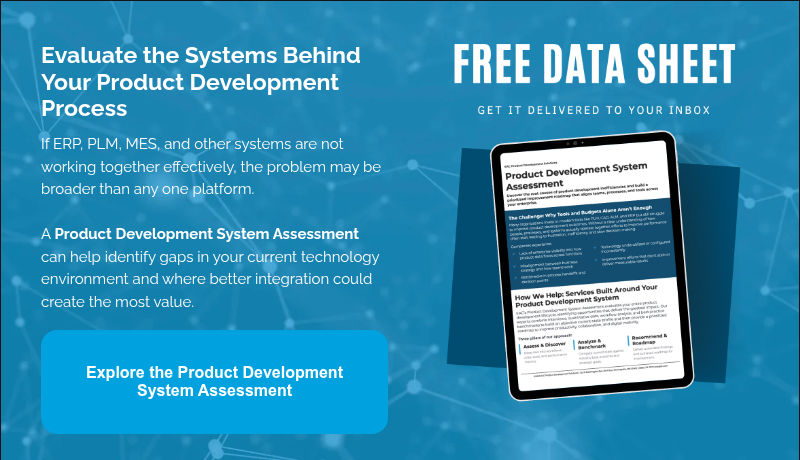
At EAC, we help manufacturers evaluate, implement, integrate, and optimize manufacturing technologies that improve operational efficiency and connect engineering with production. From Product Lifecycle Management (PLM) and Manufacturing ERP to Digital Manufacturing and systems integration, our experts help organizations create connected operations that support innovation, quality, and long-term growth.
Explore EAC’s manufacturing solutions or contact our team to learn how Manufacturing ERP can help streamline your operations and support your digital transformation journey.

In today’s increasingly digital and interconnected manufacturing environment, understanding the relationship and differences between ERP, MRP, and PLM systems is critical. Companies that rely on modern product development and supply chain management must know how these systems fit together to drive innovation, efficiency, and profitability.
This blog explores what ERP / MRP / PLM systems are, how they differ, and why integration between them is essential for business success.
What is ERP (Enterprise Resource Planning)?
ERP stands for Enterprise Resource Planning. It is a business management software that helps organizations automate and integrate core business processes. ERP systems typically handle a wide range of business functions, including finance, human resources, procurement, inventory, order management, and manufacturing execution.
ERP software acts as a centralized system where data flows across departments, allowing for real-time visibility into operations and enabling better decision-making. A well-implemented ERP system improves productivity, reduces costs, and ensures better compliance across departments.
Key ERP functions include:
- Financial management and reporting
- Supply chain and logistics management
- Human resources management
- Order fulfillment and production scheduling
- Procurement and inventory control
What is MRP (Material Requirements Planning)?
MRP, or Material Requirements Planning, is a subsystem often found within ERP platforms. It focuses on production planning, scheduling, and inventory control. MRP ensures that the right materials are available at the right time to support production without overstocking or understocking.
Originally developed as a standalone system, MRP has evolved into MRP II (Manufacturing Resource Planning), which includes broader manufacturing processes like capacity planning and shop floor control. Today, MRP is generally integrated within ERP platforms to offer a comprehensive solution for manufacturing management.
Core functions of MRP systems:
- Inventory management and materials tracking
- Production scheduling and planning
- Demand forecasting
- Order management for raw materials
What is PLM (Product Lifecycle Management)?
PLM stands for Product Lifecycle Management. Unlike ERP and MRP, which are focused on executing and managing business operations and manufacturing, PLM is centered on innovation, product development, and the lifecycle of a product from concept through end-of-life.
PLM system software manages everything related to the product record: engineering data, design documents, CAD models, BOMs (Bills of Materials), change orders, and product configurations. It enables design teams, engineers, and product managers to collaborate efficiently across the entire development lifecycle.
Key PLM capabilities include:
- Centralized management of product data
- Version control and engineering change management
- BOM creation and synchronization
- Collaboration tools for cross-functional teams
- Compliance and quality assurance documentation
ERP vs. PLM: What’s the Difference?
Many companies search for “ERP vs PLM” or ask, “What’s the difference between ERP and PLM?” These systems serve distinct but complementary purposes.
ERP is about executing business processes: ordering materials, producing goods, shipping products, and managing financials. PLM, on the other hand, is about developing the right product: designing it correctly, managing revisions, and collaborating across teams.
Think of PLM as managing the recipe and ERP as executing it. PLM system software creates and maintains the product definition, while ERP uses that information to manufacture and deliver the product.
| Functionality | ERP | PLM |
| Focus | Business execution | Production innovation |
| Primary Users | Operations, finance, logistics | Engineering, R&D, Product Dev |
| Data Managed | Financials, orders, inventory | CAD files, BOMs, Product Data |
| Lifecycle Stage | Production through shipment | Concept through design |
ERP vs. MRP: Understanding the Relationship
MRP is not a competitor to ERP or PLM; rather, it’s a foundational component within many ERP systems. MRP handles the materials and scheduling side of manufacturing, ensuring production has what it needs, when it needs it. ERP uses MRP outputs to coordinate operations and resources across the entire business.
While ERP covers broader business management, MRP narrows in on ensuring supply meets demand efficiently. In other words, MRP supports the production plan, and ERP supports the entire organizational plan.
ERP / MRP / PLM: How They Work Together
When integrated properly, ERP, MRP, and PLM systems create a powerful digital ecosystem. PLM manages the ideation and design process, MRP ensures material and production readiness, and ERP orchestrates the delivery, resource allocation, and financials.
This integration leads to better data accuracy, smoother handoffs between departments, and shorter time-to-market. With a digital thread connecting all systems, companies can eliminate silos, reduce manual errors, and respond faster to market demands.
Benefits of Integration:
- Real-time synchronization of product changes across departments
- Streamlined collaboration between engineering, production, and procurement
- Greater visibility into product costs and timelines
- Easier compliance with industry standards and audits
- Improved change accuracy
- Faster production updates
- Reduced engineering-to-manufacturing delays
- Better compliance documentation
What is PLM ERP Integration and why does it matter?
While PLM and ERP serve different purposes, their true value is realized when they work together. PLM ERP integration connects product definition data with operational execution systems, ensuring that engineering decisions flow seamlessly into manufacturing and business processes.
At a high level:
- PLM manages product definition and change. It governs engineering data, bills of materials (BOMs), specifications, revisions, and change processes across the product lifecycle.
- ERP manages production execution and financials. It controls procurement, inventory, production planning, order management, and cost tracking.
When these systems operate in isolation, organizations often face data silos, manual re-entry of information, and inconsistencies between engineering and manufacturing. PLM ERP integration eliminates those gaps.
Choosing the Right Systems for Your Business
Selecting ERP, MRP, and PLM solutions should be based on your company’s size, industry, product complexity, and operational needs. Some companies may need robust PLM features for complex product development, while others prioritize ERP for financial and operational efficiency.
Modern platforms increasingly offer pre-integrated solutions or connectors to ensure seamless data flow. Look for systems that support scalability, open architecture, and proven integration frameworks.
Questions to Ask When Evaluating Solutions:
- Can the system handle our current and future product complexity?
- How easily does it integrate with our existing tools?
- Does it support our compliance and traceability needs?
- Is the user interface intuitive for different teams?
ERP, MRP, and PLM: Next Steps
Understanding ERP, MRP, and PLM is key to building a streamlined, responsive, and competitive organization. While each system serves a different purpose, together they support the full journey of a product, from concept to customer delivery. Whether you’re modernizing legacy systems or building a digital infrastructure from the ground up, the integration of ERP / MRP / PLM platforms should be at the core of your strategy.
By aligning people, processes, and technology, businesses can accelerate innovation, improve efficiency, and deliver products that meet market and regulatory demands.
At EAC, we work alongside manufacturers to fix the broken parts of product development by connecting systems, people, and processes. We help organizations implement and optimize technologies like PLM so their teams can move from fragmented workflows to clear, connected product development. We also create resources that help product leaders evaluate their options and make confident strategic decisions.
Looking to learn more about best practices around PLM systems? Explore our asset.

In today’s fast-paced manufacturing landscape, the new norm is to constantly seek ways to optimize your operations, increase productivity, and reduce costs. The integration of Enterprise Resource Planning (ERP) and Product Lifecycle Management (PLM) systems is a proven strategy for achieving these goals. By aligning these two critical systems, you can unlock a world of opportunities to streamline processes, enhance collaboration, and drive success throughout the entire product lifecycle.
In this blog, you will uncover the benefits of integrating ERP and PLM systems. We’ll also provide you with a detailed breakdown of the ABCs of integration – which data should be integrated, where and how that data should be integrated, and when it’s best to start the integration process.
ERP vs PLM
Before diving into the integration process, it’s important to understand the functions and purposes of ERP and PLM systems.
Enterprise Resource Planning
ERP systems are designed to manage physical assets, encompassing activities such as financials, purchasing, HR, demand and order management, forecasting, production planning, inventory management, and logistics. These systems such as SAP, Oracle, and Microsoft Dynamics ensure that products are produced according to demand, within schedule, and controlling costs.
As many have come to understand, the key to achieving success within your production process lies in adequately planning for the use of enterprise resources to meet customer demand and report financial results.
That’s why an ERP suite is designed with this goal in mind. It empowers your business with the tools and capabilities to effectively manage traditionally back-office resources, ensuring that operations align seamlessly with customer demand.
By harnessing the power of an ERP suite, you can optimize your planning processes, enhance operational efficiency, and deliver superior financial results to your constituents.
Product Lifecycle Management
On the other hand, PLM systems such as Arena, Agile, Teamcenter, Windchill and Autodesk are focused on managing the digital product definition. They are purpose-built to manage the digital product definition, encompassing anything that defines the form, fit, and function of a part, system, or vehicle.
PLM systems deliver comprehensive and robust data management capabilities, standardize and automate your product development business processes, and enable flexible and efficient collaboration with global teams across multiple departments and organizations.
As you can see, both of these systems have important functions for a smooth running production process, but they can often be disparate within a company. Understanding how to integrate these systems is the key to advancing the way you do business.

Integrating PLM and ERP
When it comes to integrating your ERP and PLM systems, understanding how to do that can feel overwhelming. There are three different levels of integration: one-way file push, API call, and a third-party integration platform. Understanding which level fits the needs of your company is vital for a successful integration. Let’s explore some key advantages:
Streamlined Workflows
Integration allows you to experience seamless data flow and improved collaboration between departments, eliminating redundant data entry and ensuring data accuracy. This streamlined workflow minimizes errors and delays, optimizing your productivity and reducing cycle times throughout the product lifecycle. You no longer have to manually enter BoM data into an ERP system and ensure that the data is correct in both systems.
Enhanced Data Visibility
By integrating ERP and PLM systems, you gain a holistic view of your product information. This integrated approach eliminates data silos and provides real-time visibility into critical data points, enabling you to make informed decisions and eliminating guesswork from your operations.
Improved Product Quality
This process empowers capture and link quality-related data at every stage of your product lifecycle. This comprehensive view of product quality enables you to detect issues early on and streamline processes for corrective actions, ultimately leading to improved product quality and increased customer satisfaction.
Cost Efficiency
Integrating ERP and PLM systems eliminates the need for you to duplicate data entry and automates data exchange between systems. This saves you time, reduces errors, and minimizes your operational costs. Additionally, with better inventory management and production planning capabilities, you can optimize your resource allocation, minimizing wastage, and improving your cost efficiency.
Accelerated Time to Market
When you connect your engineering, manufacturing, and supply chain processes, your teams can seamlessly collaborate in real-time, enabling efficient communication and shortening your product development cycles. This collaborative approach gives your business a distinct competitive edge in the market, helping you achieve success.
Levels of Integration
When it comes to integrating your ERP and PLM systems, understanding how to do that can feel overwhelming. In the case you don’t know what level of integration would be best for your company’s needs, let’s explore the different levels below:
One-Way File Push
The first level is a simple one-way push. This means that your PLM system has the ability to create a data distribution packet (ex. BoM in a CVS, part file or PDF file format) that is released to the ERP system and then the info is stored in both systems.
This type of push can be set up to be done either direction to maximize data sharing and a smooth process. This level of integration will log everything, but not provide error or checking feedback. This is a great level for companies looking to minimize issues of mismatched data.
API Call
The second level of integration is connecting your PLM system directly with other systems – Microstoft dynamics or other systems. This means that there is a rest service API call from the PLM system to release data directly into another system.
That being said, you will get error checking and logging from this level of integration, unlike the first level. A company might opt to do this level due to a need for logging and checking or because their ERP system doesn’t support importing data through files like the initial level would require.
Third Party Integration Platform
The third integration level piggy backs off of level two. Not only does it have logging and checking, but it performs a push and pull between the systems seamlessly. This level of integration works well for large companies with multiple systems to push and pull from. There are are third party integration tools like Tibco that integrate systems such as SAP and Oracle.
Ultimately, understanding the basics of ERP and PLM integration levels and the influencing factors such as cost, error checking, number of systems, company size and many more, is vital to understanding which level fits the needs of your company.
So, what are the next steps to finding that right integration and beginning your journey?

Next Steps of Integration
Integrating your ERP and PLM systems is a game-changer for your manufacturing business. By streamlining workflows, enhancing data visibility, improving product quality, optimizing costs, and accelerating time to market, this integration unlocks a world of opportunities for success.
While you may be hesitant to begin an integration like this because of data clean up still needed, EAC is here to provide services to clean up data to make sure the integration runs smoothly.
Finding a trustworthy partner to help with implementation can be difficult and daunting. Lucky for you, EAC has years of deep expertise in manufacturing processes to ensure a smooth integration journey. We work collaboratively with you to assess your requirements, design a tailored integration strategy, and seamlessly implement the solution that meets your specific business goals.
With EAC by your side, you can confidently embark on this transformative journey, knowing that our collaborative and solution-oriented approach will help you navigate the complexities and achieve your future state. Get in touch with EAC today and let us drive your success through integrated ERP and PLM systems.

I’m sure at least once in your life you’ve heard the saying, ‘Work smarter, not harder.’ But what a cliche, right?! Well, for those of you managing your Bill of Materials (BOMs) in Excel, it’s time to step away from the cell block prison (pun intended).
In this article, we’re going to break down what it actually means to revitalize your BOM strategy with the Digital Thread to start seeing the results you want.
What Is The Digital Thread?
First of all, let’s start with the basics. The Digital Thread is a term used to describe the seamless flow of information throughout the manufacturing process. From design and engineering to production and after-sales support. It provides a way to connect all the data and information generated at different stages and from systems of the product lifecycle.
Generally, the Digital Thread provides value by enabling better visibility and control of any processes that require or produce product data. It enables manufacturers to collaborate more effectively, automate and optimize workflows, and quickly respond to changes. All while adjusting quickly to customer needs.
Bill of Materials (BOM)
Next, let’s break down the concept of a Bill of Materials. A complete Bill of Materials (BoM) list usually contains all of the parts and components needed to create or manufacture an end product. You might think of a BoM as a recipe ingredient list. The information about each part can include details such as part names, part numbers, quantity required, and cost per unit. Not to mention, BoMs contain other relevant part details such as material type, color, or size if applicable; supplier information; serial numbers, etc.
By consolidating and organizing all the pertinent information product information, the BoM becomes a centralized resource. A critical resource that facilitates the manufacturing processes of specified products.
Ultimately, the goal of the BoM is to help track inventory and verify missing parts during assembly. Equally as important, BoMs are critical to support a healthy supply chain, as well as help with purchasing decisions and more.
The Digital Thread and Bill of Materials Working Together
Balancing a plethora of product information – it’s no surprise, the best BoM management strategy used within the industry does not leverage solely Microsoft Excel. Nor does it rely upon one Enterprise resource planning (ERP) system. Instead it works to unite data from multiple systems into a single source of truth.
Sounds great doesn’t it? But, if you’re like most – your product data lives all over the place in different systems from different departments. This situation tends to create data siloes resulting in time-consuming manual tasks using outdated operational processes. Generally, these are some of the biggest problems that inhibit manufacturers from achieving their business initiatives.
Oftentimes, during our EAC Assessments, we hear multiple teams across the enterprise and different management levels are frustrated by broken processes. In short, there is a lack of key information employees need to do their jobs right, at the time they need it most.
Meanwhile, the digital thread uses advanced technology (such as product lifecycle management systems as well as the Internet of Things) to connect critical disparate processes. This, in turn, helps minimize manual tasks, and breaks down data siloes. Implementing the digital thread to your BoM strategy creates a major impact for all stakeholders involved. For instance, design teams, engineers, manufacturing, assembly, operations, finance, purchasing, and even marketing.
How The Digital Thread Supports Engineering
Furthermore, the Digital Thread plays a crucial role in supporting engineering and bill of materials (BOM) management by providing seamless connectivity and accessibility to relevant data throughout the product lifecycle. Here’s how the digital thread benefits these areas:
1. Engineering Collaboration
Firstly, the digital thread allows engineers to collaborate effectively by providing a centralized platform for sharing and accessing engineering data. This facilitates cross-functional collaboration, enables real-time communication, and reduces errors or miscommunications during the design and development process.
2. Design Consistency
Secondly, the digital thread ensures design consistency by maintaining a single source of truth for engineering data. Changes made in the design phase are automatically propagated throughout the digital thread, ensuring that all related documents, models, and specifications remain synchronized.
3. BOM Accuracy and Visibility
The digital thread integrates BOM management, configuration management, and BoM transformation capabilities. This enables accurate and up-to-date BOMs, as the data will automatically reflect changes. Additionally, it provides real-time visibility into the BoM status, including component availability, sourcing information, and cost implications.
4. Change Management
Next, the digital thread streamlines change management processes. By automating change notifications, approvals, and tracking. Essentially, it ensures that engineering changes are effectively communicated, documented, and implemented across the relevant stages of the product lifecycle, minimizing errors and delays.
5. Manufacturing Process Optimization
By connecting engineering data with manufacturing process management, the digital thread enables better coordination and optimization of production processes. By in large, system and data integration allows for improved manufacturing planning, efficient resource allocation, and reduced lead times.
6. Enhanced Visualization and Analysis
Another example includes leveraging augmented reality (AR) design sharing to provide visual representations of designs. In detail, enabling stakeholders to view and analyze products in a virtual environment. It’s recommended to use AR to enhance design reviews, simplify communication, and facilitate better decision-making.
Overall, the digital thread improves engineering and BoM management. Markedly, by streamlining processes, enhancing collaboration, ensuring data consistency, and providing visibility across the product lifecycle. It promotes efficiency, accuracy, and agility in engineering and BoM-related activities. Leading to improved product quality and faster time to market in the long run.
How A Digital Thread BoM Strategy Streamlines Manufacturing
Simultaneously, the digital thread plays a significant role in enhancing the bill of materials (BoM) management for manufacturing, assembly, and quality control processes. In sum, here’s how the digital thread benefits these areas:
1. Manufacturing and Assembly Planning
The digital thread enables seamless integration between the BoM and manufacturing planning systems. It provides real-time visibility into the BoM, ensuring accurate and up-to-date information for manufacturing and assembly operations. This allows for efficient production planning, optimized resource allocation, and improved scheduling in all.
2. Supply Chain Integration
By connecting the BoM with supply chain management systems, the digital thread enhances supply chain visibility and collaboration. It enables better coordination with suppliers, accurate tracking of component availability, and improved procurement processes. As a result, it minimizes the risk of production delays and ensures timely delivery of materials.
3. Work Instructions and Assembly Guidance
Thirdly, the digital thread facilitates the creation and dissemination of detailed work instructions and assembly guidance based on the BoM data. This ensures that assembly operators have access to accurate and step-by-step instructions, reducing errors and improving productivity on the shop floor.
4. Quality Control and Traceability
The digital thread enables better quality control and traceability throughout the manufacturing process. By integrating the BoM with quality management systems, it ensures that quality requirements and specifications are adhered to during production. It also enables traceability of components and materials, making it easier to identify and address any quality issues or recalls.
5. Continuous Improvement and Feedback Loop
Additionally, the digital thread supports continuous improvement initiatives by capturing data and feedback from manufacturing and quality control processes. It enables the analysis of production data, identifies areas for improvement, and facilitates data-driven decision-making to enhance manufacturing efficiency and product quality.
6. Post-Market Monitoring
Finally, the digital thread extends beyond the manufacturing phase to support post-market monitoring and quality assurance. Integrating BoM data with field service management systems and customer feedback enables organizations to identify and address product issues, initiate product improvements, and provide timely support and maintenance.
All in all, the digital thread enhances BoM management for manufacturing and assembly processes by ensuring accurate and up-to-date information, facilitating supply chain integration, enabling effective work instructions, improving quality control, supporting continuous improvement efforts, and enabling post-market monitoring. Concurrently, it streamlines operations, improves product quality, and enhances customer satisfaction.
The Polaris Story
Polaris utilized PTC Windchill, an advanced product lifecycle management system, to transform their Bill of Materials into a reliable new business model backbone. As a result, it allowed them to create a connected enterprise.
Windchill PLM combines the digital thread framework with a maximized BoM and change management strategy. This powerful product lifecycle management platform organizes all information associated with the development of its products, allowing every stakeholder to access the latest up-to-date information in a dynamic format.
Once it was clear to Polaris that they had outgrown certain tools and processes, they coordinated and synchronized a digital thread of data throughout the enterprise by leveraging PTC Windchill.
As of today, Polaris’ Windchill PLM system enables them to manage and organize the bill of materials (BoM) and implemented configuration management practices. This helped transform their BoMs as needed, effectively managing changes, overseeing manufacturing processes, and utilizing augmented reality (AR) design-sharing capabilities.
By orchestrating these elements, the digital thread ensured seamless connectivity and flow of information across different stages and departments within Polaris. This enabled improved collaboration, streamlined workflows, effective change control, and enhanced manufacturing processes. On top of giving the ability to share and visualize designs using AR technology.
Conclusion
To sum it up, it’s time to put Excel away and start working smarter, not harder. Successful BoM management derives from a single source of truth throughout the enterprise in regard to all the data contained in the Bill of Materials. The Digital Thread allows for the seamless automated flow of the BoM information to create a truly connected enterprise, working in sync along every step of the manufacturing process.
Not sure where to get started? We created our assessments to help. Click here to learn more or have a conversation with our experts.
Communicating product data across an organization is complex. Let’s talk about how to make it easier.
Different departments gather product data from a variety of systems including Product Lifecycle Management (PLM) Systems, Enterprise Resource Planning (ERP) Systems, Manufacturing Execution systems (MES), and Quality Management Systems (QMS) and more, how do we know our organizations are making the most out of all this information?
Just think about it for a second. Our systems speak different languages, AND our departments often aim for different goals.
With an estimated 90% of the world’s data created in the last two years alone (Conner, n.d.), it’s no wonder that companies are having a hard time using it all. The IDC estimates that just 0.5% of the data companies produce is ever used. It’s time to change that.
Here are 9 Ways Your Business Will Benefit From Connecting Your Data systems.
1. Increased Usability
Data experts believe that if Fortune 1,000 companies increased the amount of data they used by just 10%, they could realize over $65 million in additional net income (Marr, 2015). Not only are these numbers huge, they also help make my case about the critical importance of data usability.
The truth is – any one specialized system is often too complex for many non-specialized roles to navigate, find, and transfer the right information. This often leaves separate departments accountable for storing and sharing uncontrolled, out of date versions of product data. It’s not because they don’t WANT to use the right information. It’s because system complexity and interdepartmental gates make it hard to consistently get the right information.
So how do we make product data more usable?
A) Consolidating product data from disparate sources into one single system.
B) Give users a way to access the system using simplified role-specific dashboards.
2. Better Data Access
The most important reason your product data shouldn’t (internally anyway) be kept secret is because product data is your company’s most valuable asset.
Not everyone who needs access to specific product information hosted in your PLM system is from your engineering department, so don’t force them to go through the same vigorous Product Lifecycle system training. Don’t make them navigate an engineer’s world one click at a time.
In order to effectively use data, our departments must have ready access to it. We must make rich product information easy to accessible for a broad set of roles.
By creating an organized system that connects all of our product data, your organization will make information easily accessible to users beyond those who have created it.
Just think of the possibilities that come from connecting multiple systems and delivering information to all departments through a single window.
3. Complete Data
Imagine an entire enterprise with access to real data, at the right time, when it’s needed.
By connecting your product lifecycle management systems with your other enterprise systems, every stakeholder within your organization can impact the value flow of product data through your organization. It also equips team members to consistently drive critical decisions with the latest, most accurate information.
4. Better Insights
Better access to data = Better insights.
Your business teams can and should demand a lot of your PLM processes and solution.
This is one of the reasons why your organization should consider integration technologies and custom front-end solutions – Such as PLM applications.
A data-driven enterprise with insights into how current products and processes can be optimized can drastically improve productivity. Doing this requires teams to have access to up-to-date, accurate product data.
5. Better Decisions
Ready access to information is especially important to any company developing products.
Users without access to the system of record resort to error-prone workarounds that can result in inaccuracies, quality problems, and waste.
Decisions made from out- of- date inaccurate data threaten product quality and delay time to market.
Providing everyone in your organization with broad visibility into the system of record will drive better, more accurate decisions. This will ultimately improve quality, reduce waste, scrap, rework, and help you meet your time to market goals.
The analytical possibilities that come with connecting your data will help users across your organization make accurate product decisions throughout the entire development process.
6. Better Products
Who doesn’t want to create better products faster?
Providing your organization with universal data access will allow your company to drastically accelerate product development.
How so?
By connecting disparate systems, you will have access to real-time data allowing you to make better product decisions.
Because your decisions and actions are now driven by up-to-date information, you will achieve a higher product quality.
7. Increased Productivity
Why waste time manually reading, entering and analyzing data? It could be automatically collected, filtered, and combined.
By collecting your product data in one system and providing a simplified role-based interface, any user within your organization can access contextual, up-to-date, real-time product information anytime they need.
I guarantee your productivity will grow when your organization is able to plan earlier with manufacturing, order materials sooner with purchasing all while your engineering team is spending less time pulling reports.
8. Increased collaboration
Using a system that provides role-based data access to stakeholders throughout your organization provides every role with an ability to quickly understand the status of a part number and how the parts fit together in a design.
This will not only help mobilize and inform the work of teams throughout the organization, but it will also help maximize the success of your product development.
Giving your team the ability to extend and connect your PLM data into the rest of your enterprise will rapidly increase the overall effectiveness of your organization.
9. Real Results
The ultimate benefit your organization will achieve by connecting your data systems stems from your ability to acquire real results.
What does that mean?
Positive results have a tendency to snowball into more and more success. Results give your organization the confidence it needs to quickly deliver value. Providing access to the right information empowers a team, department, company to reach their true potential. We want to help your company thrive.
