

If your organization is using Windchill today, you cannot ignore the shift to Windchill ePLM licensing. PTC’s move to ePLM represents a fundamental change in how companies license, scale, and operate their PLM environments. And while it may appear to be a licensing update on the surface, the reality is much bigger. It’s a shift toward aligning PLM systems with how teams actually work.
For many organizations, this transition will expose inefficiencies, gaps, and opportunities that have existed for years.
What Is Windchill ePLM?
Windchill ePLM (Enterprise PLM) is PTC’s new role-based licensing model that replaces traditional bundled licensing structures.
Historically, Windchill licenses were packaged into tiers like:
- Base
- Advanced
- Premium
These bundles often resulted in users having more access than they needed, others lacking critical functionality, and complex and difficult-to-manage license structures.
With ePLM, licensing is restructured around three main things. The first is Role-Based Access. Users are assigned licenses based on what they actually do, not what bundle they were placed into years ago. The second is Modular Capabilities. Capabilities are aligned to job function, allowing more precise control over access. Finally, Scalable Licensing. As teams grow or roles evolve, licensing can adapt more easily.
Why PTC Is Moving to ePLM
The transition to Windchill ePLM licensing is driven by a few key realities. First, legacy licensing doesn’t reflect modern teams. Today’s product development environments are more collaborative, more cross-functional, and more data-driven.Unfortunately, legacy licensing wasn’t designed for distributed teams and integrated systems.
Second, over-licensing and underutilization. Many organizations are paying for capabilities users don’t need andmissing capabilities other users do need.This creates both cost inefficiency and workflow friction.
Third is increasing complexity in PLM environments. As organizations scale, Windchill environments often become harder to manage, harder to govern, and harder to optimize. Windchill ePLM is designed to simplify and modernize this.
Key Deadline: What You Need to Know
PTC has made it clear: Legacy Windchill licensing models will no longer be renewable in the near future.
That does that mean for you? Every organization running Windchill will need to evaluate their current licensing, map to ePLM roles, and plan and execute a transition.
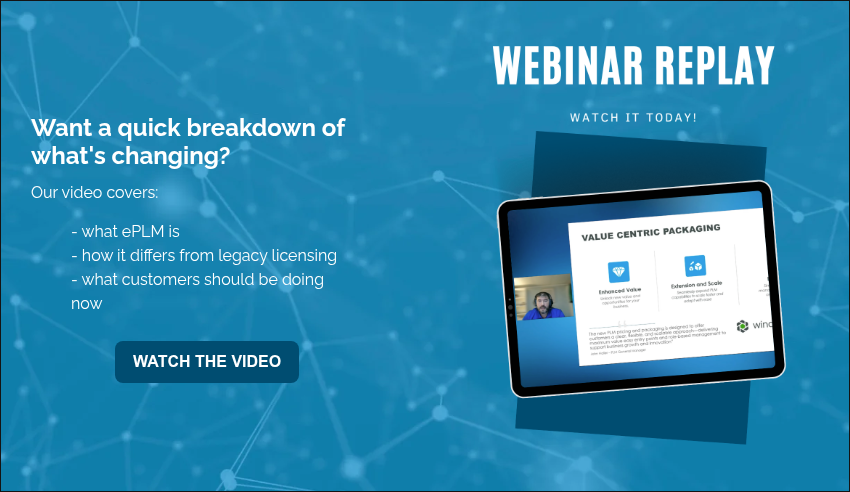
Want a quick breakdown of what’s changing? The webinar replay below shares just that.
What the Windchill ePLM Transition Actually Involves
The transition to ePLM is not just a contract change. It’s an operational change. Let’s have a look at how it typically goes.
The first step is license mapping. It’s vital to map existing users to new ePLM roles and identify gaps and overlaps. Next comes user segmentation. Companies must define user groups based on real workflows and align capabilities with responsibilities. The third step is system validation. Ensure users retain required access and test workflows across teams.
The fourth step is the cleanup of legacy complexity: remove unused licenses, simplify license structures, and optimize cost and usage. Finally is the transition execution. Here companies must implement the new license model, train users if needed, and monitor adoption and performance.
Common Challenges with Windchill ePLM
All written out, it’s easy to feel overwhelmed. This transition carries a level of complexity companies generally aren’t equipped to handle themselves. Unfortunately, organizations can underestimate the transition. When they do, they often run into issues like the following.
Some treat it as a procurement exercise. They focus only on pricing and license counts, instead of system performance and workflow alignment. Or there’s a lack of visibility into current usage. Many teams don’t have a clear view of how licenses are used and what users actually need. There may also be misalignment between roles and access. Without proper planning, users lose accessor gain unnecessary access. Both create friction.
The Bigger Opportunity: Fix What’s Broken
The reality is this: the Windchill ePLM transition is a forcing function. It forces organizations to look at how their system is structured, how their teams actually work, and where inefficiencies exist.
The companies that get the most value from ePLM are the ones that use it to improve system alignment, matching PLM to real workflows. They’ll also see increased user adoption, by giving users the tools they actually need. Organizations benefit additionally from reduced complexity, with ePLM simplifying the licensing and system structure. Further, they enable an intelligent product lifecycle, connecting data around the product from first design to the manufactured version and beyond.
How Windchill ePLM Supports the Intelligent Product Lifecycle
One of the biggest advantages of ePLM is how it supports broader digital engineering initiatives. By aligning access and capabilities to roles, organizations improve data flow across teams, reduce bottlenecks, enable better collaboration, and support end-to-end traceability. This is critical for complex manufacturing, regulated industries, and digital transformation initiatives.
Where to Start with Windchill ePLM
If you’re early in the process, start with understanding your current state. Who is using Windchill? What capabilities are actually used? Where are the gaps? From there, you can begin identifying misalignment: over-licensed users, under-supported roles, and inefficient workflows. Then, define your future state. You should be able to determine what your system should support and how your teams should interact with it. The last step is building a transition plan, including timeline, role mapping, and risk mitigation.
Let’s Help You Navigate the ePLM Transition
Most organizations don’t need more tools. They need clarity.
If you’re evaluating the Windchill ePLM transition, we can help you:
- Map your current licenses to ePLM
- Identify inefficiencies in your system
- Build a practical transition plan
- Ensure your system supports your business, not just your software
Start the conversation with our team.
Final Thoughts: This Is Bigger Than Licensing
Windchill ePLM is not just a change in how you license software. It’s a shift in how your PLM system supports your organization. The question isn’t: “How do we switch to ePLM?”
It’s: “How do we make our system actually work?”
Because for most organizations, the transition will surface challenges that have been building for years: misaligned processes, disconnected systems, and workarounds that quietly slow everything down. Teams that approach this as an opportunity, not just a requirement, will come out with stronger systems, better alignment, and more confidence in how they operate.

For years, Oracle Agile PLM has been a foundational system for manufacturers managing complex products, changes, and compliance requirements. Many organizations built their product development processes around Agile, relying on its stability and structure to support regulated, multi-discipline environments.
That era is now coming to a close. With Oracle Agile reaching end of life this December, companies using the platform face an important inflection point. The question is no longer if a change is required, but how to approach it in a way that sets the organization up for long-term success.
What Is Oracle Agile?
Oracle Agile PLM has long served as an enterprise solution for managing product data and lifecycle processes. It is best known for its strengths in:
- Engineering change management
- BOM and product structure control
- Governance and compliance support
- Cross-functional collaboration across engineering, quality, and manufacturing
Agile gained widespread adoption in industries with strict regulatory requirements and complex product configurations, including medical devices, aerospace, industrial equipment, and high-tech manufacturing. For many organizations, it became the system of record for product decisions and approvals.
What’s Happening to Oracle Agile
Oracle has announced that Agile PLM will reach end of life in December. While end of life does not necessarily mean systems stop working overnight, it does have serious implications:
- No future enhancements or innovation
- Reduced or eliminated vendor support
- Increased security and compliance risk
- Growing difficulty integrating with modern systems
Over time, staying on an unsupported PLM platform becomes increasingly expensive and risky. What once felt stable can quickly turn into a liability.
The Risks of Staying on an End-of-Life PLM System
Some organizations may be tempted to delay action and “keep Agile running as long as possible.” However, the risks compound quickly:
- Operational risk increases as issues become harder to resolve
- Compliance and audit challenges grow without vendor updates
- Security vulnerabilities become harder to mitigate
- Technical debt accumulates, making future migration more complex
- Innovation stalls as newer digital initiatives can’t connect to legacy platforms
At a certain point, the cost of staying exceeds the cost of moving forward.
What Companies Using Oracle Agile Should Do Now
This transition moment shouldn’t be treated as a forced, last-minute replacement. Instead, it’s an opportunity to step back and reassess.
Before choosing a new platform, organizations should consider:
- How product development processes actually work today
- Where Agile supported the business and where it didn’t
- What has changed since Agile was first implemented
- New requirements driven by growth, regulation, or digital initiatives
The most successful transitions are those that plan first, migrate second. Use this moment to modernize processes, not just swap tools.
Why Many Agile Users Are Evaluating Windchill PLM
As organizations explore alternatives, Windchill PLM is frequently shortlisted by former Agile users. The reasons are all in what Windchill offers:
- Enterprise-grade change and configuration management
- Robust BOM and lifecycle control
- Strong support for regulated industries
- CAD-agnostic architecture that supports diverse environments
- A scalable platform designed for global collaboration
Rather than serving as a static repository, Windchill acts as a dynamic backbone for product development across engineering, manufacturing, quality, and service.
The Benefits of Transitioning from Agile to Windchill
Moving from Agile to Windchill is more than a technical upgrade. It’s a strategic reset.
Key benefits include:
- A modern, fully supported PLM foundation
- Improved visibility and collaboration across teams
- Reduced reliance on customizations and workarounds
- Better alignment with digital thread and transformation initiatives
- Lower long-term risk and greater flexibility
For many organizations, Windchill doesn’t just replace Agile. It enables capabilities Agile was never designed to support.
Key Considerations for an Agile-to-Windchill Transition
A successful transition requires careful planning. Common considerations include:
- Data migration strategy: What data must move, and what can be retired
- Process optimization: Avoiding a simple “lift-and-shift” of outdated workflows
- Change management: Preparing users for new ways of working
- Governance and ownership: Defining clear roles going forward
- Partner expertise: Leveraging experience with both Agile and Windchill
Organizations that approach migration as a structured program (not a technical event) see better outcomes.
End of Life? Or Beginning of Opportunity?
Oracle Agile’s end of life is undeniably disruptive, but it’s also a strategic opportunity. Rather than rushing to preserve the past, organizations can use this moment to modernize how product data, decisions, and processes are managed.
The right PLM platform lays the foundation for the next decade of product development, not just the next release cycle.
Don’t wait until support runs out. Ready to explore how Windchill PLM can help replace Oracle Agile while positioning your organization for scalable, compliant, and future-ready product development? Check out our guide Top 5 Reasons Manufacturers Choose Windchill Over Other PLM Tools.

Selecting the right Product Lifecycle Management (PLM) system is a strategic decision that affects innovation, efficiency, and long-term profitability. For companies navigating product complexity, regulatory demands, and the pressure to innovate faster, PTC Windchill stands out as a proven, scalable PLM solution that connects teams, systems, and data across the entire product lifecycle. Looking to institute a PLM solution or switch to a new one? Here we answer some of the most common questions companies ask when evaluating Windchill, covering productivity gains, ROI, cost savings, and why it continues to lead the PLM market.
How does Windchill reduce product development time?
Windchill reduces product development time by connecting all product data, from CAD and BOMs to documents and workflows, in one centralized platform. This eliminates the inefficiencies of siloed tools, manual approvals, and redundant data entry. Engineering teams can collaborate in real time with automated workflows and version control. No more waiting for updates or chasing files. The result is faster design cycles, fewer delays between engineering and manufacturing, and shorter time-to-market for new products.
What is the ROI of implementing Windchill PLM?
Organizations that implement Windchill typically see measurable ROI through efficiency gains, reduced rework, and better change management. By creating a single source of truth for product information, companies cut down on wasted engineering hours spent searching for data or reconciling outdated files. Many manufacturers report ROI within 12–24 months as they reduce production errors and accelerate time-to-market. Beyond direct cost savings, Windchill’s ROI also comes from improved agility. This agility helps businesses innovate faster and respond to market changes with confidence.
How does Windchill improve efficiency and reduce rework?
Windchill’s built-in change management tools ensure that every update, approval, or revision is tracked and linked to the appropriate product data. This reduces the risk of teams working from outdated designs or incomplete information, a common cause of rework and scrap. Automated impact analysis shows how a proposed change affects related assemblies, documents, and manufacturing instructions. This visibility enables teams to make data-driven decisions, preventing downstream mistakes and significantly improving first-time-right performance.
What cost savings can companies expect from Windchill?
Windchill delivers cost savings by reducing operational inefficiencies and eliminating hidden costs associated with manual processes. By centralizing data and automating approvals, companies save hours of administrative work per project. The platform also helps lower production waste, warranty claims, and compliance penalties by ensuring every product is built to the latest approved specifications. Over time, these incremental savings compound, driving millions in reduced overhead and improved profitability for manufacturers with complex product lines.
How does Windchill support sustainability and innovation initiatives?
Sustainability starts with better data, and Windchill enables that by providing visibility across the product lifecycle, from design to disposal. By connecting engineering with sourcing and manufacturing, organizations can evaluate material choices, supplier impact, and end-of-life performance early in the design process. Its digital thread capabilities ensure decisions are based on accurate, real-time information, supporting initiatives like lightweighting, recyclability, and energy-efficient manufacturing. For innovation, Windchill integrates seamlessly with Creo and ThingWorx, creating a foundation for model-based design, IoT-enabled insights, and AI-driven optimization.
What KPIs can be improved by using PLM software like Windchill?
Windchill directly impacts key operational and business performance metrics. Engineering efficiency KPIs, such as time-to-market, design cycle time, and engineering hours per project, improve through automation and collaboration tools. Quality metrics like first-pass yield, change implementation time, and error rates also show measurable improvement. On the business side, KPIs related to revenue per product line, R&D cost efficiency, and compliance audit readiness all strengthen under a unified PLM environment that enhances data accuracy and visibility.
Why choose Windchill over other PLM systems?
Windchill’s edge lies in its balance of scalability, security, and openness. Unlike many competitors that require heavy customization, Windchill delivers out-of-the-box functionality aligned with industry best practices, making it faster to deploy and easier to maintain. It’s also the only PLM platform with DoD Impact Level 5 (IL5) accreditation, underscoring its commitment to security and compliance. Compared to solutions like Siemens Teamcenter, Windchill integrates engineering and manufacturing data within one platform, eliminating silos and enabling true digital thread continuity across the enterprise.
Is Windchill better for discrete manufacturing than other PLM platforms?
Yes. Windchill was designed with discrete manufacturing in mind, supporting industries such as aerospace, defense, automotive, electronics, and industrial machinery. Its robust BOM management, configuration control, and CAD integration make it ideal for companies managing complex assemblies and frequent product variations. While other PLM systems may split functionality between multiple applications, Windchill unifies design, production, and service data. This gives discrete manufacturers the precision and scalability they need to operate efficiently across global teams.
What makes Windchill unique in the PLM market?
What sets Windchill apart is its open architecture and deep integration with PTC’s broader digital ecosystem. It connects seamlessly with Creo for CAD design, ThingWorx for IoT analytics, and Vuforia for augmented reality. This enables manufacturers to move from design to production to service without data loss. Its cloud-first architecture offers flexibility for on-premise, hybrid, or SaaS deployment, giving companies control over scalability and compliance. Combined with continuous updates and built-in model-based engineering support, Windchill stands as the backbone of digital transformation in product development.
Can Windchill connect with ERP or MES systems?
Yes, Windchill’s integration capabilities allow it to connect directly with ERP (Enterprise Resource Planning) and MES (Manufacturing Execution Systems) to ensure complete synchronization between design, production, and supply chain operations. These integrations create a closed-loop digital thread, so when engineering makes a change, manufacturing and procurement see it immediately. Common connectors with systems like SAP and Oracle streamline data exchange and eliminate manual re-entry. This connectivity bridges the gap between engineering intent and manufacturing execution, enhancing agility, traceability, and operational efficiency.
Final Thoughts: Making the Case for Windchill
For organizations evaluating PLM systems, choosing Windchill means choosing scalability, security, and a connected digital future. It’s not just a data management tool. It’s a strategic enabler that reduces time-to-market, lowers costs, and aligns every function around accurate, accessible product information. With built-in integrations, industry-specific configurations, and world-class security certifications, Windchill offers unmatched value for manufacturers serious about operational excellence. Whether you’re modernizing legacy systems or launching a digital transformation initiative, Windchill provides the foundation to build faster, smarter, and more sustainable products.
Looking for the concrete value Windchill provides organizations? We created this guide, Quantifying PLM Value, to do exactly that.

In the world of product development, speed, accuracy, and collaboration determine who leads… and who lags behind. As product designs grow more complex and teams become more distributed, having the latest capabilities in your PLM (Product Lifecycle Management) system can make all the difference.
That’s why knowing what’s new in Windchill is so important. Each new release of PTC Windchill delivers powerful enhancements that simplify data management, improve user experience, and strengthen the digital thread that connects design, manufacturing, and service. In this post, we’ll break down what’s new in Windchill 13, highlight its most impactful features, and explain how these updates help organizations stay agile and competitive in a rapidly evolving market.
What’s new in the latest version of Windchill?
The latest Windchill 13 release marks a significant leap forward for PTC’s industry-leading PLM platform. With new UI improvements, enhanced scalability, and advanced integration capabilities, Windchill 13 helps teams work smarter, not harder. Here’s a closer look at some of the top new features and enhancements:
1. Modernized User Experience
PTC has reimagined Windchill’s interface to be cleaner, more intuitive, and easier to navigate. The improved layout streamlines everyday tasks like document management, configuration, and workflow tracking, reducing clicks and improving user adoption.
The redesigned Windchill Navigate apps also provide simplified, role-based access to product data, ensuring that everyone – from engineers to service teams – can find the information they need quickly.
2. Performance and Scalability Enhancements
Windchill 13 introduces key architectural updates that boost system performance and scalability. Large assembly handling, concurrent user support, and faster search capabilities allow global teams to collaborate in real time without lag or data delays.
This makes the platform more reliable for enterprise-scale deployments, particularly for companies managing thousands of parts or operating across multiple sites.
3. Strengthened Change Management and Digital Thread Integration
Improved change management workflows make it easier to document, approve, and execute design and process changes within a single ecosystem. The new release enhances cross-functional visibility, so stakeholders can assess the downstream impact of changes across CAD models, BOMs, and documentation.
Windchill 13 also continues PTC’s push toward a connected digital thread, unifying data from design through manufacturing and service.
4. Expanded Openness and Integration Options
This flexibility helps teams extend the value of their product data beyond engineering, enabling smarter, connected operations across the entire product lifecycle.
5. Security and Compliance Improvements
As data security and regulatory compliance become increasingly critical, Windchill 13 introduces stronger encryption, access control, and audit-trail capabilities. These updates help organizations meet industry standards and safeguard sensitive product information while maintaining traceability from design through disposal.
How These New Features Benefit Your Organization
Understanding what’s new in PTC Windchill is just the first step. Knowing how these enhancements translate to business results is where the real value lies.
By upgrading to Windchill 13, organizations can:
- Accelerate product development with a faster, more responsive interface and workflow automation.
- Reduce data silos by connecting PLM to IoT, AR, and other enterprise systems.
- Enhance collaboration across engineering, manufacturing, and service teams using unified, real-time data.
- Lower operational costs by improving scalability and reducing system maintenance.
- Stay compliant and secure through better governance, version control, and audit capabilities.
Simply put, the latest Windchill release helps teams work more efficiently, make better decisions faster, and stay ahead in a competitive, connected world.
What to Consider Before Upgrading Windchill
While the benefits of Windchill 13 are compelling, upgrading should be a strategic decision, not a rushed one. Before moving forward, evaluate your readiness and long-term goals.
Consider the following:
- System Readiness: Verify hardware and architecture compatibility to ensure a smooth deployment.
- Process Alignment: Review your existing workflows and confirm they align with new Windchill functionality.
- Data Quality: Take the opportunity to clean and standardize your product data before migration.
- User Training: Make sure your teams are prepared for the updated interface and processes.
- Integration Dependencies: Confirm that CAD, ERP, and other connected systems are compatible with the new version.
By planning ahead, you’ll maximize your ROI and avoid common pitfalls that can slow or complicate upgrades.
Tips for a Smooth Upgrade and Adoption
A successful upgrade is about more than installing software. It’s about adoption, optimization, and continuous improvement.
Here are a few practical tips for success:
- Start with an Assessment. Evaluate your current environment and identify upgrade prerequisites.
- Pilot Before Rolling Out. Test new features with a small user group to identify issues early.
- Clean Your Data. Ensure your product information is structured and accurate to prevent migration issues.
- Communicate Early and Often. Keep stakeholders informed and engaged throughout the process.
- Provide Role-Based Training. Tailor learning materials for different user groups to increase adoption.
Understanding what’s new in Windchill is just one part of the equation. Adopting it effectively is where you’ll realize the most value.
Why Partner with EAC for Your Windchill Upgrade
EAC Product Development Solutions has helped hundreds of companies upgrade, migrate, and optimize their Windchill environments. Our team can guide you through every step. From assessing readiness and planning upgrades to configuring workflows and training users. Whether you’re moving from an older Windchill version or integrating with Creo, ThingWorx, or other systems, EAC ensures your transition is smooth, secure, and value-driven.
Learn more about our Windchill Upgrade and Implementation Services today!
Stay Ahead with the Latest in Windchill
The newest Windchill release reinforces PTC’s commitment to helping manufacturers achieve faster innovation, stronger collaboration, and better product lifecycle visibility. If your team relies on Windchill for design, manufacturing, or service collaboration, now is the time to explore the benefits of upgrading. The latest version isn’t just an update. It’s a platform for the future of connected, data-driven product development.
Interested in learning more about the importance of PLM? Explore how foundational PLM is in our guide: Digital Transformation Starts with PLM.

In today’s world of fast-paced product innovation and growing regulatory demands, product development teams need a robust and integrated way to manage the entire lifecycle of complex systems. That’s where Codebeamer, a powerful Application Lifecycle Management (ALM) solution by PTC, comes into play. If you’re looking for a way to unify teams, streamline compliance, and deliver high-quality products faster, Codebeamer might be your answer.
Let’s explore what is PTC Codebeamer, how it helps organizations in regulated industries, and why it stands out as a next-generation ALM tool.
What is Codebeamer?
PTC Codebeamer is a modern, cloud-ready ALM platform designed to support complex product and software development processes. It provides end-to-end traceability, collaborative workflows, and built-in support for compliance management.
From requirements capture and risk management to testing and quality assurance, Codebeamer consolidates every step of the development lifecycle into a single platform. It enables teams to collaborate in real-time while maintaining full traceability and regulatory alignment.
Why Codebeamer Was Built: Solving Modern ALM Challenges
The development of Codebeamer was driven by a growing need in the industry for a more cohesive, scalable, and compliance-oriented approach to ALM. As products become increasingly complex and interdisciplinary, and as regulatory scrutiny intensifies across industries, traditional methods and legacy tools can’t keep up. Development teams need solutions that not only track progress but actively facilitate collaboration, traceability, and quality.
Legacy ALM tools and document-based processes often fall short in today’s environment of continuous innovation and regulatory pressure. Teams struggle with:
- Disconnected systems and data silos
- Manual compliance documentation
- Inconsistent version control
- Lack of visibility into project progress
Codebeamer was purpose-built to eliminate these issues. By connecting stakeholders across the development lifecycle, it fosters collaboration and ensures that quality, safety, and compliance are built into every step. Its integrated and modern architecture helps reduce risk, streamline documentation, and improve overall product development agility.
Key Features of Codebeamer
In a complex product development environment, teams need more than just a basic task tracker or document repository. They need a solution that brings structure, consistency, and traceability to every phase of development. Codebeamer delivers this with a rich suite of integrated features tailored to meet the needs of highly regulated industries and cross-functional engineering teams. From capturing requirements to automating compliance tasks, Codebeamer equips teams with the tools they need to work efficiently and deliver with confidence.
Requirements Management
Capture, analyze, and manage requirements in real-time. Codebeamer offers traceable requirement hierarchies and collaborative tools to ensure every stakeholder is aligned.
Risk Management
Integrated risk management tools help teams conduct FMEA, hazard analysis, and implement mitigation plans. Built-in support for ISO 14971 and other standards makes it ideal for regulated industries.
Test Management
Manage both manual and automated testing from a unified dashboard. Track test coverage, link tests to requirements, and generate audit-ready reports.
Compliance Automation
With templates and frameworks for ISO 13485, IEC 62304, ASPICE, and FDA requirements, Codebeamer automates much of the documentation and validation process.
Workflow Automation & Collaboration
Build custom workflows to streamline development, reviews, and approvals. With role-based access, teams can collaborate securely across global locations.
Codebeamer in Regulated Industries
Codebeamer plays a crucial role in helping highly regulated industries stay compliant, efficient, and innovative. These sectors face strict guidelines, frequent audits, and intense pressure to ensure product quality and safety. Codebeamer is designed to simplify compliance while improving traceability and development agility. With its built-in support for global standards and frameworks, it enables companies to operate confidently within even the most complex regulatory landscapes.
Codebeamer shines in industries where compliance, quality, and traceability are non-negotiable:
- Medical Devices: Aligns with FDA, EU MDR, ISO 13485, and IEC 62304.
- Automotive: Meets ASPICE and ISO 26262 standards.
- Aerospace & Defense: Supports DO-178C and related compliance frameworks.
Built-in templates and best practices help organizations pass audits faster and with fewer headaches. In an environment where missteps can be costly, Codebeamer offers peace of mind and a path toward continuous improvement.
PTC Codebeamer vs Legacy ALM Tools
Unlike legacy ALM systems or spreadsheets, Codebeamer provides real-time traceability and centralized data access. It replaces fragmented, error-prone processes with a single digital thread across the development cycle. This results in:
- Faster innovation
- Reduced compliance risk
- Improved team productivity
As product development becomes more complex and global, the need for modern, integrated ALM platforms becomes critical. Codebeamer gives teams the visibility, traceability, and automation they need to stay ahead of the curve.
Codebeamer Integration with PLM and DevOps
PTC Codebeamer integrates seamlessly with Windchill PLM, GitHub, Jenkins, Jira, and other DevOps tools. This helps teams link software development with hardware design and manage the entire product lifecycle under one roof.
The synergy between Codebeamer and PLM tools ensures better change control, faster releases, and fewer miscommunications.
Benefits of Using Codebeamer
When it comes to modern product development, having the right ALM tool can make all the difference. Codebeamer offers a comprehensive platform that improves productivity, enhances compliance, and promotes innovation across cross-functional teams. Its intuitive interface, real-time dashboards, and robust integrations help reduce overhead and eliminate bottlenecks.
For organizations working in high-stakes, highly regulated environments, these benefits can translate into:
- Improved time-to-market
- Simplified compliance and audits
- Ensured quality through real-time test and risk tracking
- Enabled collaboration across departments and time zones
- Connected software, hardware, and regulatory processes in one system
Why Engineers and Quality Teams Are Adopting Codebeamer
Codebeamer provides engineering and QA teams with a flexible, scalable platform tailored to their unique challenges. Whether it’s tracing a bug back to a requirement or preparing for an FDA audit, Codebeamer simplifies the process. Its visual dashboards, process templates, and customizable workflows empower teams to focus on innovation instead of paperwork.
Frequently Asked Questions About PTC Codebeamer
When exploring application lifecycle management (ALM) solutions, decision-makers often seek clarity on what sets each platform apart, especially when it comes to managing complex, regulated, and connected product development. The following FAQs address the most common questions engineering leaders, IT managers, and executives ask when evaluating PTC Codebeamer. From its core functionality and compliance capabilities to its role in agile and hybrid development, these answers explain how Codebeamer supports digital transformation across the entire product lifecycle.
What is PTC Codebeamer and how does it work?
PTC Codebeamer is an application lifecycle management (ALM) platform that centralizes the management of requirements, risks, tests, and releases across the entire development lifecycle. It connects teams through digital traceability, ensuring all stakeholders (engineering, quality, etc) work from a shared, up-to-date source of truth. Codebeamer provides configurable workflows, templates, and integrations to align development with compliance and quality standards. This unified approach helps teams deliver safer, more reliable, and higher-quality products faster.
What is ALM (Application Lifecycle Management) and why do companies need it?
ALM, or Application Lifecycle Management, is the process of managing a product’s software lifecycle, from planning and design to development, testing, deployment, and maintenance. Companies need ALM to coordinate cross-functional teams, maintain traceability, and ensure consistent quality across evolving software systems. As products become more software-driven, ALM bridges engineering and IT disciplines, reducing risk and rework. With tools like Codebeamer, organizations can streamline collaboration and ensure that business, development, and compliance goals stay aligned.
How does Codebeamer differ from traditional PLM or project management tools?
Unlike PLM (Product Lifecycle Management) systems that focus primarily on mechanical and hardware product data, Codebeamer is purpose-built for managing software and systems development. It provides capabilities for requirements management, test management, and risk tracking, which traditional PLM and project tools often lack. While PLM manages “what is built,” ALM (and Codebeamer specifically) manages “how it’s built.” The two systems are complementary. When integrated, they deliver a seamless digital thread between design, engineering, and software delivery.
What are the key features of Codebeamer ALM?
Codebeamer includes end-to-end traceability, configurable workflows, integrated risk and test management, and advanced reporting dashboards. It offers requirements versioning, change control, compliance templates, and collaboration tools to improve transparency and quality throughout development. Built-in integrations connect to tools like Jira, GitHub, and PTC Windchill, creating a unified digital ecosystem. Together, these capabilities help organizations manage complexity while improving speed, visibility, and governance.
How does Codebeamer support requirements management?
Codebeamer provides a structured framework for capturing, organizing, and linking requirements with downstream development and testing activities. It ensures every requirement is traceable to its implementation and validation, helping teams maintain compliance and quality assurance. Version control and baselining features preserve a complete history of changes, reducing confusion and ensuring audit readiness. This makes Codebeamer a powerful solution for managing both simple and highly complex requirements workflows.
Who uses Codebeamer and what industries benefit from it?
Codebeamer is used across industries where product complexity, regulation, and safety are high priorities, such as medical devices, automotive, aerospace, defense, and industrial automation. It supports organizations that need to manage software-driven innovation while meeting strict quality and compliance standards. Engineering, quality assurance, and regulatory teams benefit most from its structured workflows and traceability. Companies building connected, high-tech, or safety-critical products find Codebeamer essential for managing lifecycle visibility.
Can small or mid-sized companies use Codebeamer, or is it just for large enterprises?
While Codebeamer is built to scale for large enterprises, it’s also an excellent fit for small-to-mid-sized organizations that want to mature their development processes. Its modular design and cloud deployment options allow companies to start small and expand as their needs evolve. PTC offers flexible licensing and implementation paths tailored to business size and industry. Even smaller teams gain enterprise-level control and visibility, without the overhead of a complex setup.
What are the core modules or capabilities of Codebeamer?
Codebeamer includes key modules for requirements management, risk and test management, change and configuration control, and reporting and analytics. Each module integrates seamlessly, ensuring a continuous digital thread from concept to release. Specialized templates and frameworks, such as ISO 26262 (automotive), IEC 62304 (medical), and DO-178C (aerospace), are built-in to streamline compliance. Together, these modules create a unified environment for managing all aspects of complex product development.
How does Codebeamer help manage complex product development and software delivery?
Codebeamer connects multiple disciplines – hardware, software, and systems engineering – into a single collaborative environment. It synchronizes development tasks, tests, and requirements to ensure teams stay aligned even in fast-paced, iterative projects. By automating traceability and approval workflows, it reduces errors and accelerates decision-making. The platform’s scalability and integrations make it ideal for managing highly complex, regulated, or geographically distributed development efforts.
What makes Codebeamer unique compared to other ALM tools?
Codebeamer stands out for its deep compliance support, end-to-end traceability, and configurable process templates designed for regulated industries. It’s one of the few ALM platforms that seamlessly connects with PTC’s ecosystem – including Windchill and ThingWorx – enabling a true digital thread across engineering and software domains. Its no-code workflow engine allows teams to tailor processes without development overhead. In short, Codebeamer offers the flexibility of an agile tool with the rigor of enterprise-grade compliance management.
Does Codebeamer support traceability across development, testing, and release?
Yes, traceability is one of Codebeamer’s strongest features. Every artifact – from requirements and risks to tests and releases -is linked, allowing teams to visualize dependencies and verify full coverage. Its Traceability Browser lets users drill down into upstream and downstream relationships to assess change impacts instantly. This level of visibility ensures nothing is missed and that regulatory documentation is always audit-ready.
How does Codebeamer help with audits and regulatory compliance (e.g., ISO, FDA, automotive)?
Codebeamer simplifies compliance by automating documentation and aligning workflows with key industry standards. It includes templates for ISO 26262 (automotive), IEC 62304 (medical), and FDA 21 CFR Part 11 (life sciences), among others. Teams can generate pre-configured audit trails and traceability reports on demand, saving time and reducing risk. Its built-in e-signatures, permissions, and validation workflows make it ideal for highly regulated environments.
How does Codebeamer support agile, DevOps, and hybrid development methodologies?
Codebeamer’s flexible architecture supports agile, waterfall, and hybrid methodologies, allowing teams to customize workflows to their preferred approach. It integrates seamlessly with DevOps tools such as Jenkins, GitLab, and Jira, creating continuous integration and delivery pipelines. Backlogs, sprints, and user stories can be managed alongside compliance and risk processes in one platform. This hybrid adaptability helps organizations modernize without abandoning established practices.
What reporting and analytics capabilities does Codebeamer provide?
Codebeamer offers configurable dashboards, KPIs, and reports to track progress, quality, and compliance metrics across projects. Real-time analytics visualize dependencies, bottlenecks, and change impacts, helping teams make data-driven decisions. Reports can be exported or shared automatically for audits, management reviews, or performance tracking. These insights improve transparency and promote continuous improvement across development teams.
Does Codebeamer support risk management and mitigation workflows?
Yes, Codebeamer includes built-in risk management modules that help identify, assess, and mitigate risks throughout the development lifecycle. Risks can be linked to requirements, tests, and controls, maintaining full traceability for compliance documentation. Configurable risk matrices and failure mode analyses (FMEA) ensure proactive decision-making. This structured approach reduces the chance of costly errors and strengthens product safety and reliability.
Is Codebeamer Right for You?
If your organization develops complex products, especially in regulated industries, PTC Codebeamer is an ALM platform worth considering. It delivers speed, compliance, and collaboration in a single solution, making it easier to innovate with confidence.
At EAC, we work alongside manufacturers and product development teams to fix the broken parts of product development by connecting systems, people, and processes. We help organizations implement and optimize platforms like Codebeamer so their teams can manage complex development lifecycles with confidence and maintain compliance without slowing innovation. We also share practical insights and resources that help engineering leaders evaluate their options and make well-informed decisions.
Looking to better understand how essential ALM is to regulated companies? Check out our guide Digital Transformation for Engineering Leaders: Why ALM is the Foundation.

In a competitive, fast-paced world where innovation is key, businesses need better tools to manage the growing complexity of product development. That’s where PLM comes in. But what is PLM really, and why is it becoming a must-have for organizations across industries?
PLM, or Product Lifecycle Management, is more than just software. It’s a business strategy and digital solution that supports a product from its initial idea all the way through retirement. In this guide, we’ll explore what PLM is, how it works, and why it’s transforming the way companies design, build, and support their products.
What is PLM?
PLM stands for Product Lifecycle Management. At its core, PLM is a systematic approach to managing the entire lifecycle of a product, from inception, through engineering design and manufacturing, to service and disposal.
Think of PLM as the digital backbone of your product information. It connects people, processes, and data across the organization, ensuring that everyone is working with the latest, most accurate information. Unlike standalone systems that manage specific functions, PLM offers a unified solution across the lifecycle. PLM System software is the platform of centralized data, workflows, and governance that enable enterprise visibility.
The Stages of the Product Lifecycle & How PLM Applies
Every product goes through a journey, from a rough idea sketched on a whiteboard to a physical item in a customer’s hands, and eventually, retirement. At each stage, there are critical decisions, documents, and data that must be captured and connected. Product life management helps orchestrate that journey by creating a consistent, collaborative framework to manage everything from concepts to compliance.
1. Concept & Requirements Gathering
This is the earliest phase of product development, where new ideas are born based on market demands, customer feedback, or internal innovation. PLM systems help capture all these inputs in a centralized location. With PLM, stakeholders can manage initial concepts, define high-level requirements, track voice of the customer (VoC) insights, and ensure alignment with corporate strategy.
2. Design & Development
During this phase, engineering teams create detailed product designs using CAD tools integrated within the PLM system. PLM enables real-time collaboration between cross-functional teams, ensuring that every component and sub-assembly is properly documented and reviewed. It facilitates the creation and control of Bills of Materials (BOMs), technical specifications, and digital mockups. Version control ensures that everyone is working with the most up-to-date information, reducing costly errors and design rework.
3. Prototyping & Validation
Before full-scale production, companies often build physical or virtual prototypes to validate the product design. PLM tracks test results, simulation data, and validation reports. It helps manage issues that arise during testing and supports closed-loop feedback mechanisms to drive design improvements. This stage may also include regulatory validation, and PLM ensures that all required documentation and traceability records are maintained for audit-readiness.
4. Manufacturing & Production
PLM plays a critical role in bridging the gap between engineering and manufacturing. Approved designs and specifications are transferred seamlessly to ERP and MES systems. PLM ensures that shop floor instructions, tooling data, and assembly procedures are accurate and consistent with the final design. It also helps manage change orders, track supplier compliance, and maintain cost-effective production schedules.
5. Service & Support
After a product hits the market, PLM continues to provide value by storing service documentation, maintenance manuals, parts catalogs, and technical bulletins. Field data and service reports can be fed back into the PLM system, enabling organizations to track product performance, identify recurring issues, and proactively manage warranties or recalls. This feedback loop is essential for improving future product generations.
6. Retirement/Disposal
Eventually, products reach end-of-life. Whether due to obsolescence, regulatory shifts, or market changes, PLM helps manage the retirement process responsibly. This includes tracking final product revisions, archiving compliance documentation, and ensuring proper disposal of components per environmental standards. It also supports historical audits and knowledge reuse for next-gen products.
By supporting each of these stages, PLM provides a continuous thread of digital information that enhances decision-making, streamlines workflows, and drives product success across its entire lifecycle.
Benefits of Using PLM Software
Adopting a PLM solution doesn’t just optimize product development. It transforms the way your entire organization works. From faster innovation cycles to better compliance and collaboration, PLM delivers measurable improvements that impact your bottom line. Below are some of the most significant benefits businesses experience when implementing PLM software like Windchill:
- Faster Time-to-Market
PLM automates workflows and approvals, reducing time spent on manual tasks and accelerating product launches. Streamlined collaboration allows teams to quickly iterate on designs and bring new innovations to market faster. - Improved Product Quality
With centralized data management and real-time access to product information, PLM reduces the likelihood of errors, inconsistencies, or outdated documents. This results in fewer design flaws, improved manufacturing outcomes, and higher-quality end products. - Enhanced Collaboration Across Departments
PLM breaks down silos by enabling cross-functional collaboration between engineering, manufacturing, procurement, and quality assurance. Everyone works from the same source of truth, which improves communication, alignment, and decision-making. - Better Regulatory Compliance
Especially critical in industries like medical devices, aerospace, and automotive, PLM ensures full traceability of design changes, audit trails, and documentation. Compliance with standards like ISO 13485 and FDA 21 CFR Part 11 becomes easier and more consistent. - Cost Reduction
PLM minimizes costly rework, scrap, and delays by improving design accuracy and change control. It also reduces the overhead associated with managing product data manually, leading to long-term operational savings. - Innovation Enablement
By fostering a digital environment where ideas can be easily captured, shared, and iterated upon, PLM supports continuous innovation. Features like simulation, digital twins, and advanced visualization allow companies to test ideas without physical prototypes. - Increased Data Visibility and Governance
PLM provides structured access to product data across departments and geographies. With user roles and permissions, it ensures that the right people have the right access at the right time, supporting data integrity and security. - Improved Change and Configuration Management
PLM simplifies how teams handle engineering changes, ensuring that all impacted documentation and processes are updated and approved. It also allows easy management of product variants and configurations. - Stronger Supplier and Partner Collaboration
Through secure portals and integrations, PLM allows companies to extend product data access to suppliers and external partners, improving coordination, reducing lead times, and increasing trust throughout the value chain. - Sustainable Product Lifecycle Decisions
PLM can support environmental compliance and sustainability efforts by tracking materials, assessing lifecycle impacts, and helping organizations meet evolving regulatory and ethical requirements.
By adopting PLM, companies are not just investing in a software tool. They are building a more agile, connected, and competitive business.
What does PLM (Product Lifecycle Management) mean in manufacturing?
The manufacturing industry is one that benefits most from PLM. PLM consolidates data and improves design control. Engineers no longer waste time looking for data or wondering if it’s up to date. Teams gain a central location for managing revisions and BOMs. Additionally, PLM strengthens change management, compliance, and scalability. As products become more complex, the ability to manage variants and configurations is essential. PLM ensures consistency, even across global teams.
PLM vs ERP: Understanding the Difference
From time to time, people can confuse PLM and ERP. While they work together, these are different systems that serve different purposes.
- PLM (Product Lifecycle Management) manages product development data: designs, requirements, documents, and changes.
- ERP (Enterprise Resource Planning) manages business operations: inventory, procurement, finance, HR, and logistics.
So, where does PLM end and ERP begin? PLM comes first. It feeds accurate product data into ERP systems so that manufacturing, purchasing, and logistics can act on it.
You can think of PLM as the brain of product innovation; ERP is the muscle that gets things made and delivered. Looking for better understanding of the differences between PLM and ERP… and MRP? Check out our blog, ERP / MRP / PLM: Understanding the Differences and How They Work Together.
Who Uses PLM?
PLM is used across departments and roles within organizations, including design engineers, project managers, compliance officers, quality managers, and manufacturing engineers. All of them benefit from centralized access to accurate product data.
Industries using PLM include:
- Aerospace and Defense: To manage complex compliance requirements, configurations, and long product lifecycles.
- Automotive: To streamline design iterations, ensure quality standards, and manage global supply chains.
- Medical Devices: For strict regulatory compliance, traceability, and quality control throughout the product lifecycle.
- Industrial Equipment: To manage large assemblies, engineer-to-order products, and after-market service support.
- Consumer Products: To bring innovative products to market faster, manage seasonal SKUs, and align with branding.
- Electronics: To handle rapid product refreshes, component obsolescence, and global collaboration among teams.
Modern PLM Solutions & Trends
Today’s PLM platforms are evolving rapidly to support digital transformation. These solutions are becoming more intuitive, scalable, and tailored to fit a variety of industries. Companies are moving toward cloud-first approaches and integrating advanced technologies to drive better decisions and faster innovation.
- Cloud-Based PLM: Faster deployment, lower IT overhead, and easier updates.
- IoT Integration: Real-time performance data from connected products.
- AR/VR Support: Advanced visualization for design and training.
- AI-Driven Insights: Predict quality issues or suggest design improvements.
- Digital Thread: Seamless flow of information across the lifecycle.
- Model-Based Engineering (MBE): Single source of truth for all stakeholders.
Common Challenges Without PLM
Without a Product Lifecycle Management system in place, companies often face several critical challenges that hinder productivity, innovation, and product success:
- Data Silos
Teams store product data in disconnected systems or local folders, making collaboration difficult and increasing the risk of working with outdated or inconsistent information. - Lack of Version Control
Without automated version tracking, it’s easy for teams to overwrite each other’s work or rely on incorrect designs, leading to costly errors and rework. - Manual Workflows
Processes such as approvals, change requests, and document management are handled manually, slowing down product development and increasing the likelihood of human error. - Poor Collaboration
Disconnected departments struggle to stay aligned, resulting in communication gaps, duplicate work, and misinformed decision-making across the product lifecycle. - Compliance Risks
Without centralized documentation and traceability, companies may fail audits, fall out of regulatory compliance, or miss required certifications. - Delayed Time-to-Market
The inefficiencies caused by data silos, manual tasks, and miscommunication lead to slower product development cycles and delayed product launches. - Higher Costs
Errors, inefficiencies, and rework increase operational costs and reduce profitability, especially when products require frequent changes or updates. - Limited Visibility
Managers and executives lack real-time insights into product status, making it difficult to identify bottlenecks or make data-driven decisions.
By addressing these challenges, PLM empowers organizations to streamline operations, enhance collaboration, and ensure successful product outcomes from start to finish.
Getting Started with PLM
Not sure if your organization needs PLM? Ask yourself:
- Are product launches delayed?
- Do you struggle with version control?
- Is compliance documentation a nightmare?
- Are design and manufacturing teams out of sync?
If you answered yes to any of these, a PLM system can help. The next step is assessing your current product development processes and identifying pain points that PLM could solve. Then, engage cross-functional stakeholders (including engineering, IT, operations, and executive leadership) to define goals and secure buy-in.
Start small by implementing PLM in a focused area, such as engineering change management or BOM control, to prove value and demonstrate ROI. From there, scale gradually by expanding features, integrating with ERP systems, and digitizing more of your product lifecycle processes. Partnering with a trusted PLM solutions provider, like EAC, can also accelerate success through expert guidance, user training, and customized implementation services.
PLM Best Practices for Successful Adoption
Implementing a PLM system is more than a software deployment. It’s an organizational transformation. Companies that see the greatest return on their investment follow proven PLM best practices that align people, processes, and technology from the start.
Below are several high-level best practices that help ensure long-term success with product lifecycle management.
Executive Sponsorship
Strong executive sponsorship is one of the most important PLM best practices. Because PLM touches multiple departments (engineering, manufacturing, quality, supply chain, and leadership) visible support from executive stakeholders ensures alignment, funding, and organizational priority.
Executive sponsorship also helps reinforce that PLM is a strategic initiative, not just an engineering tool.
Defined Governance and Ownership
Successful product life management requires clearly defined governance. This means establishing: process ownership, approval workflows, change control standards, and data accountability.
Without governance, even the most advanced PLM system software can become inconsistent and underutilized. A structured framework ensures that product data, engineering changes, and lifecycle processes are managed consistently across the organization.
Change Management Planning
PLM implementation often reshapes how teams collaborate and manage product information. One of the most overlooked PLM best practices is proactive change management planning.
Organizations should prepare teams for new workflows, updated responsibilities, standardized documentation processes, and increased transparency across departments. Clear communication and stakeholder involvement help reduce resistance and accelerate adoption.
Data Cleansing Before Migration
A PLM system is only as strong as the data inside it. Before migrating legacy data, organizations should evaluate and clean existing files, bills of materials, and documentation.
Removing duplicates, correcting outdated revisions, and standardizing naming conventions helps ensure that the new system begins with a reliable foundation. For many companies, this process starts by stabilizing engineering data through structured product data management (PDM) practices before expanding into broader lifecycle management.
Cross-Functional Alignment
Product lifecycle management delivers the most value when departments operate from a shared source of truth. Aligning engineering, manufacturing, quality, and supply chain teams around standardized processes ensures that PLM supports enterprise-wide visibility.
This cross-functional alignment becomes especially important when connecting PLM to other enterprise systems. For example, effective PLM ERP integration ensures that product definitions, bills of materials, and engineering changes flow accurately into production and operational systems.
Building a Foundation for Long-Term Success
Adopting PLM system software is not simply about managing product data. It’s about strengthening governance, improving collaboration, and enabling scalable product life management across the organization.
By following these PLM best practices (executive alignment, structured governance, thoughtful change management, clean data migration, and cross-functional coordination) organizations position themselves for sustainable lifecycle control and measurable business impact.
Introducing PTC Windchill
PTC Windchill stands out as a leading PLM solution because it offers a powerful combination of robust functionality, scalability, and user-friendly design. This makes it ideal for organizations looking to streamline and modernize their product development processes. As a comprehensive digital backbone, Windchill enables real-time collaboration across global teams, secures a single source of truth for product data, and supports everything from design and change management to compliance and quality control. With its out-of-the-box capabilities, flexible deployment options (including cloud-based), and seamless integration with tools like Creo and ThingWorx, Windchill empowers companies to innovate faster, reduce costs, and stay competitive in today’s fast-paced market.
Next Steps with PLM
So, what is PLM? It’s more than just software. It’s a strategy that empowers organizations to manage product complexity, accelerate innovation, and ensure product success across every stage of the lifecycle. If you want to improve efficiency, enhance collaboration, and stay competitive in a digital-first world, implementing PLM is a critical step forward.
At EAC, we work alongside manufacturers to fix the broken parts of product development by connecting systems, people, and processes. We help organizations implement and optimize PLM so their teams can move from chaos to clarity, building better products faster and with confidence. That starts with providing content to help you make big decisions.
Ready to connect what’s new to what matters? Get our guide that explains how PLM becomes the backbone of digital transformation:
