If your organization is using Windchill today, you cannot ignore the shift to Windchill ePLM licensing. PTC’s move to ePLM represents a fundamental change in how companies license, scale, and operate their PLM environments. And while it may appear to be a licensing update on the surface, the reality is much bigger. It’s a shift toward aligning PLM systems with how teams actually work.
For many organizations, this transition will expose inefficiencies, gaps, and opportunities that have existed for years.
What Is Windchill ePLM?
Windchill ePLM (Enterprise PLM) is PTC’s new role-based licensing model that replaces traditional bundled licensing structures.
Historically, Windchill licenses were packaged into tiers like:
- Base
- Advanced
- Premium
These bundles often resulted in users having more access than they needed, others lacking critical functionality, and complex and difficult-to-manage license structures.
With ePLM, licensing is restructured around three main things. The first is Role-Based Access. Users are assigned licenses based on what they actually do, not what bundle they were placed into years ago. The second is Modular Capabilities. Capabilities are aligned to job function, allowing more precise control over access. Finally, Scalable Licensing. As teams grow or roles evolve, licensing can adapt more easily.
Why PTC Is Moving to ePLM
The transition to Windchill ePLM licensing is driven by a few key realities. First, legacy licensing doesn’t reflect modern teams. Today’s product development environments are more collaborative, more cross-functional, and more data-driven.Unfortunately, legacy licensing wasn’t designed for distributed teams and integrated systems.
Second, over-licensing and underutilization. Many organizations are paying for capabilities users don’t need andmissing capabilities other users do need.This creates both cost inefficiency and workflow friction.
Third is increasing complexity in PLM environments. As organizations scale, Windchill environments often become harder to manage, harder to govern, and harder to optimize. Windchill ePLM is designed to simplify and modernize this.
Key Deadline: What You Need to Know
PTC has made it clear: Legacy Windchill licensing models will no longer be renewable after September 30, 2026.
That does that mean for you? Every organization running Windchill will need to evaluate their current licensing, map to ePLM roles, and plan and execute a transition.
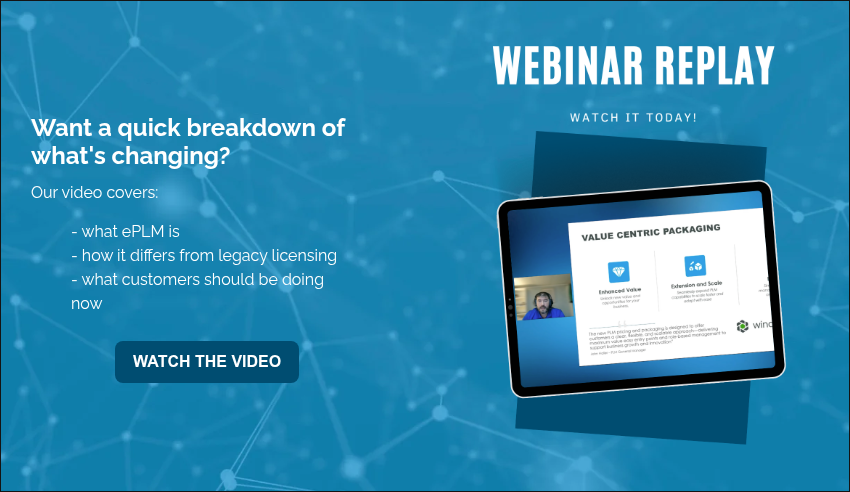
Want a quick breakdown of what’s changing? The webinar replay below shares just that.
What the Windchill ePLM Transition Actually Involves
The transition to ePLM is not just a contract change. It’s an operational change. Let’s have a look at how it typically goes.
The first step is license mapping. It’s vital to map existing users to new ePLM roles and identify gaps and overlaps. Next comes user segmentation. Companies must define user groups based on real workflows and align capabilities with responsibilities. The third step is system validation. Ensure users retain required access and test workflows across teams.
The fourth step is the cleanup of legacy complexity: remove unused licenses, simplify license structures, and optimize cost and usage. Finally is the transition execution. Here companies must implement the new license model, train users if needed, and monitor adoption and performance.
Common Challenges with Windchill ePLM
All written out, it’s easy to feel overwhelmed. This transition carries a level of complexity companies generally aren’t equipped to handle themselves. Unfortunately, organizations can underestimate the transition. When they do, they often run into issues like the following.
Some treat it as a procurement exercise. They focus only on pricing and license counts, instead of system performance and workflow alignment. Or there’s a lack of visibility into current usage. Many teams don’t have a clear view of how licenses are used and what users actually need. There may also be misalignment between roles and access. Without proper planning, users lose accessor gain unnecessary access. Both create friction.
The Bigger Opportunity: Fix What’s Broken
The reality is this: the Windchill ePLM transition is a forcing function. It forces organizations to look at how their system is structured, how their teams actually work, and where inefficiencies exist.
The companies that get the most value from ePLM are the ones that use it to improve system alignment, matching PLM to real workflows. They’ll also see increased user adoption, by giving users the tools they actually need. Organizations benefit additionally from reduced complexity, with ePLM simplifying the licensing and system structure. Further, they enable an intelligent product lifecycle, connecting data around the product from first design to the manufactured version and beyond.
How Windchill ePLM Supports the Intelligent Product Lifecycle
One of the biggest advantages of ePLM is how it supports broader digital engineering initiatives. By aligning access and capabilities to roles, organizations improve data flow across teams, reduce bottlenecks, enable better collaboration, and support end-to-end traceability. This is critical for complex manufacturing, regulated industries, and digital transformation initiatives.
Where to Start with Windchill ePLM
If you’re early in the process, start with understanding your current state. Who is using Windchill? What capabilities are actually used? Where are the gaps? From there, you can begin identifying misalignment: over-licensed users, under-supported roles, and inefficient workflows. Then, define your future state. You should be able to determine what your system should support and how your teams should interact with it. The last step is building a transition plan, including timeline, role mapping, and risk mitigation.
Let’s Help You Navigate the ePLM Transition
Most organizations don’t need more tools. They need clarity.
If you’re evaluating the Windchill ePLM transition, we can help you:
- Map your current licenses to ePLM
- Identify inefficiencies in your system
- Build a practical transition plan
- Ensure your system supports your business, not just your software
Start the conversation with our team.
Final Thoughts: This Is Bigger Than Licensing
Windchill ePLM is not just a change in how you license software. It’s a shift in how your PLM system supports your organization. The question isn’t: “How do we switch to ePLM?”
It’s: “How do we make our system actually work?”
Because for most organizations, the transition will surface challenges that have been building for years: misaligned processes, disconnected systems, and workarounds that quietly slow everything down. Teams that approach this as an opportunity, not just a requirement, will come out with stronger systems, better alignment, and more confidence in how they operate.

Companies strive to improve collaboration, streamline processes, and maintain control over critical product data. Many of them begin by making product lifecycle management (PLM) the cornerstone. Among the most powerful PLM tools available today is PTC Windchill, a comprehensive suite of applications designed to help teams manage information, workflows, and innovation across the entire product lifecycle.
Explore the key Windchill products and modules available to organizations and how to understand each solution, how it fits in broader PLM strategies, and how these tools work together to help teams.
Windchill Modules
Windchill products are application modules that offer users specific sets of features and capabilities within the Windchill application suite. Some of the most common Windchill PLM modules include:
- Windchill PDM Essentials
- Windchill PDMLink
- Windchill ProjectLink
- Windchill PartsLink
What is Windchill PDM Essentials?
PTC Windchill Product Data Management (PDM) Essentials is built on PTC’s production proven PTC Windchill software. Windchill PDM Essentials simplifies data management activities by transparently incorporating them into the design process. It manages all forms of information. These include CAD drawings, customer requirements, schematics, and Bill of Materials (BoMs) that are generated during product development.
This modern product data management solution makes it easy to manage, share, and review your data. It’s finally possible to have a single view of the latest product data. Companies additionally achieve tighter integration to major end CAD vendors, Microsoft Office, and desktop tools. Plus, it allows your users to save time with better version control, automated data release, and simple search capabilities.
What is Windchill PDMLink?
With an abundance of data dispersed throughout your organization, how do you maintain the integrity of your product information when multiple people are working on the same files? The solution is easy: Windchill PDMLink.
Windchill PDMLink is a Web-based, industry-proven Product Data Management (PDM) system that supports geographically dispersed teams while managing critical processes such as content, change and configuration management. Windchill PDMLink maintains the integrity of your product information by storing master data in a secure area where you can control, monitor, and record all changes.
When a change is made to your data, Windchill PDMLink stores a modified copy of the data, signed and dated, in a secure area alongside the old data. This remains in its original form as a permanent record. In addition to providing change control management, Windchill PDMLink enables you to manage your product’s release cycle as well as its configuration.
What is Windchill ProjectLink?
Windchill ProjectLink is a collaborative product development web-based environment that automates and tracks projects.
ProjectLink provides a common workspace where you and your team can share and discuss documents and product structures, hold meetings, and communicate and track progress on tasks. From private exchange environments to public business to business (B2B) exchanges, ProjectLink is a secure web-based system that can easily be used in any collaboration environment.
It can also be used well beyond the engineering and manufacturing departments of your organization. Any project that requires team members to share electronic information, such as writing annual reports to creating training materials, can be managed with Windchill ProjectLink.
What is Windchill Partslink?
Windchill PartsLink is a module for PDMLink that adds part classification-based features. PartsLink enables you to perform parametric attribute searching and manage your results through convenient navigation and searching. You can search parts by typing a free-form product description or a part number in the search criteria text box. You can browse the hierarchically organized structure of your parts using text and images. And you can also refine your search by constraining parameters in a parametric search.
Windchill PartsLink enables your team to perform similar part searches. This expands your search to look for matching parts that have parametric attributes that are within a certain percentage or absolute tolerance of the selected part. Additionally, you can export the result set to a file. Many companies lack a comprehensive part search system and as a result they lose the benefits of reusing product components. Criteria-based searching limits the result set, which helps a great deal in reuse decisions. PTC Windchill PartsLink helps solve that problem.
What is Windchill Quality Solutions?
Depending on your specific Windchill Quality Solutions suite (Windchill Quality Solutions 10.1 Desktop, Windchill Quality Solutions 10.1 Administrator, Windchill Quality Solutions 10.1 Web Access) you may have access to one or more applications.
Windchill Quality Solutions, the desktop version, is the cornerstone of the Windchill Quality Solutions suite. It is available in both the team and enterprise additions and is the feature rich windows application for all of your reliability and maintainability activities. Available in the enterprise addition you will also find Windchill Quality Solutions Administrator. This provides you options for administrative controls including options to support secure login. Windchill Quality Solutions Web Access is available specifically for Windchill FMEA infractions in the enterprise edition. This allows you access for data entry, filtering, graphing, reporting, and more.
Is there other Windchill Software for product data management and process management?
While the core Windchill modules cover many aspects of product data management, PTC also offers additional solutions. These are designed to address specialized needs across manufacturing, retail, service, and portfolio management. These tools extend Windchill’s capabilities and help organizations tailor PLM to their exact requirements.
- Windchill MPMLink acts as an integral solution for Manufacturing Process Management.
- Windchill FlexPLM is a product lifecycle management solution that is widely used for retail, footwear & apparel and consumer product companies.
- Windchill Requirements Management is a combination of PTC’s Integrity product and Windchill PDMLink that manages product data software and hardware requirements.
- Windchill PPMLink is a program that provides portfolio management capabilities to discrete manufacturers.
- Windchill Service Information Manager creates associative, interactive service parts information used throughout a product’s serviceable lifecycle.
- Windchill Service Parts improves service operations by enabling service information to be organized and optimized for accuracy, applicability, and rich, graphics-driven delivery.
Expanding in the Windchill Product Suite
These Windchill products offer more than any single PLM tool. They deliver a connected ecosystem of solutions that empower teams to collaborate, manage, and innovate with confidence. From PDM Essentials and PDMLink to ProjectLink, PartsLink, and Quality Solutions, each module addresses critical aspects of the product development lifecycle while maintaining data integrity and process visibility. Additional solutions like MPMLink, FlexPLM, and Service Parts further expand Windchill’s reach, ensuring organizations can tailor their PLM strategy to their exact requirements.
Companies can reduce wasted effort, increase reuse of existing assets, and deliver higher-quality products to market faster by leveraging the right combination of Windchill products. At EAC, we work alongside manufacturers to fix the broken parts of product development by connecting systems, people, and processes. We help organizations implement and optimize Windchill so teams gain clarity, control, and confidence across the entire product lifecycle. We also share practical insights and resources that help product leaders evaluate their options and make well-informed decisions.
Up to date on the latest in Windchill? Check out our blog What’s New in Windchill? to find out!

In the world of product development, speed, accuracy, and collaboration determine who leads… and who lags behind. As product designs grow more complex and teams become more distributed, having the latest capabilities in your PLM (Product Lifecycle Management) system can make all the difference.
That’s why knowing what’s new in Windchill is so important. Each new release of PTC Windchill delivers powerful enhancements that simplify data management, improve user experience, and strengthen the digital thread that connects design, manufacturing, and service. In this post, we’ll break down what’s new in Windchill 13, highlight its most impactful features, and explain how these updates help organizations stay agile and competitive in a rapidly evolving market.
What’s new in the latest version of Windchill?
The latest Windchill 13 release marks a significant leap forward for PTC’s industry-leading PLM platform. With new UI improvements, enhanced scalability, and advanced integration capabilities, Windchill 13 helps teams work smarter, not harder. Here’s a closer look at some of the top new features and enhancements:
1. Modernized User Experience
PTC has reimagined Windchill’s interface to be cleaner, more intuitive, and easier to navigate. The improved layout streamlines everyday tasks like document management, configuration, and workflow tracking, reducing clicks and improving user adoption.
The redesigned Windchill Navigate apps also provide simplified, role-based access to product data, ensuring that everyone – from engineers to service teams – can find the information they need quickly.
2. Performance and Scalability Enhancements
Windchill 13 introduces key architectural updates that boost system performance and scalability. Large assembly handling, concurrent user support, and faster search capabilities allow global teams to collaborate in real time without lag or data delays.
This makes the platform more reliable for enterprise-scale deployments, particularly for companies managing thousands of parts or operating across multiple sites.
3. Strengthened Change Management and Digital Thread Integration
Improved change management workflows make it easier to document, approve, and execute design and process changes within a single ecosystem. The new release enhances cross-functional visibility, so stakeholders can assess the downstream impact of changes across CAD models, BOMs, and documentation.
Windchill 13 also continues PTC’s push toward a connected digital thread, unifying data from design through manufacturing and service.
4. Expanded Openness and Integration Options
This flexibility helps teams extend the value of their product data beyond engineering, enabling smarter, connected operations across the entire product lifecycle.
5. Security and Compliance Improvements
As data security and regulatory compliance become increasingly critical, Windchill 13 introduces stronger encryption, access control, and audit-trail capabilities. These updates help organizations meet industry standards and safeguard sensitive product information while maintaining traceability from design through disposal.
How These New Features Benefit Your Organization
Understanding what’s new in PTC Windchill is just the first step. Knowing how these enhancements translate to business results is where the real value lies.
By upgrading to Windchill 13, organizations can:
- Accelerate product development with a faster, more responsive interface and workflow automation.
- Reduce data silos by connecting PLM to IoT, AR, and other enterprise systems.
- Enhance collaboration across engineering, manufacturing, and service teams using unified, real-time data.
- Lower operational costs by improving scalability and reducing system maintenance.
- Stay compliant and secure through better governance, version control, and audit capabilities.
Simply put, the latest Windchill release helps teams work more efficiently, make better decisions faster, and stay ahead in a competitive, connected world.
What to Consider Before Upgrading Windchill
While the benefits of Windchill 13 are compelling, upgrading should be a strategic decision, not a rushed one. Before moving forward, evaluate your readiness and long-term goals.
Consider the following:
- System Readiness: Verify hardware and architecture compatibility to ensure a smooth deployment.
- Process Alignment: Review your existing workflows and confirm they align with new Windchill functionality.
- Data Quality: Take the opportunity to clean and standardize your product data before migration.
- User Training: Make sure your teams are prepared for the updated interface and processes.
- Integration Dependencies: Confirm that CAD, ERP, and other connected systems are compatible with the new version.
By planning ahead, you’ll maximize your ROI and avoid common pitfalls that can slow or complicate upgrades.
Tips for a Smooth Upgrade and Adoption
A successful upgrade is about more than installing software. It’s about adoption, optimization, and continuous improvement.
Here are a few practical tips for success:
- Start with an Assessment. Evaluate your current environment and identify upgrade prerequisites.
- Pilot Before Rolling Out. Test new features with a small user group to identify issues early.
- Clean Your Data. Ensure your product information is structured and accurate to prevent migration issues.
- Communicate Early and Often. Keep stakeholders informed and engaged throughout the process.
- Provide Role-Based Training. Tailor learning materials for different user groups to increase adoption.
Understanding what’s new in Windchill is just one part of the equation. Adopting it effectively is where you’ll realize the most value.
Why Partner with EAC for Your Windchill Upgrade
EAC Product Development Solutions has helped hundreds of companies upgrade, migrate, and optimize their Windchill environments. Our team can guide you through every step. From assessing readiness and planning upgrades to configuring workflows and training users. Whether you’re moving from an older Windchill version or integrating with Creo, ThingWorx, or other systems, EAC ensures your transition is smooth, secure, and value-driven.
Learn more about our Windchill Upgrade and Implementation Services today!
Stay Ahead with the Latest in Windchill
The newest Windchill release reinforces PTC’s commitment to helping manufacturers achieve faster innovation, stronger collaboration, and better product lifecycle visibility. If your team relies on Windchill for design, manufacturing, or service collaboration, now is the time to explore the benefits of upgrading. The latest version isn’t just an update. It’s a platform for the future of connected, data-driven product development.
Interested in learning more about the importance of PLM? Explore how foundational PLM is in our guide: Digital Transformation Starts with PLM.

Artificial intelligence (AI) is transforming how products are designed, manufactured, and serviced. From predictive maintenance to generative design and digital twins, AI has the power to accelerate decision-making and unlock entirely new business models.
But here’s the reality: without a strong data foundation, AI initiatives stall or fail. Studies show that most AI projects fail to deliver value because they rely on incomplete, inconsistent, or siloed data. For manufacturers, the source of truth for this data is Product Lifecycle Management (PLM).
PLM provides the foundation that ensures product data is accurate, contextualized, and accessible across the enterprise. In this blog, we’ll outline a practical readiness checklist for executives, explore the ROI of aligning PLM with AI initiatives, and share how leaders can turn readiness into competitive advantage.
The Strategic Imperative: Linking PLM to AI
Think of PLM as the digital backbone of your organization. It manages product information across the lifecycle—from concept and engineering to manufacturing, quality, and service.
AI, meanwhile, acts as the accelerator—turning that data into predictive insights, optimization opportunities, and smarter innovations. But AI is only as effective as the data it consumes. Without PLM ensuring integrity, context, and governance, even the most sophisticated algorithms produce unreliable results.
For executives, the takeaway is simple: success with AI isn’t about choosing the right algorithm. It’s about ensuring your product data is trustworthy, structured, and accessible. PLM makes that possible.
The Executive AI Readiness Checklist
To help leaders prepare, here’s a practical playbook for assessing readiness. Use these six checkpoints to evaluate whether your PLM can truly support AI-driven transformation.
1. Data Centralization
Ask yourself: Do we have a single source of truth for product data across engineering, manufacturing, and service?
If data lives in spreadsheets, departmental silos, or disconnected systems, AI will struggle to deliver value. PLM centralizes this information, ensuring every team operates from the same baseline.
2. Data Quality & Governance
AI depends on accuracy. Without strong governance—standards, version control, and access policies—data integrity is compromised. PLM enforces these rules, giving executives confidence that AI models are trained on reliable, compliant data.
3. Cross-Functional Alignment
AI is not an IT initiative or an engineering experiment—it’s an enterprise-wide transformation. Success requires alignment between engineering, IT, operations, and business leadership. Position PLM not as an engineering tool, but as a strategic enabler of business outcomes.
4. Integration & Ecosystem Readiness
AI thrives on connected ecosystems. Can your PLM integrate with IoT platforms, ERP, MES, and CRM systems? Are your data pipelines designed for scalability? Executives must ensure their PLM is not an isolated system but a central hub connected across the digital thread.
5. Talent & Culture
Technology is only half the equation. Do your teams have the skills to work with AI? Are employees data-literate and open to AI-driven workflows? Building a culture of adoption—where engineering collaborates with IT and data science—is critical to long-term success.
6. Compliance & Risk Management
Finally, consider regulatory, cybersecurity, and ethical implications. AI introduces risks around transparency, bias, and data security. PLM provides the governance framework to ensure compliance and traceability—protecting both your business and your customers.
By assessing these six dimensions, executives can identify gaps and create a roadmap that ensures PLM is ready to power AI initiatives effectively.
The ROI of Preparing PLM for AI
For executives, the question is always: What’s the business impact? Aligning PLM with AI initiatives creates measurable returns that go far beyond cost savings.
- Faster Time to Market
AI-enabled design, simulation, and testing can dramatically shorten development cycles. By leveraging PLM-managed data, companies can iterate faster, reduce rework, and bring products to market ahead of competitors. - Reduced Service Costs
Predictive maintenance, powered by AI and fueled by PLM-managed service and IoT data, minimizes downtime and reduces warranty expenses. Digital twins further cut costs by enabling remote diagnostics and optimized field service. - Improved Product Innovation
Generative design and AI-driven analytics expand innovation capacity. With PLM ensuring the right requirements, constraints, and performance data feed into AI models, organizations can explore more design alternatives without a proportional increase in cost. - Stronger Competitive Position
Companies that prepare their PLM for AI move faster, adapt more quickly to market shifts, and capture market share. They become more resilient and innovative in industries where speed and agility define success.
Simply put, PLM-readiness is not just an IT investment—it’s a growth strategy.
Executive Next Steps: Building the Roadmap
Preparing your PLM for AI doesn’t require an all-or-nothing approach. Executives can start small and scale over time.
- Start with high-value use cases. Identify opportunities that align with corporate goals, such as predictive maintenance or faster design cycles.
- Assess PLM maturity. Evaluate how well your current systems manage data centralization, governance, and integration.
- Invest strategically. Prioritize PLM upgrades, integrations, and digital thread initiatives that create measurable business outcomes.
- Partner wisely. Collaborate with providers who understand both PLM and AI strategy to accelerate progress.
By approaching readiness as a strategic initiative rather than a technical project, executives can future-proof their AI investments while demonstrating clear ROI.
Turning Readiness Into Advantage
AI is redefining competitiveness in product industries—but only for organizations that have the right foundation. PLM provides that foundation by centralizing, contextualizing, and governing product data across the lifecycle.
Executives who align their PLM strategy with AI readiness unlock faster innovation, reduced costs, and stronger market positions. The time to act is now. See where your own product data stands with our Business Assessment. We’ll help you identify gaps, inefficiencies, and readiness for digital transformation.
Gain a clear view of how structured PLM can set the stage for scalable AI success.

In today’s fast-moving product development landscape, companies can’t afford inefficiencies, disconnected processes, or compliance risks. That’s where Product Lifecycle Management (PLM) software comes in. PLM gives organizations a central platform to manage design, engineering, manufacturing, and service data across the product lifecycle.
Two of the most widely adopted PLM platforms on the market are PTC’s Windchill and Siemens’ Teamcenter. Both solutions offer enterprise-grade functionality, but their architectures, usability, and performance differ in ways that significantly impact long-term value.
If you’re comparing Windchill vs Teamcenter and wondering which is the best fit for your organization, this blog provides an objective, side-by-side look at usability, stability, integration, compliance, industry fit, and overall digital transformation readiness.
Windchill vs Teamcenter: Company & Product Overview
Windchill has earned its reputation as a modern, secure, and open PLM system. PTC has invested heavily in creating a true end-to-end digital thread, connecting engineering data to manufacturing, service, and even field operations. With native cloud capabilities, DoD IL5 accreditation, and seamless integrations with tools like Ansys and SAP, Windchill is designed to help organizations innovate faster and scale with confidence.
Teamcenter is Siemens’ flagship PLM platform and part of a very large software portfolio that also includes NX CAD, Simcenter, and Tecnomatix. Siemens markets Teamcenter as a broad solution that covers multiple industries and processes. However, its reliance on legacy technology, heavy customizations, and complex module structure often make implementation and maintenance challenging.
Let’s compare these two systems by user experience, system performance, implementation and administration, security and compliance, integration, digital transformation, and pricing.
User Experience
When evaluating any enterprise software, ease of use plays a huge role in user adoption and long-term success. A PLM system that frustrates engineers or requires heavy training often creates resistance and slows down ROI.
- Teamcenter: On the surface, Teamcenter has a visually appealing interface. However, many organizations report that beneath the UI lies an overly complex system. Modules are cluttered, features don’t always work seamlessly together, and customization is often required just to achieve basic workflows.
- Windchill: Windchill takes a different approach, offering streamlined workflows that balance usability with powerful functionality. By prioritizing integration across engineering and manufacturing, Windchill helps reduce the silos that frustrate Teamcenter users.
If you want a platform that’s easy for teams to adopt and scale, Windchill provides a smoother user experience.
System Performance
Performance and reliability are critical in product development environments where large assemblies and complex BOMs are the norm. A PLM platform needs to deliver stability under pressure to avoid bottlenecks that delay projects and increase costs.
- Teamcenter: Customer reviews frequently cite issues with stability, especially when working with large assemblies. Reports include freezing, long load times, and heavy demands on CPU/RAM. In some cases, Teamcenter has failed performance stress tests managing BOMs with ~90,000 items.
- Windchill: In technical benchmarks, Windchill consistently outperforms Teamcenter. It handles large datasets and complex product structures without the same level of performance degradation.
For organizations managing large-scale data or complex products, Windchill is the more reliable choice.
Implementation & Administration
The true cost of a PLM system isn’t just in the license. It’s in how much time and effort it takes to deploy, upgrade, and manage. A platform that is simpler to implement and administer can significantly reduce IT overhead and accelerate time-to-value.
- Teamcenter: Implementation and upgrades are known to be time-consuming. Rich client deployments add extra layers of administrative overhead, and the reliance on multiple disjointed applications makes system management complex.
- Windchill: Windchill is easier to implement and maintain, especially in cloud or hybrid environments. It is designed for scalability, security hardening, and long-term optimization without requiring massive administrative overhead.
Organizations looking for lower total cost of ownership and less IT burden will benefit from Windchill’s modern architecture.
Security & Compliance
For industries working with sensitive data, from aerospace to medical devices, compliance and data protection aren’t optional — they’re mandatory. The security posture of a PLM solution often determines whether it can even be considered in highly regulated environments.
- Windchill: Windchill stands apart as the only PLM platform with DoD Impact Level 5 (IL5) accreditation, making it the trusted choice for organizations with strict data security requirements. It is also FedRAMP approved, adding another layer of government-grade security.
- Teamcenter: Siemens attempted to obtain IL5 certification but did not complete the process and was removed from the certification track.
If security and compliance are critical, Windchill is unmatched in the PLM market.
Integration
No PLM solution exists in a vacuum. To unlock real value, the platform must integrate seamlessly with CAD, ERP, simulation, and service management tools, supporting a truly connected enterprise ecosystem.
- Teamcenter: Siemens often claims superior SAP integration, but in reality, SAP has not built special APIs for Teamcenter. Its integration capabilities are on par with other vendors, and connecting to third-party tools often requires customization.
- Windchill: PTC has built Windchill to be open, with strong cloud integration and seamless connections to leading tools like Ansys, Creo, SAP, and ServiceMax.
For enterprises looking to future-proof their digital ecosystems, Windchill’s openness provides more flexibility.
Digital Transformation
The concept of the digital thread has become a cornerstone of digital transformation initiatives. It refers to the ability to connect data across the entire lifecycle, ensuring traceability, collaboration, and faster innovation.
- Teamcenter: Siemens has multiple digital thread components, but they are often siloed and built on legacy technology. Customizations are usually required to see value across the enterprise.
- Windchill: PTC has invested heavily in creating a true end-to-end closed-loop digital thread. This is enhanced by the integration of ServiceMax, extending visibility all the way into service and field operations.
For organizations serious about digital transformation, Windchill delivers a more connected and future-ready digital thread.
Pricing & Licensing
Cost is always a consideration in enterprise software decisions, but pricing models can be just as important as the raw numbers. A flexible, transparent licensing strategy can make the difference between a scalable long-term solution and escalating costs that strain budgets.
- Teamcenter: Uses a token-based licensing strategy where customers buy units in advance to switch between modules. While it may look flexible, costs can escalate quickly for enterprises.
- Windchill: PTC offers clear, scalable pricing models without heavy discounting, reflecting confidence in long-term value.
When evaluating Windchill vs Teamcenter pricing, Windchill is typically more transparent and sustainable over time.
How does PTC Windchill compare to Siemens Teamcenter?
When comparing PTC Windchill to Siemens Teamcenter, both deliver enterprise class PLM capabilities but take different approaches to usability, integration and complexity. Windchill offers a streamlined, modern web architecture with strong multi-CAD support and a focus on enabling the digital thread across engineering, manufacturing and service. Teamcenter brings deep, mature functionality and tight integration within the Siemens software ecosystem, especially for complex design/manufacturing scenarios, but can be more complex to deploy and maintain. Ultimately the right fit depends on your organization’s existing technology landscape, CAD/Multi-CAD needs, and whether you prioritize speed of adoption and agility (Windchill) or depth of manufacturing process support within a single vendor ecosystem (Teamcenter).
Use Cases
Not all PLM solutions perform equally across industries. Different verticals have unique requirements, from compliance-heavy aerospace programs to fast-paced electronics manufacturing, making it important to match the platform’s strengths with the industry’s demands.
- Aerospace & Defense: Windchill leads due to DISA-approved cloud environments and IL5 certification. Teamcenter lags in compliance.
- Automotive: Teamcenter’s complex configuration management has deterred customers, while Windchill offers simpler, scalable solutions.
- Machine Building: Windchill has gained traction in U.S. machine building. Siemens often requires third-party implementation support.
- Electronics & High Tech: Even with Xcelerator templates, Teamcenter users have required massive custom work (e.g., Samsung with over 1 million man-hours).
Next Steps
At the end of the day, selecting a PLM system comes down to balancing usability, stability, compliance, and long-term value. The right choice will empower your teams, streamline your operations, and set your organization up for digital transformation success.
When comparing Windchill vs Teamcenter, both platforms offer strong PLM capabilities, but the differences are clear:
- Windchill is more stable, easier to administer, and better suited for highly regulated industries.
- Windchill delivers unmatched security with IL5 accreditation and FedRAMP approval.
- Windchill provides a more connected, modern digital thread without heavy customizations.
Teamcenter’s large portfolio and attractive UI may appeal at first glance, but its complexity, instability, and high administrative overhead can quickly erode value. If your organization is evaluating PLM solutions, Windchill stands out as the modern, secure, and future-ready choice.
At EAC, we work alongside manufacturers to fix the broken parts of product development by connecting systems, people, and processes. We help organizations implement and optimize Windchill so teams gain clarity, control, and confidence across the entire product lifecycle. We also share practical resources that help engineering and product leaders evaluate their options and make informed decisions.
Find out why manufacturers choose Windchill over other PLM systems in our guide.

In the fast-evolving world of digital product development, companies are increasingly turning to Windchill for its powerful Product Lifecycle Management (PLM) capabilities. However, to truly unlock Windchill’s potential, it’s essential to understand the various services that support its implementation, performance, and long-term success. Whether you’re starting a new deployment or optimizing an existing system, PLM services and expert PLM consulting help manufacturers ensure Windchill delivers business value beyond technical installation. From installation and configuration to ongoing maintenance and support, these ensure your PLM system is optimized, secure, and aligned with business objectives.
Why Windchill Services Matter
Implementing and maintaining a PLM system like Windchill isn’t just a one-time task. It’s an ongoing commitment to system reliability, efficiency, and performance. Without expert support and regular maintenance, businesses risk facing system downtimes, data inaccuracies, and delays in product development. Windchill services are designed to minimize these risks while maximizing the return on your PLM investment.
Core Components of PLM Services
Windchill services are made up of several core components that work together to ensure your PLM environment is strategically implemented and continuously optimized. Each of these services plays a crucial role in supporting the success, scalability, and security of your Windchill system.
1. PLM Implementation Planning
Successful PLM implementation starts with a solid strategy. Services in this stage focus on aligning Windchill capabilities with your organizational goals, ensuring a smooth rollout that meets your technical and business requirements.
2. Installation & Configuration
Whether you choose an on-premise or cloud deployment, professional PLM support ensures that your environment is installed correctly and configured to support scalability, security, and performance from the beginning.
3. Windchill System Maintenance & Support
System maintenance involves routine health checks, patch updates, bug fixes, and performance optimization. Regular maintenance reduces system disruptions and ensures ongoing compliance with evolving industry regulations.
Why IT Departments Shouldn’t Go It Alone
Many companies rely on their internal IT teams to manage PLM systems like Windchill. While IT is essential to infrastructure, managing PLM requires specialized knowledge in product development, CAD integrations, and lifecycle management. Overburdening IT with Windchill responsibilities often leads to delayed upgrades, missed opportunities for optimization, and increased total cost of ownership.
By leveraging dedicated PLM service providers, companies gain access to expert-level support, faster problem resolution, and proactive system management.
Advanced Windchill Services for Growth and Innovation
Beyond foundational implementation and maintenance, advanced Windchill services enable businesses to fully capitalize on their PLM investment. These services focus on enhancing system capabilities, user adoption, and integration across the digital enterprise, driving long-term growth and innovation.
Data Migration & System Integration
Merging legacy data into Windchill and integrating with systems like ERP or CAD requires technical precision. Professional services ensure clean, accurate data transitions and seamless integrations that support end-to-end digital thread visibility.
User Training & Change Management
A successful Windchill deployment hinges on user adoption. Windchill services often include customized training programs, documentation, and change management strategies to help teams fully utilize the platform.
Customization & Extension Development
Businesses often need to tailor Windchill to meet specific industry or organizational needs. Expert services can create custom extensions, dashboards, and workflows that enhance usability and functionality.
The Business Value of PLM Consulting
Beyond maintaining system performance, professional Windchill services contribute directly to business outcomes. With the right partner, organizations can achieve better product quality, faster release cycles, and streamlined regulatory compliance.
Utilizing expert Windchill services leads to significant business advantages:
- Reduced downtime and increased system performance
- Faster time-to-market for new products
- Lower costs through automation and optimized processes
- Improved product quality through better collaboration and control
- Enhanced compliance with regulatory requirements
Windchill support services also ensure your PLM system evolves with your business, rather than holding it back.
How to Choose the Right Windchill Services Provider
Choosing the right Windchill services provider is critical to achieving a high-performing and future-ready PLM system. The ideal PLM consulting partner not only brings technical expertise, but also understands your industry-specific challenges, business objectives, and internal workflows. Look for a provider who offers flexibility, proactive communication, and a proven track record of success with organizations similar to yours.
When evaluating a service provider, consider:
- Their experience with Windchill and PLM implementations
- Industry-specific expertise
- Flexibility of support plans (on-demand, ongoing, or project-based)
- Availability of training and user support
- Track record of successful deployments and satisfied customers
A good Windchill partner doesn’t just keep your system running. They help you get the most out of your investment.
Next Steps with Windchill
Windchill services are a critical component of any successful PLM strategy. From implementation and maintenance to integration and training, these services ensure your PLM system is reliable, scalable, and delivering maximum value to your organization. Whether you’re just beginning your Windchill journey or looking to optimize an existing deployment, partnering with experienced professionals can transform your digital product development environment.
Do you know the signs that your Windchill system needs an upgrade? If not, our checklist has you covered. Get it free today!