Windchill is a mission-critical enterprise system with multiple components and touch points across an entire enterprise. Because of this complexity, you might recognize the need for Windchill Managed Services. EAC has created a managed services program for your Windchill system: the EAC Alliance Program. The Alliance Program provides PTC Windchill managed services such as Windchill administration and support.
Our team of expert system administrators help improve system performance, optimize server and license configurations, and maintain a stable PLM environment for your organization. Looking to understand what we deliver? Below are some frequently asked questions.
Frequently asked questions around Windchill Administration
When manufacturing and engineering leaders evaluate their PLM strategy, they have a lot of critical questions. Decision-makers need clear answers on what Windchill administration involves, when they should consider outsourcing, and what risks unmanaged environments pose. Below we provide focused answers to frequently asked questions to help you evaluate whether a Windchill managed services program is right for your organization.
What does Windchill administration involve and why is it important?
Windchill administration encompasses the full set of tasks required to keep your PLM system healthy, secure and aligned with organizational processes—such as user and license management, system configuration, performance tuning, and lifecycle/workflow definitions. Effective administration ensures data integrity, minimizes downtime, and keeps product data flowing smoothly across engineering, manufacturing and service operations. For example, administrators will manage user access, define roles/teams, configure workflows, administer object types and versioning, and monitor system logs to identify issues before they escalate.
Without dedicated administration, companies risk slow performance, inconsistent processes, and lost productivity—making this role foundational for any serious Windchill deployment.
When should a company consider outsourcing Windchill administration instead of managing it in-house?
Outsourcing Windchill administration makes sense when internal resources are limited, the system has become complex, or you want access to specialist expertise without hiring full-time staff. Many companies turn to managed services when they lack sufficient Windchill-specific knowledge in-house, or when maintaining uptime, performance, patching and monitoring become too burdensome for their IT/engineering teams. According to recent program data, partnering with a managed services provider can deliver high-availability environments and relieve internal teams to focus on strategic PLM usage rather than just maintenance.
If your Windchill system is integral to product development and you can’t afford extended downtime or degradation in performance, outsourcing can be the smarter and more scalable choice.
What are the typical risks of poorly managed Windchill environments?
When Windchill systems are under-managed, organizations face risks such as unplanned downtime, degraded system performance, data inconsistency, version misalignment, and security vulnerabilities from delayed patching. These issues can slow engineering workflows, hamper collaboration between teams, increase support costs, and even result in compliance or audit failures if product data is uncontrolled. For instance, if workflows or lifecycles aren’t properly configured, teams may inadvertently work on the wrong version of a part or document—leading to errors that propagate downstream. In highly regulated or competitive manufacturing sectors, these problems compromise innovation speed and product quality, making adequate administration essential rather than optional.
What types of administrative tasks are included in a Windchill managed services program (patching, system tuning, replication, license optimization)?
A Windchill managed services program typically includes proactive system tasks such as regular patching and updates, server and application performance tuning, license usage tracking and optimization, data cleanup, replication site management, CAD worker configuration and environment monitoring. For example, administrators will monitor system logs for error patterns, manage replication sites to support multiple locations or disaster recovery, and alert you when license groups or worker scripts need attention. Additionally, managed service offerings may include scheduled health checks, junior to expert support tiers, shared service dashboards and continuous improvement planning so your Windchill environment evolves rather than stagnates. Outsourcing these tasks ensures consistent support for your PLM environment and often delivers performance gains and uptime improvements beyond what internal teams achieve alone.
What can customers expect from our Windchill managed services?
Here’s what customer’s see with our Windchill Managed Services and what you can expect.
Windchill Managed Services Percent of Uptime
95.1% of our EAC Alliance Program customers achieve 100% Windchill uptime. Our customers that do not have 100% Windchill uptime still maintain over 99% availability. This is an overall average of 99.95% or more uptime.
Windchill Managed Services Predictive Maintenance
Our Alliance program executes planned (weekly, monthly, etc) Windchill maintenance. Predictive maintenance is more efficient and the preferred approach to system maintenance. Roughly 1/4 of Alliance customers choose to implement PTC System Monitor (PSM) as a way to bolster EAC’s already rigorous proactive maintenance.
Speed/Performance of Windchill with Managed Services
100% of EAC’s Alliance Program customers see an improvement in the speed and performance of their Windchill system. Out of the box, Windchill leaves a lot of room for performance tuning and server optimization. Our EAC Alliance Program Team are skilled in analyzing and optimizing system resources to suit your individual needs
Windchill Managed Services Security/Patches
100% of our EAC Alliance customers receive (or are notified) of patches. This way you can be assured that your system is running with maximum security at all times.
Next Steps: Optimize Your Windchill System with Confidence
Your Windchill system is the backbone of your product development process. Don’t let preventable performance or maintenance issues slow down your innovation. Whether your team needs help managing system uptime, planning proactive maintenance, or optimizing your PLM environment for scalability, EAC Product Development Solutions is here to help.
Our Windchill Managed Services give you direct access to certified PLM experts who monitor, maintain, and continually optimize your environment, so your engineers can stay focused on product design, not system administration.
If you’re ready to improve your system’s reliability, performance, and ROI, connect with us to help your organization achieve:
- Secure, compliant, and future-ready Windchill environments
- Predictable uptime and proactive system maintenance
- Improved performance, speed, and data integrity
- Optimized license management and reduced total cost of ownership
In today’s fast-paced manufacturing environment, agility, accuracy, and collaboration are more essential than ever. Windchill, PTC’s powerhouse Product Lifecycle Management (PLM) solution, delivers all three by providing secure, real-time access to product data across disciplines and locations. Companies stand to reduce costs, speed innovation, and enhance next generation products. PTC’s product lifecycle management (PLM) software, Windchill, lets you do just that. Designed to streamline product development from concept to service, Windchill empowers teams to work smarter, innovate faster, and maintain quality—no matter how complex the lifecycle. But let’s start by answering the basics first: what is windchill?
What is PTC Windchill?
PTC Windchill is a product lifecycle management (PLM) application suite that leverages a consolidated view of product information through multi-system data. It’s a systemic enterprise wide approach to maintaining product and process quality throughout the entire product lifecycle. Released by PTC in 1998, Windchill made its mark as one of the first internet-based PLM platforms. It has since become an industry staple across sectors (automotive, aerospace, electronics, medical devices, and more) supporting over a million users globally.
PTC Windchill PLM software provides a complete functionality dimension to help organizations capture product structures from computer-aided design tools, transform them into full engineering bill of materials (eBoMS), to manufacturing bill of materials (mBoMS), to service bill of materials (sBoMS) all while retaining the linkages between different perspectives on the product. Windchill solutions break down organizational barriers, allowing teams to work faster and more accurately all while reducing time-to-market and cutting costs.
Why Windchill Matters: Core Capabilities that Redefine PLM
When companies are juggling increasingly complex product designs, global supply chains, and regulatory demands, having the right PLM foundation is critical. Windchill provides the structure, visibility, and automation needed to handle this complexity without slowing innovation. Its core capabilities not only keep product data accurate and accessible but also empower teams to make faster, better decisions across the entire lifecycle.
Centralized, Secure Product Data Management
Windchill functions as a single source of truth (consolidating CAD files, BOMs, requirements, and supplier data) all housed in a scalable web architecture. Whether you’re working in engineering or collaborating with external partners, you’ll always have a current, secure view of product information.
Effortless BOM and Change Management
Windchill’s dynamic Bill of Materials (BOM) management enables inline editing, structural comparisons, and variant configuration for agile product planning. And with built-in Engineering Change Management (ECM) workflows, you can automate review processes, approvals, and compliance documentation to speed up time-to-market and reduce errors.
Workflow Automation and PLM Collaboration
With task and role-based apps, Windchill supports intuitive collaboration for both expert and casual users. From manufacturing to service teams, everyone can access relevant data through task-specific interfaces without over-customizing the system. This makes handoffs smoother and ensures alignment across functions.
Scalability and Deployment Flexibility
Whether deployed on-premises, in a private cloud, or via Windchill+ SaaS, the platform scales with your needs. Organizations benefit from streamlined upgrades, uptime, and strong compliance controls.
Elevating PLM: AI-Ready Product Development
Windchill isn’t just about data—it’s about intelligent data. By housing consistent, accessible product information, Windchill forms a foundation for AI-powered innovation. That means better decision-making, automated routine workflows, optimized resource use, and faster design improvements.
Key Benefits at a Glance
For many organizations, the true value of a PLM system comes down to the tangible benefits it delivers day-to-day. Windchill is designed to make collaboration easier, processes faster, and information more reliable, no matter how large or distributed your teams may be. By looking at its benefits side by side, it becomes clear how Windchill helps manufacturers overcome common product development roadblocks.
| Benefit | Why It Matters |
| Real-time Collaboration | Unified access enables cross-functional teams to deliver faster. |
| Data-Driven Quality | Reduced rework and improved product reliability. |
| Accelerated Delivery | Configurable workflows and automation streamline processes. |
| Agility & Resilience | Scalable deployments and open integrations help businesses adapt. |
| AI Readiness | Structured data enables machine learning for innovation. |
Core Windchill Capabilities
Beyond the big-picture advantages, Windchill delivers a deep set of tools that tackle the nuts and bolts of product lifecycle management. These capabilities are what allow engineering, manufacturing, and service teams to stay aligned—even when managing thousands of parts, configurations, or requirements. By exploring its core features, you can see how Windchill creates a connected, digital foundation for end-to-end product success.
Windchill’s robust feature stack supports even the most intricate development environments:
- BOM Management – Central views, variants, and CAD integrations
- Collaborative Product Development – Enterprise-wide visibility into planning, shop floor, service context
- Change & Configuration – Automated workflows, traceability, and compliance
- Manufacturing Process Management – Digital twin visualization, plant-specific BOMs, and digital quality tracking
- Parts Classification & Variability Management – Efficient search, sustainability handling, and product customization
- Product Data Management (PDM) – CAD data control, versioning, multi-CAD support
- Quality Management – CAPA, audit trails, regulatory oversight
- Supply Chain Collaboration – Real-time supplier workflows and transparency
Windchill also supports industry-specific packages—PDMLink, MPMLink, ProjectLink, Compliance, Cost, FRACAS, FMEA, and more—so your team can tailor the platform to its use case, from reliability analysis to technical documentation.
Example Use Case: Digital Thread with IoT Integration
PTC’s integration of Internet of Things (IoT) with Windchill closes the loop between product data and actual performance in the field. That enables real-time error reporting, role-based insights, and proactive maintenance or design improvements—putting reliability right in your development cycle.
What problems does Windchill solve for engineering and manufacturing teams?
Windchill addresses persistent issues like data silos, manual hand-offs, and version confusion by providing a single source of truth for product, CAD, BOM and change data. This unified platform helps engineering and manufacturing teams reduce errors, minimize rework, and accelerate time-to-market. By enabling concurrent workstreams and real-time visibility, Windchill supports efficient collaboration across disciplines.
Who uses Windchill and what industries benefit most from it?
Windchill is widely used by discrete manufacturing enterprises including automotive, aerospace & defense, industrial equipment, high-tech electronics and medical device companies. These industries benefit most because they deal with complex product structures, rigorous compliance requirements, and long lifecycles. In these areas Windchill excels. The solution supports both global, multi-site deployments and intricate configurations, making it a strong fit for manufacturers handling complexity and scale.
Is Windchill only for large enterprises, or can small-to-mid-size companies use it too?
While Windchill is known for enterprise-scale capabilities, its modular architecture and cloud delivery options make it accessible to small and mid-sized manufacturers as well. Smaller companies can leverage core functionality like product data management, version control and change workflows without the overhead of full enterprise deployment. As their needs grow, they can incrementally add modules and scale into broader PLM roles.
What are the main components or modules in Windchill?
Windchill consists of foundational modules such as product data vaulting, BOM & change management (PDMLink/PDMLink+), manufacturing process management (MPMLink), quality and compliance (QMS), service information management, and variant/configuration management. Additional modules include extensions for aerospace & defense data, risk & reliability analytics, and digital thread interoperability. These components allow organizations to tailor their PLM deployment to specific functional needs while leveraging a unified platform.
How does Windchill support digital transformation initiatives?
Windchill acts as the backbone of the “digital thread,” connecting engineering, manufacturing and service systems by enabling consistent, trusted product data across the lifecycle. It links to ERP, MES, CAD, IoT and analytics tools, enabling companies to move from isolated applications to integrated, data-driven workflows. By unlocking real-time visibility and enabling downstream usage of design data (such as in service or production), Windchill helps manufacturers transform operations and accelerate innovation.
What are the key features of PTC Windchill?
Key features of Windchill include a central data repository for CAD and business objects, automated workflows for change management, BOM management across engineering/manufacturing, variant/configuration support, role-based access and real-time collaboration. The platform also offers advanced visualization, reporting, document control and integration APIs for enterprise systems. These features combine to reduce errors, improve productivity and enable more agile product development.
How does Windchill improve collaboration across engineering and manufacturing teams?
Windchill enables cross-functional teams to access the same up-to-date product data, drawings, BOMs and workflows regardless of geographic or functional boundaries. With change notifications, task management and configurable role-based portals, manufacturing, sourcing, and service can work in parallel with engineering. This shared visibility and process alignment reduce delays, mis-communication and hand-off errors, enabling faster and more synchronized product delivery.
Does Windchill support document and version control?
Yes, Windchill provides comprehensive document management and version control capabilities, enabling controlled access, historical tracking, check-in/check-out workflows and secure archiving of product documents, CAD files, specifications and more. These capabilities ensure that all stakeholders are working from the correct version of data, audit trails are maintained and regulatory requirements around document governance are supported.
What security features does Windchill offer to protect product data?
Windchill includes role-based access controls, permissions model, encryption in transit and at rest, audit logging, and customizable security policies to protect sensitive product information and IP. Multi-site deployments are supported with secure federated architectures and authentication mechanisms (such as SSO and LDAP) to maintain governance across global teams. These features help ensure that only authorized users can view or modify data and all changes are tracked.
How does Windchill enable compliance and traceability in regulated industries?
Windchill provides traceable process management and audit-ready records of engineering changes, version histories, approvals, manufacturing effectivity and document revisions. Modules such as QMS and audit management support corrective and preventive actions (CAPA), non-conformance tracking and regulatory reporting. All of these outcomes are critical in industries like medical devices, aerospace or defense. By capturing who changed what, when and why, Windchill supports downstream compliance with standards such as ISO 9001, FDA 21 CFR Part 820 and AS 9100.
What APIs or data exchange capabilities are available in Windchill?
Windchill offers REST and SOAP web services, a comprehensive connector suite (ERP Connector, MES integration), configurable workflows, and open APIs to import/export data, integrate with enterprise systems and automate processes. These capabilities enable companies to connect Windchill with ERP, MES, IoT platforms and analytics tools. This ensures product data flows seamlessly across the enterprise ecosystem.
Getting Started with Windchill
Adopting a new PLM system can feel overwhelming, but Windchill is built with flexibility in mind. Whether your business is just beginning to formalize its processes or scaling globally, the platform can be tailored to fit your immediate needs while leaving room to grow. Getting started is about choosing the right deployment model, identifying quick wins, and building momentum for long-term digital transformation.
Here’s how you can begin:
- Define your deployment preference: on-prem, cloud, or hybrid.
- Identify key use cases: change management, BOM governance, quality processes.
- Engage implementation experts (like EAC) to configure, integrate, and train your team.
- Leverage SaaS tools like Windchill+ for faster time to value with built-in cloud benefits.
Next Steps with Windchill
So, what is Windchill? It’s much more than PLM. It’s the digital backbone that unifies product data, processes, and people across your organization. With modern deployment options, robust feature breadth, and readiness for AI, PTC Windchill equips manufacturers to innovate confidently, reduce cost, and accelerate delivery all while maintaining quality and control.
Looking to better understand how a PLM solution like Windchill can benefit your company? Check out The Manufacturer’s Guide to PLM Best Practices to learn more.
PTC Windchill saves ALM Positioners 4 hours per project
If you are trying to confidently make a smooth transition from paper files to digital files with a complete PLM solution, you should contact us to learn more about PTC Windchill. Read on to learn more about a business who succeeds in digital transformation to reduce time-to-market, decrease costs, and increase collaboration.
Business Overview
ALM Positioners, Inc. is a manufacturing and assembling facility for state-of-the-art positioner lifts located in Rock Island, Illinois. Myron Pundt, VP of Engineering at ALM said, “We build positioners that lift, rotate, and turn machinery in the manufacturing industry. The positioners allow our customers to put their parts at the right elevation and rotation for their operators to build things efficiently.” Their business eliminates the need for straps, chains, and slings and instead allows the operator to raise and position weldments and assemblies to the necessary height and working position.
ALM specializes in custom designs and manufacturing solutions for their customers who need positioners to meet specific requirements. Their unique selling proposition in the Industrial Automation Industry allows them to offer significant cost savings for equipment, improved safety for welders and operators, and increased manufacturing and assembly production efficiency to their customers.
Business Challenges
ALM was challenged by an increasing number of custom design requests. These requests increased product design cycle times. Inaccurate and inefficient information was finding its way to engineers and technicians because product data was stored in paper documents throughout the manufacturing facility.
Pundt reported, “We would have a lot of problems with not having the right prints, so something would end up being built wrong – requiring rework or just extra time to disassemble or reassemble it.” Modifications were being made to designs that weren’t communicated to other departments. This created a bottleneck in operations causing stalls in production and higher costs due to rework. “We’re looking to streamline our processes and get rid of the paper on our shop floor.”
To keep up with the demand of their customers, ALM knew they had to be able to securely store and access product information, Bill of Materials (BOMs), and design requirements all in one place to eliminate the bottleneck and to operate at maximum speed and efficiency on the shop floor. Kevin Toft, President at ALM, proclaimed, “Our company is growing at a fast rate. Last year we saw a forty-six percent growth in our sales revenue and we expect that we are going to double sales by the end of 2019. We need to have systems that work for us so we can continue to see that kind of growth. We have to be as efficient as possible.”
Solution
ALM Positioners turned to EAC Product Development Solutions to help solve their bottleneck problem. EAC helps companies optimize their product development systems so they can succeed in the market place. EAC is a PTC value-added network partner, offering the latest advancements in technology utilized by companies around the world, including PTC Windchill. EAC’s Solution Architects proposed PTC Windchill, a product life cycle management (PLM) tool that allows organizations to consolidate and manage product information into digital form.
Implementation
With the help of EAC’s implementation team, ALM incorporated Windchill throughout their organization so they could view, operate, and manage up-to-date CAD designs on computers throughout the shop floor. “Before we implemented Windchill we were running paper copies. Our ERP implementation was through exported BoMs in Microsoft Excel and we would import them back into the ERP system. It was very time consuming and inefficient,” Pundt explained. Windchill eliminated the obligation to use multiple systems to view product information, associated BoMs, and CAD designs.
Overall employee morale was up because there was less redundancy throughout the early design stages. Brydon Sanders, Product Design Engineer at ALM, reports, “Before Windchill we had an archive of data that was not necessarily 100% accurate. So, when we were sorting data that we thought was right, we’d find out there was a problem after we made changes to it. EAC helped us customize a life cycle specifically for how small of a company we are to help facilitate changes and make the correct revisions. Everything is much faster when designing and validating the product.”
EAC helped customize Windchill to optimize operational efficiencies specifically for ALM’s needs. Colten Brunenn, Product Manager at ALM, reported, “EAC’s implementation specialist was on site for several days at a time throughout the implementation process to help us customize the application to our needs. The specialist was giving us examples, walking us through the processes, showing us how it would work if we did it a certain way, and showed us how to make things easier. It opened our eyes to the capacity and abilities of what we could do with Windchill for our specific needs.”
Results
Compared to previous processes, ALM is able to more quickly and accurately meet their customer’s needs because of their Windchill implementation. “We save about four hours per job with just the front-end BoM load and getting the information into the ERP system – which has been huge,” Pundt explained. “Customers tend to want what they want and a lot of times we can get their order over our competition because we’re willing to customize it for them. Windchill and our new ERP system make it very easy to manage those customizations and helps us to make sure that we have materials in-stock and on-time to meet those needs.”
“With the implementation of Windchill, our manufacturing efficiency is greatly improved. Everything is live on the shop floor now, there are no more paper copies, no more prints getting lost, and nobody building something off the wrong or unrevised print. It has really improved our efficiency through the manufacturing process,” Pundt said. Transitioning into a digital workflow with Windchill allows ALM to reduce time-to-market, decrease costs, and increase collaboration throughout the organization.
You can reduce time to market and cut costs by advancing your digital thread with PTC Windchill, the industry-leading Product Lifecycle Management (PLM) solution. Windchill consolidates data so that your team can work faster and more accurately so you can focus on product innovation.
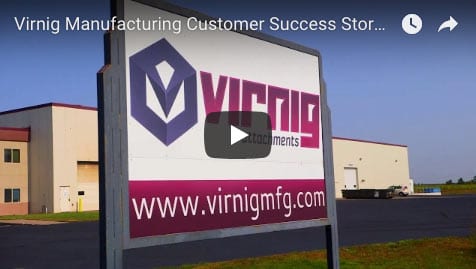
See how Virnig Manufacturing uses PTC Windchill to change the way their data is delivered within their organization.
Business Initiatives
Located in Rice, Minnesota, Virnig Manufacturing has been designing and producing skid steer attachments for over 27 years. This family owned one-stop shop does all steps of the manufacturing process in-house: engineering, cutting raw materials, machining, welding, and painting the finished product. Virnig dominates the industry by offering high-quality skid steer attachments and continually innovates to maintain a strong competitive advantage in a challenging and competitive market.
Business Challenges
Virnig has grown exponentially in the last decade, prompting the on-boarding of more employees to keep up with the growth. The expanding workforce introduced a new challenge of organizing critical work documents. The process of finding documents every day began to inhibit productivity. The need for a file management system became obvious and critical.
Finding a solution became a top priority as Darin Virnig, Engineering and Production Manager, and his team found themselves taking on projects that required “more time in a day” to complete. Darin stated, “When there were just a few of us looking at files we weren’t quite as concerned about file management and having things get overwritten. But as we had more and more people working we all looked at each other and decided it was time to implement a file management system so that we didn’t start losing data or have it changed accidentally.” Prior to implementing a system, Darin and his team kept product content and design data in large red binders throughout the manufacturing facility. Engineers would leave their workstations to access folders in designated areas – sometimes on the other side of the manufacturing floor. Virnig was losing precious time to their paper-based processes. Darin needed to find a quicker way for his team to access data if he wanted to achieve maximum productivity on the shop floor.
Solutions
EAC Product Development Solutions (EAC) is an engineering and technology services company headquartered in Minneapolis, MN. They provide product development solutions that transform the way small to medium sized companies design, manufacture, connect, and service their products. Virnig had partnered with EAC to implement PTC’s simulation software and trusted them with this new file management challenge. PTC is a global technology provider and the maker of tools such as Creo Parametric CAD software and the Windchill line of product lifecycle management solutions. “It was only logical to go with PTC products since we have been doing all of our modeling with their products,” says Darin.
The benefits of going paperless exceeded Virnig’s accuracy and collaboration goals, and provide an ancillary benefit of reducing the cost of paper and printing. The decision was made to implement Windchill, PTC’s product lifecycle management software to streamline operations and control files.
The Paperless Movement
Windchill PDM Essentials, PTC’s Product Data Management tool empowers companies to organize and manage their product content to improve access to accurate, timely product data. Darin and his team have implemented Windchill across their engineering and manufacturing facility with 10 different access points for each department on the shop floor. Darin chuckles as he talks about removing the now-unnecessary red binders, “we took away their file cabinets.” The new process didn’t require any paper documents on the floor – everything was now digitally stored in their workstation computers throughout the facility. The implementation prevented wasted time that was previously used to sort through red binders, and avoided the use of old, irrelevant information.
Darin talks about the success of the new data management system, “Paperless provides access on the floor which has increased accuracy and quality that will give us the competitive advantage we were looking for.” He describes how his team members used to take over 30 minutes a day searching for the data needed to complete a specific task. “It was a company initiative to go paperless in all areas to increase accuracy – the accuracy is where the cost savings would come in for us.” Going paperless has allowed Virnig to take advantage of that 30 minutes a day to add over 325 productive hours to their operation each year.
Learn more about PTC Windchill, contact us, download the case study, or watch the video.