For decades, automotive innovation was driven primarily by hardware. Engineers designed vehicles, manufacturers built them, and once they left the factory, their capabilities were largely fixed. Today, that model is rapidly changing.
Software is becoming the primary driver of vehicle functionality, customer experience, performance improvements, and even new revenue opportunities. Features can be added after purchase, safety systems can be enhanced remotely, and entire vehicle platforms can evolve throughout their lifecycle through software updates.
This shift has given rise to the Software-Defined Vehicle (SDV), a transformation that is reshaping not only the vehicles themselves but also how automotive products are designed, developed, tested, and maintained.
For OEMs and suppliers alike, understanding what software-defined vehicles mean for engineering operations is becoming increasingly important.
What Is a Software-Defined Vehicle?
A software-defined vehicle is a vehicle whose functionality is increasingly controlled, enhanced, and updated through software rather than being permanently tied to hardware components. Traditionally, adding new vehicle capabilities often required redesigning or replacing physical components. In an SDV environment, many of those improvements can be delivered through software updates instead.
Think of how smartphones receive regular operating system updates that introduce new features and improve performance. Software-defined vehicles follow a similar concept, allowing manufacturers to continuously improve vehicle functionality long after it leaves the production line.
Common characteristics of software-defined vehicles include:
- Over-the-air (OTA) software updates
- Centralized computing architectures
- Connected vehicle services
- Continuous feature enhancements
- Data-driven vehicle performance
- Increased integration between software and hardware systems
The result is a vehicle that can evolve over time rather than remaining static throughout its lifecycle.
Why the Automotive Industry Is Moving Toward SDVs
The transition to software-defined vehicles is being driven by both market demand and competitive pressure. Consumers increasingly expect their vehicles to behave more like connected devices. They want improved user experiences, new features, seamless connectivity, and ongoing innovation after purchase.
At the same time, automotive manufacturers face growing pressure to differentiate products in an increasingly competitive market.
Software provides new opportunities to:
- Enhance customer experiences
- Deliver updates remotely
- Improve vehicle performance
- Reduce certain recall-related costs
- Introduce subscription-based services
- Extend product value throughout the ownership lifecycle
As a result, software is becoming a strategic differentiator rather than simply a supporting component of vehicle development.
The Technology Behind Software-Defined Vehicles
The rise of software-defined vehicles is also driving significant changes in vehicle architecture. Traditional vehicles often rely on dozens, or even hundreds, of electronic control units (ECUs) operating independently throughout the vehicle. While effective for many years, these architectures can make software updates and system integration increasingly complex.
Modern SDV architectures are moving toward more centralized computing models. Rather than distributing functionality across numerous isolated systems, centralized platforms enable greater coordination between vehicle functions and simplify software deployment.
This architectural evolution helps manufacturers:
- Reduce system complexity
- Improve software scalability
- Enable more efficient updates
- Increase cross-functional integration
- Support future autonomous and connected vehicle capabilities
However, while the technology is important, the bigger challenge often lies elsewhere.
The Real Challenge: Engineering Complexity
Many discussions about software-defined vehicles focus on technology. In reality, one of the biggest challenges is managing the engineering complexity that accompanies software-driven development.
As software content grows, engineering teams must coordinate increasingly complex relationships between:
- Requirements
- Software development
- Hardware development
- Systems engineering
- Validation and testing
- Quality management
- Manufacturing processes
- Regulatory compliance
Historically, many organizations managed these disciplines through separate teams and disconnected systems. That approach becomes increasingly difficult as software and hardware become more tightly intertwined.
When engineering data is fragmented across multiple tools and processes, organizations often experience:
- Delayed development cycles
- Duplicate work
- Traceability gaps
- Inefficient change management
- Increased compliance risk
- Limited visibility across teams
The challenge is no longer simply developing great software. It is ensuring software, hardware, and product data remain aligned throughout the entire lifecycle.
Why Automotive Suppliers Should Pay Attention
While much of the conversation around software-defined vehicles focuses on OEMs, suppliers are increasingly affected by the same trends. OEM expectations around software quality, traceability, collaboration, and lifecycle visibility continue to move deeper into the supply chain.
Tier 1, Tier 2, and Tier 3 suppliers are being asked to provide greater transparency into development processes, requirements management, testing activities, and engineering changes. Even suppliers that do not directly develop vehicle software are often impacted by these evolving expectations.
Organizations that rely on disconnected engineering systems may find it increasingly difficult to support:
- Customer collaboration requirements
- Compliance initiatives
- Product quality objectives
- Accelerated development schedules
- Software-driven innovation programs
As software-defined vehicles become more prevalent, suppliers must be prepared to operate within increasingly connected engineering ecosystems.
Why the Digital Thread Matters More Than Ever
Successfully supporting software-defined vehicle development requires more than new tools. It requires better connectivity across engineering information. This is where the concept of the digital thread becomes critical.
A digital thread connects data across the product lifecycle, providing visibility between requirements, software development, product design, testing, manufacturing, and service operations.
Rather than maintaining separate versions of engineering information across multiple systems, organizations create a connected flow of information that improves collaboration and decision-making.
For automotive manufacturers and suppliers, this can help:
- Improve traceability
- Reduce manual processes
- Accelerate engineering change management
- Strengthen compliance readiness
- Improve collaboration across teams
- Reduce costly rework
As SDV programs become more sophisticated, the ability to connect software and hardware development through a unified engineering environment becomes increasingly valuable.
Common Barriers to SDV Readiness
While most organizations recognize the importance of modernization, several challenges frequently slow progress.
Siloed Engineering Systems: Many organizations still manage requirements, software development, product data, and testing activities in separate systems with limited integration.
Limited Traceability: Disconnected processes can make it difficult to demonstrate relationships between requirements, design decisions, testing results, and final products.
Growing Software Complexity: Software content continues to increase across vehicle platforms, creating additional dependencies and coordination challenges.
Organizational Change: Technology alone does not solve engineering challenges. Teams must also adapt processes, workflows, and collaboration models to support software-driven development.
Recognizing these barriers is often the first step toward building a more connected engineering environment.
What Automotive Leaders Are Doing Differently
Leading automotive organizations are approaching software-defined vehicle development as both a technology initiative and an operational transformation effort.
Many are investing in:
- Connected engineering environments
- Integrated ALM and PLM strategies
- Improved requirements management
- Enhanced lifecycle traceability
- Simulation-driven development
- Cross-functional collaboration frameworks
- Data foundations that support future AI initiatives
These investments help organizations reduce engineering friction while creating a more scalable foundation for future innovation.
Preparing for the Software-Defined Future
Software-defined vehicles represent one of the most significant shifts the automotive industry has experienced in decades. The transformation extends far beyond vehicle technology. It is changing how products are designed, developed, validated, manufactured, and maintained throughout their lifecycle.
Organizations that succeed in this environment will be those that modernize both their technology platforms and the engineering processes that support them.
For automotive suppliers, the question is no longer whether software-defined vehicles will influence the industry. The real question is how quickly engineering operations can evolve to support the future of connected, software-driven product development.
Continue Exploring Automotive Engineering Modernization
As software-defined vehicle complexity continues to grow, manufacturers need strategies that improve traceability, align software and hardware development, and create more connected engineering environments.
Explore additional resources and insights designed to help automotive teams modernize product development and prepare for the future of engineering.

MedTech manufacturers have never faced more pressure to innovate faster while simultaneously controlling costs, maintaining quality standards, and navigating increasing regulatory scrutiny. Supply chain instability, inflationary pressure, labor shortages, and evolving compliance requirements are all contributing to rising operational costs across the industry. But for many organizations, the biggest challenge is not any single external pressure.
It is the growing operational complexity created by disconnected systems, fragmented engineering data, and manual processes that slow responsiveness across the enterprise. As medical devices become increasingly software-driven and regulatory expectations continue to evolve, many MedTech organizations are recognizing that traditional operational models are no longer sufficient to support long-term scalability and competitiveness.
The manufacturers best positioned for the future are not simply reducing costs. They are modernizing how engineering, quality, regulatory, and operational teams work together through connected lifecycle strategies that improve visibility, traceability, and organizational agility.
Regulatory Complexity Is Accelerating Faster Than Legacy Processes Can Support
Regulatory oversight in MedTech continues to expand globally. From FDA requirements and EU MDR updates to cybersecurity standards and emerging AI governance expectations, manufacturers are being asked to manage increasing levels of complexity throughout the product lifecycle.
For many organizations, compliance preparation still relies heavily on spreadsheets, disconnected documentation systems, manual approvals, and siloed engineering records. These approaches may have worked when products were simpler and development cycles were slower, but they increasingly create bottlenecks in modern MedTech environments.
The challenge is not simply staying compliant. The challenge is maintaining engineering velocity and operational responsiveness while managing compliance requirements at scale.
Disconnected systems often make it difficult to trace requirements, manage engineering changes, coordinate software and hardware development, or prepare for audits efficiently. Teams spend valuable time searching for information, validating records, and manually reconciling lifecycle data across systems.
As product complexity increases, those inefficiencies compound. Organizations that continue relying on fragmented operational environments often struggle to adapt quickly when new regulatory requirements emerge or engineering priorities shift. This is one reason many MedTech leaders are reevaluating how lifecycle data is managed across engineering, quality, manufacturing, and service operations.
Rising Costs Are Exposing Operational Inefficiencies
External cost pressure continues to affect nearly every aspect of MedTech operations. Material costs remain volatile. Supply chains continue to experience disruption. Labor shortages persist across engineering and manufacturing roles. At the same time, organizations are managing growing software complexity, increasing documentation requirements, and heightened pressure to accelerate product delivery timelines.
While these external pressures are difficult to control, many organizations are discovering that internal inefficiencies are magnifying their impact. Disconnected workflows, duplicate data entry, fragmented approval processes, and limited visibility across engineering systems often create hidden operational costs that reduce responsiveness and increase rework.
Engineering teams frequently spend significant time managing documentation and administrative coordination instead of focusing on product development and innovation. Quality and regulatory teams may struggle to maintain real-time visibility into design changes or testing activities. Manufacturing teams may lack timely access to updated lifecycle information.
When systems do not communicate effectively, organizations often compensate with manual processes. The result is slower decision-making, delayed approvals, inefficient change management, and increased operational friction across the enterprise. In today’s environment, operational inefficiency is no longer simply an inconvenience. It has become a direct business risk.
Why Connected Lifecycle Management Is Becoming a Strategic Priority
To address these challenges, many MedTech manufacturers are shifting away from siloed operational models and toward connected lifecycle management strategies. This approach is often described as a “digital thread”: a connected framework that links engineering, quality, regulatory, manufacturing, and service data across the entire product lifecycle.
Rather than managing disconnected systems independently, organizations create a unified operational environment where lifecycle information can move more efficiently between teams and processes. For MedTech manufacturers, this shift can create significant operational advantages.
Connected lifecycle strategies help organizations improve traceability between requirements, risk, testing, validation, design controls, and engineering changes. Teams gain greater visibility into product development activities and can respond more efficiently when issues arise.
The benefits extend beyond compliance. Organizations with connected lifecycle environments are often better positioned to:
- Reduce manual rework and duplicate effort
- Improve collaboration between hardware and software teams
- Accelerate engineering approvals and change workflows
- Strengthen audit readiness and documentation visibility
- Improve operational decision-making through centralized lifecycle data
- Support more scalable product development processes
The contrast between traditional operational models and connected lifecycle environments is becoming increasingly clear.
| Traditional Environment | Connected Lifecycle Environment |
| Manual traceability | Automated lifecycle visibility |
| Disconnected engineering data | Centralized lifecycle continuity |
| Reactive compliance preparation | Embedded compliance readiness |
| Spreadsheet-driven workflows | Real-time operational insight |
| Siloed teams | Cross-functional collaboration |
As device complexity continues to grow, connected lifecycle management is evolving from a technology initiative into a broader operational strategy.
Operational Resilience Is Becoming a Competitive Advantage
Historically, digital transformation discussions in MedTech often focused on innovation enablement or technology modernization. Today, the conversation is broader. Organizations are increasingly focused on operational resilience: the ability to adapt quickly to regulatory changes, engineering complexity, market volatility, and evolving customer expectations without disrupting business performance.
This shift is changing how MedTech leaders think about operational investment. Modernization is no longer only about increasing efficiency. It is about creating operational environments capable of supporting continuous change.
Manufacturers investing in connected lifecycle strategies are often better positioned to:
- Respond to changing regulatory requirements
- Improve visibility across distributed teams
- Reduce disruption caused by engineering changes
- Support faster collaboration between quality and development groups
- Scale operations without dramatically increasing administrative burden
In many cases, operational resilience becomes a competitive differentiator. Organizations with greater lifecycle visibility and stronger engineering continuity can often bring products to market more efficiently while maintaining the quality and traceability expectations required in regulated environments.
As a result, operational modernization is increasingly being viewed as a long-term business strategy rather than a standalone IT initiative.
What MedTech Leaders Should Prioritize Next
For organizations evaluating how to improve operational efficiency and lifecycle visibility, modernization does not need to happen all at once.
Many successful transformation initiatives begin by focusing on a few foundational priorities.
1. Evaluate Lifecycle Visibility
Can teams efficiently trace requirements, risks, changes, and validation activities across the product lifecycle?
Limited visibility often creates bottlenecks that affect both engineering speed and compliance readiness.
2. Identify Manual Workflow Dependencies
Where are teams relying on spreadsheets, disconnected approvals, or duplicate data entry?
Manual coordination processes often become major scalability constraints over time.
3. Connect Engineering and Quality Data
Improving continuity between ALM, PLM, quality, and regulatory systems can significantly improve collaboration and operational responsiveness.
4. Modernize Incrementally
Transformation initiatives should support existing validated environments rather than disrupt them.
Organizations often achieve better long-term adoption when modernization is phased strategically.
5. Align Technology to Operational Outcomes
The goal is not simply implementing new tools.
The goal is improving traceability, visibility, efficiency, and organizational agility across the enterprise.
The Future of MedTech Operations Will Be Defined by Adaptability
The MedTech organizations best positioned for long-term success will not necessarily be the ones investing most aggressively in technology. They will be the organizations creating operational environments capable of adapting to constant change.
As regulatory complexity, software integration, and operational pressure continue to increase, connected lifecycle strategies are becoming essential for maintaining both innovation speed and operational resilience. Digital transformation is no longer just about modernization.
It is increasingly about creating the visibility, continuity, and agility required to compete in a rapidly evolving MedTech landscape.
Ready to Build a More Resilient MedTech Operation? Rising costs, regulatory complexity, and growing product demands are reshaping how MedTech organizations approach product development. Explore strategies for improving traceability, strengthening collaboration, and creating a connected digital foundation that supports long-term growth.

For many manufacturers, Windchill has become far more than a product lifecycle management (PLM) platform. It serves as a central operational system connecting engineering, manufacturing, quality, supply chain, and product data processes across the organization. As PLM environments become increasingly integrated and business-critical, the expectations placed on Windchill performance, availability, and administration continue to grow.
At the same time, managing a modern Windchill environment has become significantly more complex. System updates, integrations, infrastructure planning, user management, performance optimization, and compliance requirements all demand ongoing attention. For internal IT and engineering teams already balancing numerous enterprise systems and competing priorities, maintaining specialized PLM expertise can be difficult.
Recent industry-wide remediation efforts surrounding critical software advisories serve as an important reminder of how valuable preparation and responsiveness can be during high-priority events. Organizations that already had experienced administration and support teams in place were able to coordinate remediation efforts more efficiently, validate environments faster, and minimize operational disruption.
That is one of the clearest advantages of working with a dedicated Windchill administration partner: not simply reacting when challenges arise, but ensuring experienced specialists are already in place before they do.
Windchill Administration Is No Longer a Part-Time Responsibility
Years ago, many organizations treated PLM administration as a secondary IT responsibility. Today, that approach is considerably less sustainable.
Modern Windchill environments often include integrations with ERP systems, CAD tools, quality management platforms, and manufacturing systems. Companies may also support multiple business units, remote teams, suppliers, and global collaboration workflows within the same environment. As these ecosystems expand, so does the administrative complexity behind them.
Maintaining a healthy Windchill environment now requires continuous oversight in areas such as:
- Performance monitoring and optimization
- Infrastructure and database management
- Upgrade and patch planning
- User access governance
- Customization management
- Integration maintenance
- Backup and recovery planning
- Environment validation and testing
While internal IT teams may have broad enterprise expertise, Windchill administration often benefits from specialized PLM experience that is difficult to maintain internally without dedicated resources.
An outside administration team provides focused expertise and operational continuity that many organizations simply do not have the bandwidth to sustain on their own.
Many organizations don’t realize operational gaps exist until they begin impacting performance, upgrades, or user adoption.
The Greatest Value Comes From Readiness
One of the biggest misconceptions about managed administration services is that they only become valuable during a crisis. In reality, the greatest advantage comes long before urgent action is needed.
A proactive Windchill administration team continuously monitors the environment, tracks vendor recommendations, evaluates upcoming maintenance requirements, and helps organizations stay aligned with best practices. That preparation creates a significant operational advantage when unexpected issues, software advisories, or infrastructure challenges arise.
When experienced administrators are already familiar with the environment, organizations can move quickly and confidently. Existing documentation, established processes, and ongoing monitoring reduce the time needed to assess systems, coordinate updates, and validate operational stability.
Importantly, this is not unique to Windchill. Every enterprise software platform requires ongoing operational management and proactive oversight. As organizations become increasingly dependent on connected digital systems, preparedness itself becomes a business advantage.
The organizations that respond most effectively during high-priority events are rarely the ones scrambling to assemble expertise after the fact. They are the organizations that already have trusted specialists engaged and established operational processes in place.
Access to Specialized Expertise Without Expanding Internal Headcount
Building and retaining deep PLM expertise internally can be challenging. Experienced Windchill administrators are highly specialized professionals, and many organizations struggle to justify the cost of maintaining large dedicated PLM support teams.
Partnering with an outside Windchill administration team allows organizations to access specialized expertise without significantly increasing internal headcount.
An experienced managed services provider brings knowledge gained across multiple industries, deployment models, and customer environments. That broader exposure often helps organizations identify optimization opportunities, improve operational processes, and avoid common implementation or maintenance pitfalls.
Outside administration teams can also provide expertise in areas such as:
- Cloud and hybrid infrastructure support
- Upgrade strategy and execution
- Performance tuning
- Workflow optimization
- Security and compliance coordination
- Disaster recovery planning
- Customization support
- Integration troubleshooting
Perhaps most importantly, organizations gain continuity. Internal staffing changes, shifting priorities, or resource constraints are less likely to disrupt PLM operations when a dedicated support partner is already managing the environment.
A well-administered PLM system supports performance, scalability, and long-term operational stability.
Faster Response Leads to Greater Operational Continuity
When business-critical systems experience issues, response time matters.
Whether the situation involves a system outage, infrastructure problem, urgent update, or vendor advisory, delays in assessment and coordination can quickly impact engineering productivity and downstream operations.
An experienced Windchill administration team already understands the organization’s environment architecture, integrations, customizations, and operational requirements. That familiarity dramatically reduces the time required to investigate issues and coordinate remediation efforts.
Instead of beginning from scratch during a high-pressure situation, organizations benefit from:
- Established escalation processes
- Existing system documentation
- Ongoing monitoring and visibility
- Faster validation and testing procedures
- Coordinated communication between IT and engineering teams
The result is not simply faster technical response. It is reduced business disruption.
For engineering-driven organizations, minimizing downtime and maintaining continuity can have a direct impact on productivity, project timelines, and operational confidence.
Long-Term Administration Improves Overall PLM Performance
The value of proactive Windchill administration extends far beyond incident response.
Over time, strategic administration helps organizations improve system reliability, reduce technical debt, optimize performance, and better align PLM operations with evolving business needs. Small maintenance decisions made consistently over time often prevent much larger operational challenges later.
Organizations with dedicated administration support are also typically better positioned for:
- Future upgrades and scalability
- Governance improvements
- Infrastructure modernization
- User adoption initiatives
- Cross-functional collaboration improvements
- Long-term digital transformation efforts
Rather than operating reactively, they can manage their PLM environment strategically.
That distinction becomes increasingly important as PLM systems continue evolving into core operational platforms that support the entire product development lifecycle.
Preparation Is the Real Advantage
Business-critical systems require more than occasional maintenance. They require consistent oversight, specialized expertise, and proactive operational management.
The value of an outside Windchill administration partner is not rooted in preparing for worst-case scenarios alone. It is rooted in ensuring organizations have the right expertise, processes, and support structure already in place to maintain continuity when challenges arise.
As manufacturers continue expanding their digital engineering and product development ecosystems, proactive Windchill administration becomes less of an optional support function and more of a strategic operational investment.
Organizations that invest in dedicated Windchill administration are ultimately investing in resilience, continuity, and the long-term success of their PLM environment.
Effective Windchill administration is not just an IT function. It directly impacts operational efficiency, engineering productivity, and long-term PLM success.

Most organizations today have at least a high-level understanding of Product Lifecycle Management (PLM). They know it’s meant to connect product data, streamline processes, and improve collaboration across teams. But that definition feels abstract. Engineering leaders aren’t waking up thinking, “We need lifecycle management.” They’re dealing with very real, very specific challenges: disconnected systems, version confusion, slow change processes, and increasing product complexity. That’s where the real value of PLM comes into focus.
PLM isn’t just a concept. It’s a solution to the operational issues that slow teams down, introduce risk, and make scaling difficult. Let’s break down the most common challenges engineering organizations face today, and how PLM addresses them.
Disconnected Engineering Data
One of the most persistent challenges across engineering teams is fragmented data. CAD files may live in one system, BOMs in another, and supporting documentation in shared drives or spreadsheets. In many cases, teams are still relying on email or manual processes to share critical product information.
The result is a lack of visibility and consistency. Engineers spend time searching for the right files, verifying accuracy, or recreating work that already exists elsewhere. PLM addresses this by creating a centralized backbone for product data. Instead of multiple disconnected systems, teams operate from a single source of truth. Everyone (from engineering to manufacturing) can access the same, up-to-date information in a controlled environment. This shift alone can significantly reduce wasted time and improve overall data confidence.
Version Control and Change Chaos
As products evolve, managing versions and changes becomes increasingly complex. Without a structured system in place, it’s easy for teams to work from outdated files or lose track of revisions. Change processes are often handled manually, making it difficult to maintain consistency or trace decisions over time. These issues don’t just create confusion. They introduce real risk. Errors caused by incorrect versions can lead to rework, delays, or even costly mistakes in production.
PLM brings structure to this process through automated version control and formalized change management workflows. Every revision is tracked, every change is documented, and teams always know they’re working from the latest approved data. With full traceability, organizations gain both control and accountability, two things that are difficult to achieve with manual processes.
Poor Cross-Functional Collaboration
Product development doesn’t happen in a vacuum. Engineering, manufacturing, quality, and supply chain teams all need to work from the same information, but too often, they don’t. When systems are disconnected, each team operates within its own silo. Engineering may release a design without full visibility into manufacturing constraints, or downstream teams may be working from outdated data.
This misalignment leads to miscommunication, late-stage design changes, and delays that ripple across the organization. PLM helps break down these silos by providing shared access to product data across departments. With role-based visibility, each team can access the information they need, without compromising control or security.
The result is better alignment, fewer surprises, and a more collaborative product development process.
Inefficient Product Development Processes
Many organizations rely on manual workflows for approvals, reviews, and change processes. These workflows are often inconsistent, difficult to track, and prone to bottlenecks. As products become more complex, these inefficiencies become more pronounced. Teams struggle to keep projects moving, and delays in one area can impact the entire timeline.
PLM introduces structure and automation into these processes. Workflows can be standardized, approvals can be routed automatically, and progress can be tracked in real time. This not only improves efficiency. It also creates consistency across the organization. Teams can move faster, with greater confidence that processes are being followed correctly.
Lack of Traceability and Compliance Risk
For organizations in regulated industries, traceability isn’t optional. It’s essential. But even outside of strict regulatory environments, the ability to track requirements, changes, and decisions over time is critical. Without it, organizations face increased risk, whether in the form of audit challenges, quality issues, or difficulty identifying the root cause of problems.
PLM provides end-to-end traceability across the product lifecycle. From initial requirements through design, change, and release, every action is recorded and accessible. This creates a clear audit trail and supports compliance efforts, while also improving internal visibility and decision-making.
Challenges with Scaling
What works for a small team doesn’t always work at scale. As organizations grow, product complexity increases, teams expand, and processes become more difficult to manage. Systems that once felt sufficient begin to show their limitations. Manual processes break down. Data becomes harder to manage. Collaboration becomes more complex.
PLM is designed to scale with the organization. It provides a structured framework for managing product data and processes, regardless of team size or product complexity. Whether supporting global teams or highly engineered products, PLM enables organizations to grow without sacrificing control or efficiency.
From Challenges to Business Outcomes
When these challenges are addressed collectively, the impact goes beyond operational improvements. Organizations move from reactive to proactive. Instead of responding to issues after they occur, they build processes that prevent them in the first place.
With PLM in place, teams can:
- Reduce time spent searching for and validating data
- Minimize errors and rework
- Improve cross-functional alignment
- Accelerate product development timelines
- Make more informed, data-driven decisions
Ultimately, this leads to faster time-to-market, improved product quality, and better overall business performance.
Where Windchill Fits In
While PLM as a concept addresses these challenges, the platform you choose plays a critical role in how effectively they are solved. PTC Windchill is designed specifically to support complex product development environments. It provides a robust foundation for managing product data, enabling collaboration, and connecting processes across the organization.
With capabilities that support the digital thread, integration with CAD tools like Creo, and scalability for enterprise use, Windchill helps organizations move beyond disconnected systems and manual processes. It’s not just about managing data. It’s about enabling a more connected, efficient approach to product development.
PLM Is a Business Solution, Not Just a System
At the end of the day, organizations don’t invest in PLM for the sake of implementing new software. They invest in it to solve problems. If your team is struggling with disconnected data, version control issues, inefficient processes, or challenges scaling, PLM may be the next step toward improving how you develop and deliver products.
Understanding what PLM actually solves is the first step in evaluating whether it’s the right fit for your organization, and how to move forward with confidence.

If your organization is using Windchill today, you cannot ignore the shift to Windchill ePLM licensing. PTC’s move to ePLM represents a fundamental change in how companies license, scale, and operate their PLM environments. And while it may appear to be a licensing update on the surface, the reality is much bigger. It’s a shift toward aligning PLM systems with how teams actually work.
For many organizations, this transition will expose inefficiencies, gaps, and opportunities that have existed for years.
What Is Windchill ePLM?
Windchill ePLM (Enterprise PLM) is PTC’s new role-based licensing model that replaces traditional bundled licensing structures.
Historically, Windchill licenses were packaged into tiers like:
- Base
- Advanced
- Premium
These bundles often resulted in users having more access than they needed, others lacking critical functionality, and complex and difficult-to-manage license structures.
With ePLM, licensing is restructured around three main things. The first is Role-Based Access. Users are assigned licenses based on what they actually do, not what bundle they were placed into years ago. The second is Modular Capabilities. Capabilities are aligned to job function, allowing more precise control over access. Finally, Scalable Licensing. As teams grow or roles evolve, licensing can adapt more easily.
Why PTC Is Moving to ePLM
The transition to Windchill ePLM licensing is driven by a few key realities. First, legacy licensing doesn’t reflect modern teams. Today’s product development environments are more collaborative, more cross-functional, and more data-driven.Unfortunately, legacy licensing wasn’t designed for distributed teams and integrated systems.
Second, over-licensing and underutilization. Many organizations are paying for capabilities users don’t need andmissing capabilities other users do need.This creates both cost inefficiency and workflow friction.
Third is increasing complexity in PLM environments. As organizations scale, Windchill environments often become harder to manage, harder to govern, and harder to optimize. Windchill ePLM is designed to simplify and modernize this.
Key Deadline: What You Need to Know
PTC has made it clear: Legacy Windchill licensing models will no longer be renewable after September 30, 2026.
That does that mean for you? Every organization running Windchill will need to evaluate their current licensing, map to ePLM roles, and plan and execute a transition.
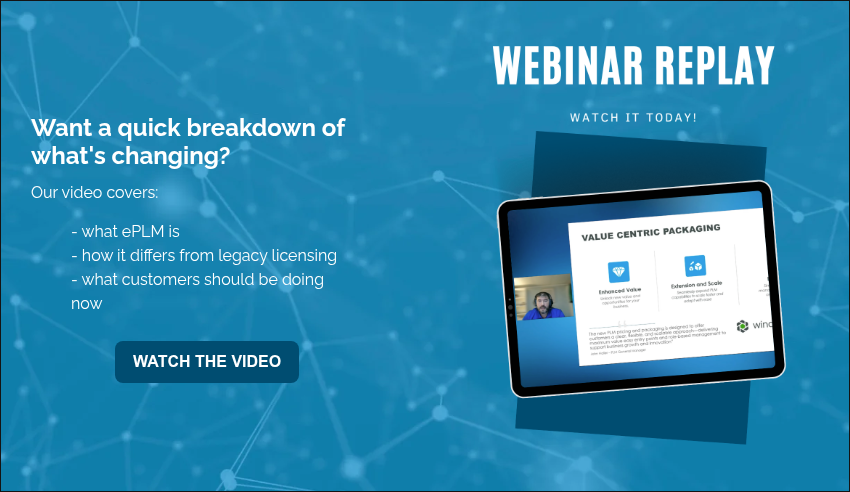
Want a quick breakdown of what’s changing? The webinar replay below shares just that.
What the Windchill ePLM Transition Actually Involves
The transition to ePLM is not just a contract change. It’s an operational change. Let’s have a look at how it typically goes.
The first step is license mapping. It’s vital to map existing users to new ePLM roles and identify gaps and overlaps. Next comes user segmentation. Companies must define user groups based on real workflows and align capabilities with responsibilities. The third step is system validation. Ensure users retain required access and test workflows across teams.
The fourth step is the cleanup of legacy complexity: remove unused licenses, simplify license structures, and optimize cost and usage. Finally is the transition execution. Here companies must implement the new license model, train users if needed, and monitor adoption and performance.
Common Challenges with Windchill ePLM
All written out, it’s easy to feel overwhelmed. This transition carries a level of complexity companies generally aren’t equipped to handle themselves. Unfortunately, organizations can underestimate the transition. When they do, they often run into issues like the following.
Some treat it as a procurement exercise. They focus only on pricing and license counts, instead of system performance and workflow alignment. Or there’s a lack of visibility into current usage. Many teams don’t have a clear view of how licenses are used and what users actually need. There may also be misalignment between roles and access. Without proper planning, users lose accessor gain unnecessary access. Both create friction.
The Bigger Opportunity: Fix What’s Broken
The reality is this: the Windchill ePLM transition is a forcing function. It forces organizations to look at how their system is structured, how their teams actually work, and where inefficiencies exist.
The companies that get the most value from ePLM are the ones that use it to improve system alignment, matching PLM to real workflows. They’ll also see increased user adoption, by giving users the tools they actually need. Organizations benefit additionally from reduced complexity, with ePLM simplifying the licensing and system structure. Further, they enable an intelligent product lifecycle, connecting data around the product from first design to the manufactured version and beyond.
How Windchill ePLM Supports the Intelligent Product Lifecycle
One of the biggest advantages of ePLM is how it supports broader digital engineering initiatives. By aligning access and capabilities to roles, organizations improve data flow across teams, reduce bottlenecks, enable better collaboration, and support end-to-end traceability. This is critical for complex manufacturing, regulated industries, and digital transformation initiatives.
Where to Start with Windchill ePLM
If you’re early in the process, start with understanding your current state. Who is using Windchill? What capabilities are actually used? Where are the gaps? From there, you can begin identifying misalignment: over-licensed users, under-supported roles, and inefficient workflows. Then, define your future state. You should be able to determine what your system should support and how your teams should interact with it. The last step is building a transition plan, including timeline, role mapping, and risk mitigation.
Let’s Help You Navigate the ePLM Transition
Most organizations don’t need more tools. They need clarity.
If you’re evaluating the Windchill ePLM transition, we can help you:
- Map your current licenses to ePLM
- Identify inefficiencies in your system
- Build a practical transition plan
- Ensure your system supports your business, not just your software
Start the conversation with our team.
Final Thoughts: This Is Bigger Than Licensing
Windchill ePLM is not just a change in how you license software. It’s a shift in how your PLM system supports your organization. The question isn’t: “How do we switch to ePLM?”
It’s: “How do we make our system actually work?”
Because for most organizations, the transition will surface challenges that have been building for years: misaligned processes, disconnected systems, and workarounds that quietly slow everything down. Teams that approach this as an opportunity, not just a requirement, will come out with stronger systems, better alignment, and more confidence in how they operate.

The Department of Defense has made it clear: digital engineering is no longer optional. With the release of DoDI 5000.97, the DoD is formalizing expectations for how acquisition programs plan, execute, and sustain complex systems using digital, model-based approaches.
For aerospace and defense contractors, the directive is both challenge and opportunity. Many organizations have invested in digital tools: MBSE platforms, CAD, simulation, and analytics. A much smaller number have established the data foundation required to scale digital engineering across programs and lifecycle phases. That foundation is Product Lifecycle Management (PLM).
In this blog we’ll walk through what DoDI 5000.97 is, why it matters to aerospace and defense contractors, and how PLM is a foundational to any initiative.
What Is DoDI 5000.97?
DoDI 5000.97 institutionalizes digital engineering as a core element of the DoD acquisition lifecycle. Its intent is to move programs away from document-centric processes toward data-driven, model-based decision making, from concept through sustainment.
At a high level, the directive emphasizes:
- Model-Based Systems Engineering (MBSE)
- Intelligent product lifecycle concepts
- Lifecycle data continuity
- Improved traceability, transparency, and decision quality
In short, DoDI 5000.97 mandates that digital artifacts, not static documents, become the authoritative source for engineering and program execution.
The Reality for Many A&D Contractors
Despite years of discussion, many organizations still struggle to operationalize digital engineering. Common challenges include:
- Engineering data scattered across disconnected tools
- Manual handoffs between systems engineering, design, and manufacturing
- Limited traceability from requirements to verification
- Difficulty demonstrating compliance during audits and reviews
These challenges are not caused by a lack of engineering capability. They come from the absence of a central system of record that connects people, processes, and product data across the lifecycle.
Why PLM Is the Foundation of Digital Engineering
Deploying a single tool doesn’t mean a company has achieved digital engineering. It requires an enterprise backbone that manages product data, controls change, and enables traceability. PLM provides that backbone.
A Single Source of Truth
PLM establishes a controlled, authoritative environment for product data, including: requirements, configurations, designs, changes, and approvals. This ensures that all stakeholders are working from consistent, current information.
Enabling the Intelligent Product Lifecycle
A core objective of DoDI 5000.97 is lifecycle traceability. PLM enables the intelligent product lifecycle by linking requirements, system models, CAD, manufacturing plans, and verification artifacts. This creates end-to-end visibility across disciplines.
Connecting MBSE to the Enterprise
MBSE is a critical component of digital engineering, but it cannot operate in isolation. PLM integrates system models with downstream engineering and manufacturing data, ensuring system intent is carried through design, production, and sustainment.
Supporting Governance and Compliance
PLM provides built-in version control, configuration management, and auditability. These capabilities are essential for meeting DoD oversight, reporting, and certification expectations.
Mapping DoDI 5000.97 Objectives to PLM Capabilities
While DoDI 5000.97 defines what the DoD expects from digital engineering, it leaves the how up to contractors. Many organizations struggle with translating policy language into executable engineering and program processes. PLM provides the operational capabilities that allow companies to implement DoDI 5000.97 objectives consistently and at scale.
Digital Engineering Implementation
PLM acts as the enterprise system of record for digital artifacts, ensuring that models, requirements, configurations, and engineering decisions are managed as authoritative data, not disconnected files. This enables teams to operationalize digital engineering across programs rather than treating it as a pilot or standalone initiative.
Digital Thread Enablement
A core expectation of DoDI 5000.97 is end-to-end traceability. PLM enables the intelligent lifecycle by linking requirements to system models, designs, manufacturing plans, and verification results. This provides continuous visibility across the lifecycle and supporting faster, more informed decision-making.
Model-Based Systems Engineering Integration
PLM connects MBSE outputs to downstream engineering and manufacturing data, ensuring system intent is preserved throughout execution. This integration allows changes at the system level to propagate accurately, reducing rework and misalignment across disciplines.
Lifecycle Data Management & Governance
Defense programs often span decades. PLM provides long-term data governance, configuration control, and version management. These capabilities are essential for sustaining digital continuity across development, production, and sustainment phases.
What This Looks Like in Practice
When PLM is positioned as the foundation of digital engineering, the impact extends well beyond engineering efficiency. Programs gain greater confidence in data integrity, leadership gains clearer insight into program health, and compliance becomes an outcome of daily work rather than a last-minute exercise.
In practice, a PLM-enabled digital engineering environment enables:
- Requirements that are digitally linked to system models and product structures
- System architectures that drive downstream design and configuration decisions
- Engineering changes evaluated with full lifecycle impact visibility
- Manufacturing and quality teams accessing the same authoritative product definition
- Program managers able to demonstrate traceability during reviews and audits
Rather than chasing data across tools, teams work within a connected ecosystem where digital artifacts remain synchronized throughout the lifecycle.
Getting Started: Building a PLM-Centered Digital Engineering Strategy
Adopting digital engineering under DoDI 5000.97 does not require a wholesale transformation overnight. Successful organizations take a phased, pragmatic approach, grounded in business priorities and program realities. PLM provides the structure needed to scale these efforts deliberately and sustainably.
Key steps include:
- Establish Data Governance: Define ownership, standards, and lifecycle rules for product and engineering data to ensure consistency and trust.
- Integrate MBSE and Design Data into PLM: Connect system models, requirements, and CAD data to create a unified product definition.
- Align Digital Workflows to Acquisition Milestones: Map PLM workflows to DoD acquisition phases and program reviews.
- Enable Cross-Functional Collaboration: Extend PLM access beyond engineering to manufacturing, quality, and supply chain teams.
- Measure Progress: Track improvements in traceability, reuse, cycle time, and change impact analysis to demonstrate value.
Common Pitfalls to Avoid
Many digital engineering initiatives stall not because of technology limitations, but due to strategic missteps. Understanding these pitfalls can help organizations avoid costly rework and unrealized value.
Common challenges include:
- Treating Digital Engineering as a Tool Deployment: Digital engineering is a transformation of processes and behaviors, not just software implementation.
- Isolating MBSE from Enterprise Systems: MBSE tools must be connected to PLM to ensure system intent drives execution.
- Underestimating Data Quality and Governance: Poor data discipline undermines traceability and trust in digital artifacts.
- Ignoring Change Management: Without training, communication, and leadership alignment, adoption will lag.
Avoiding these pitfalls requires viewing PLM as a strategic capability, one that supports compliance, execution, and long-term program success under DoDI 5000.97.
PLM Is Non-Negotiable Under DoDI 5000.97
DoDI 5000.97 makes one thing clear: digital engineering is a strategic imperative for defense acquisition programs. For aerospace and defense contractors, success depends not just on adopting digital tools, but on establishing PLM as the foundation that connects them.
Organizations that treat PLM as an enterprise capability, not simply an engineering system, will be best positioned to meet DoD expectations, reduce risk, and deliver complex systems with greater speed and confidence.
Interested in learning more about the importance of PLM? Explore how foundational PLM is in our guide: Digital Transformation Starts with PLM.